The docs.

Start with the install steps if you’re setting up. The modding guide and the Lua reference are generated from the project’s documentation every time this site is built.

Install

Have your disc dump ready. The install takes about 20 minutes, and most of that is waiting.

  1. Download the launcher from the releases page and unpack it anywhere you can write to. A short path without special characters works best.

  2. Run THP8 Launcher.cmd. It opens on the Setup page the first time. If SmartScreen warns about an unsigned script, choose More info, then Run anyway.

  3. Choose the game folder that contains PS3_GAME. The launcher checks it before copying or decrypting anything, and never writes to it.

  4. Check that RPCS3 was found, or point the launcher at rpcs3.exe. It’s only used to decrypt the game’s executable.

  5. Choose an install folder and the add-ons you want. Project 8 Plus, the creator tools, smoothed skaters, Xbox button prompts and HD textures are on by default. Smoothed skaters are generated during the install, and HD textures in the background once it’s done. The original game is always built as well, and stays unchanged. Also included, but off until you switch them on: the dark boot screens (a dark Project 8 Plus look for the loading screens; a Setup option), Create-a-Park (build skate parks inside the game with the controller; the Mods page) and 60 fps cutscenes (experimental, check lip sync; Settings).

  6. Press Start building. It takes about 20 to 25 minutes on an 8-core CPU and ends by preparing the game for its first start. Low priority keeps the PC usable while it runs. If the build stops, start it again and it carries on from the last finished step.

  7. When the build finishes, the launcher switches to the Play page. In the game, F11 toggles fullscreen. Closing the window quits, and a save that is in progress finishes first.

Requirements

GameA folder dump of the US PS3 disc, BLUS30011 version 01.02, containing PS3_GAME and PS3_DISC.SFB. This is the layout RPCS3 uses. Other regions and versions, including the European BLES00014, aren’t supported.
RPCS3Installed. The builder runs rpcs3 --decrypt on EBOOT.BIN and two audio modules, with a temporary settings folder so your own setup isn’t touched. No keys ship with the project.
WindowsWindows 10 or 11, 64-bit (x64). Not Windows on ARM.
GraphicsA GPU with Direct3D 12.
ProcessorAny x64 CPU. On a CPU with AVX2 the build uses the faster FMA3 instructions, and that install then needs an AVX2 CPU. A fast single core helps most.
Memory16 GB recommended. The build runs fewer parallel jobs with less.
DiskAbout 4 GB free to install with the default add-ons, and about 2 GB once installed. Game data on the same NTFS drive is hard-linked. On another drive it’s copied, which needs about 5 GB more.
InternetNeeded once, to download the zig compiler (about 97 MB) and, with HD textures on, the HD pack: the AI upscaler and its model, about 44 MB, no game content. Both are checked against pinned SHA-256s.
Build timeAbout 20 to 25 minutes on an 8-core CPU, once. An interrupted build resumes where it stopped.
HD texturesMade in the background after the install, about 1 hour on a recent graphics card and about 2 on a mid-range one, so you can play while it runs. They need a DirectX 12 graphics card; without one they are skipped.
ControllerAn XInput pad such as an Xbox controller is recommended. The keyboard also works.
For modsThe editor, Texture Studio and Lua need nothing extra. For your own 3D models you’ll want Blender 4.x or another glTF tool.

Online play, Linux, Steam Deck and Mac are coming later. Releases other than BLUS30011 disc 01.02 and Windows on ARM aren’t supported.

Troubleshooting

The builder rejects my game folder

Choose the folder that contains PS3_GAME and PS3_DISC.SFB, not PS3_GAME or USRDIR. The builder compares EBOOT.BIN and PARAM.SFO against BLUS30011 disc 01.02, the one supported release. Its message says whether the folder isn’t a game, is a different game, or is Project 8 from another region or version.

Other releases are refused because the port is translated from one specific executable. If you own one, "THP8 Launcher.cmd" --identify <folder> prints its title, version, size and SHA-1, which is all a release report needs. Don’t send the files themselves.

It cannot find RPCS3, or decryption fails

Point the builder at rpcs3.exe. If decryption fails, make sure RPCS3 starts normally on its own. RPCS3’s error message is in the builder’s log in logs\.

The build stops while downloading the compiler

The first build downloads the zig compiler, about 97 MB, and checks its SHA-256. That step needs an internet connection. Run the builder again once you are online; it continues where it stopped. With HD textures on, the HD pack (about 44 MB) downloads after the build the same way and resumes on its own when the connection is back.

The build stops at “verify”

The translated sources don’t match the hashes published for this release, so the build wouldn’t match what was released. Please report it with the log rather than working around it.

The build stops while compiling

This is usually disk space or memory, since each parallel compile job needs about 1.2 GB. Free some of both and run the builder again. It continues from the last finished step. If it keeps failing, report it with the log.

“Windows protected your PC”, or my antivirus flagged it

The scripts and the executable aren’t signed, so SmartScreen may warn. Choose More info, then Run anyway. Heuristic scanners also tend to flag freshly compiled, unsigned programs.

Check before you dismiss a warning. Download only from the project’s releases page and compare the archive with the published checksum. If your antivirus flags it, report the product and the detection name.

The first start is slow

The game builds a data cache the first time it runs, as on a PS3. The build already does this in its last step, “Preparing the game for first launch”, so the first start is quick. After you change which mods are on, or play the original game, the cache is rebuilt: Play shows “Preparing” for a short while before the game starts.

No sound, or the wrong device

Sound goes to the Windows default output and follows it when it changes. Pick another device on the launcher’s Play page, or start the game with play.cmd audio "part of the device name".

My controller does nothing

The game reads XInput controllers, such as the Xbox pad. Other pads need a driver or mapper that makes them look like XInput, such as Steam Input or DS4Windows. Without a controller, use the keyboard: WASD steers, Space or Enter is Cross (ollie, accept), J is Square, L is Circle, I is Triangle, Esc pauses and the arrow keys are the D-pad. Every key can be changed in the launcher (Settings, Keyboard).

The install does not start on another PC

On a CPU with AVX2 the builder compiles with FMA3, and the result only runs on CPUs that have it. Rather than copying an install to an older PC, build it there, or build a portable version with --fma off.

Where are my saves and logs? What goes in a bug report?

Saves are in one folder for every install and version (since 0.9.2): Documents\My Games\Project 8 Plus\Saves (Linux: ~/.local/share/project8plus/saves); the launcher’s Settings > Saves opens it. Logs are in logs\ inside the install folder. Each game session writes a play_*.log next to builder.log.

For a bug report, attach the logs and describe what you did. Never attach game files, decrypted files, thp8.exe or generated sources.

Modding guide

15 pages cover everything from a first mod to the game’s file formats. Open one to read it here. Each heading has its own link.

The modding kit

What a mod can do, the pages of the kit, and which operations are verified in game.

4 min read
docs/modding/README.mdView source

Make custom parks, objects, skaters and boards for Tony Hawk's Project 8 in Blender, build them into a mod, and play them in the Project 8 Plus native PC port. A mod is a folder with a manifest and the creator's own files; the kit reads your own copy of the game to build it. Nothing from the game is ever part of a mod (CONTRIBUTING.md).

Scope: US disc BLUS30011, version 01.02, and the native port's mods overlay. There is no install path for RPCS3.

page contents
getting-started.md what you need, the workflow (export, edit in Blender, build, play), a first build, enabling, disabling and removing a mod
blender.md the glTF round trip with Blender 4.x: axes and units, export settings, what the kit reads, custom properties, skinned parts
blender-addon.md the Blender add-on: install, preferences, the four panels, a first mod
operations.md the reference: every operation with its parameters, defaults and an example
peds.md people: how the game spawns pedestrians, walkers, skater peds and goal-givers, and the peds.* operations, catalog and Lua library
collision-rails.md collision and grind rails: how the game stores them, what the kit adds, what is not supported
formats.md what the game's files are, in modder terms: zones, models, skins, textures, collision, nodes, paks, the overlay
limits.md vertex and index limits, skin weights and bones, the SPU skinning budget, zone video memory, heaps
packaging.md the mod package (modkit.json, assets), versions, load order, overlaps, the combined pack, zips
mod-packages.md installable mod packages (p8mod.json: plugins, texture packs, overlays, script mods), what the launcher's check refuses and flags, the mod manager, per-mod settings, and parks and looks shared as .p8park / .p8look files with the content check
goals.md custom goals (quests): the goal operations, starting goals from Lua and stories, and how THP8's goal system works
examples.md the three example mods in examples/
soundtrack.md custom soundtrack: your own music in the playlist (Now Playing, playlist menu, stock songs on/off), the Music folder, the music.* operations, how the game plays music
story.md stories: custom campaigns (chapters, quests, characters, dialogue trees, cutscenes, triggers, rewards), the format, the Lua runtime, the editor panels, the example "The Kicker", and how THP8 tells its own story

Related pages: models.md (geometry and skin formats in full), hd-textures.md (texture formats and the video memory budget), qb-toolchain.md (PAK and QB formats), development.md (setting up the tools, the THP8_* variables).

What a mod can do

kind operations
replace a texture (a sign, a wall, a deck graphic), or recolor one without shipping it texture.replace, texture.recolor, skin.replace_texture, skin.recolor, skin.deck_graphic, skin.griptape
replace or add objects and props in a zone static.replace_object, static.add_object, static.replace_mdl, static.remove_object
replace or add skinned parts (skater, board, clothing, accessories) skin.replace_mesh, skin.replace_part, skin.add_mesh
put people in a level: standing, walking a path, skating a line, giving a goal; remove or restyle the stock ones peds.add, peds.remove, peds.replace_appearance, peds.ambient (peds.md)
make added objects solid, add grind rails, place more game objects collision.add_mesh, collision.add_box, collision.add_ramp, collision.copy, rails.add, rails.remove, nodes.add_gameobject, nodes.add_restart, nodes.set
your own music in the game's playlist, mixed with the stock songs or replacing them music.add, music.folder, music.replace, music.disable, music.options (soundtrack.md)
add goals: score, combo, collect, race, gap, trick, started from a marker, a person, the pause menu or a script goals.add_score, goals.add_combo, goals.add_collect, goals.add_race, goals.add_gap, goals.add_trick (goals.md)

Status

Everything in the table above builds with the kit and runs in the native port:

  • packaging: several mods built into one combined pack, and modkit.py uninstall restores the unmodified game;
  • objects: zone objects replaced and new objects added (with or without a level node), drawn where they are placed;
  • textures: zone textures replaced or recolored, skater and create-a-skater parts recolored, meshes such as a cap added to a skater, deck graphics and griptape changed;
  • collision and nodes: added objects are solid and can be ridden (a kicker launches the skater, a wall stops him), new game objects and restart points, moved nodes, and grind rails the game builds and grinds (collision-rails.md);
  • people and goals: see the status in peds.md and goals.md.

The Blender add-on is a preview: it has not yet been used in Blender itself.

Known limitations:

  • skin.griptape has no visible effect on a board whose griptape swap texture is not in the board's texture dictionary (Tony Hawk's "Generic 1"). Use skin.replace_texture instead, for example {"skin": "board_default", "texture": "63c69f4c"}.
  • static.replace_mdl and replacing a whole skater with skin.replace_part are covered by the kit's offline tests only.

Getting started

What you need, the workflow (export, edit in Blender, build, play), a first build, enabling, disabling and removing a mod.

6 min read
docs/modding/getting-started.mdView source

What you need

  • Your own copy of the game: Tony Hawk's Project 8, US disc BLUS30011, version 01.02, as the folder the native port runs from (the folder that contains PS3_GAME). The kit reads it; it never writes to it.
  • The native port (Project 8 Plus for PC). Mods go into its mods folder (next to the port's executable, or the folder the PS3_MODS_ROOT environment variable names).
  • Python 3.11-3.13, 64-bit, with numpy, pillow and quicktex (pip install numpy pillow quicktex). moderngl is only needed to render previews with the kit's renderer; development.md lists the extras of the other tools.
  • Blender 4.x for the 3D work (blender.md, blender-addon.md). Any glTF 2.0 tool works too; the kit only reads .glb / .gltf files.
  • This repository, for the tools in tools/modkit and the example mods in examples.

Tell the tools where the game and the mods folder are, once per shell:

set THP8_DATA=<install>\game\PS3_GAME\USRDIR\DATA
set THP8_MODS=<install>\mods

(or pass --game and --mods to every command). THP8_DATA must be the stock game; HD texture packs and other mods live in the mods folder, not in the game folder (packaging.md).

The workflow

  1. Export what you want to change from your game files to a glTF file: a zone, a prop, a skater, a board, a clothing part (python tools/modkit/modkit.py export zone z_houses). The exported files are yours to edit and stay on your PC; do not share them. Skip this step for something wholly new (a ramp from scratch).
  2. In Blender, import the .glb, change or add meshes, UVs, materials, then export glTF again (blender.md). Axes need no conversion: Blender's exporter writes +Y up, which is the game's up axis.
  3. Write a manifest. A mod is a folder with modkit.json and an assets/ folder holding your glTF and PNG files (python tools/modkit/modkit.py new "My mod" scaffolds one). The manifest lists the operations to apply (packaging.md, operations.md).
  4. Build with python tools/modkit/modkit.py build <mod folder> --mods <install>\mods. All mods you pass are applied in load order to your game's files and installed as one pack in the mods folder.
  5. Start the native port. Its log shows [mods] lines with the files it serves from the pack. After a change of the mod set the game rebuilds its HDD cache once, so the first start is a little slower.

A first build: the examples

The three example mods are made of our own content. Check and build one:

python tools/modkit/modkit.py validate examples/houses_ramp
python tools/modkit/modkit.py build examples/houses_ramp --mods <install>\mods
python tools/modkit/modkit.py status --mods <install>\mods

validate checks the manifest, the operation names, that every asset exists and that nothing in the package looks like game data, without touching the game. The build prints one block per operation, then what it changed (abridged):

game : <install>\game\PS3_GAME\USRDIR\DATA  (BLUS30011 01.02)
pack : <install>\mods\zz_modkit  (base: game)
mods : example.houses_ramp 1.0.0 (p50)
[example.houses_ramp#0 static.add_object]
  snap_to_ground: ground at y=2.393, moved by +0.003 m
  new object modkit_kicker (1a5ec2a9): 1 meshes, 74 triangles, ... + LevelGeometry node
  WARNING: z_houses_vram is now 14,834,432 B (> stock slot 14,786,560 B): every zone link slot grows, 0.19 MiB ...
...
[example.houses_ramp#4 nodes.add_rail]
  z_houses: rail z_houses_modkit_rail_line_0..1 (2 nodes, 3.00 m, terrain MetalPole, node indices 2181..2182)
result: 2 file(s) changed, 6 pak entries changed
  ZONES/5EF17586.CHK       z_houses_vram.pak.ps3               14,852,096 B  base game  by example.houses_ramp
  ZONES/D34E37E4.CHK       z_houses.pak.ps3                     1,898,496 B  base game  by example.houses_ramp
  budget zone_vram_slot: 14,852,096 / 28,119,040 B (... predicted free VRAM 58.61 MiB ...)
INSTALLED <install>\mods\zz_modkit: 2 file(s), 5 op(s), 30.4 s. The port picks it up at its next start ...

The three examples build together in under a minute (19-34 s measured, at low priority on a busy PC). status verifies the installed pack: every file's SHA-1, that the base game files did not change since the build, that no pack sorting after it replaces the same files, and that the mods' folders did not change (exit code 0 = fine, 1 = damaged, 2 = rebuild needed, 3 = not installed, 4 = shadowed).

Use --dry-run to run a whole build without installing anything: the output, warnings and budgets are the same.

The ramp example puts a kicker and a rail in the garage in front of the free-skate start (the Houses zone is where free skate begins); the other two change Tony Hawk's deck graphic and give him a recolored T-shirt and a cap.

Enable, disable, remove

The kit installs one pack, by default <mods>\zz_modkit (the name sorts after hd_textures and every pack named a..y, so the build sees what those packs serve).

to do
turn the mods off, keep them modkit.py disable --mods <install>\mods (renames the pack to _zz_modkit; the overlay skips folders starting with _ or .), or rename it yourself
turn them on again modkit.py enable --mods <install>\mods, then status
remove them modkit.py uninstall --mods <install>\mods, or delete the pack folder
change the set build again with the mods you want; the pack is replaced atomically
see every pack modkit.py list --mods <install>\mods

The game files are never modified: with the mods folder empty (or the pack gone) the port serves the original files again from its next start, and resets the game's HDD cache once so that nothing of a removed mod lives on in it.

Make a mod and share it

A mod folder holds only your own work and can be shared as a folder or, with modkit.py package, as a zip. Check before you do:

  • no game content anywhere: not a file the exporters wrote from your copy, not a texture or model derived from the game (a texture.recolor / skin.recolor manifest is fine, a recolored copy of the picture is not);
  • the manifest has the mod's id, version and author, and a license for your own files.

See packaging.md. Whoever installs your mod builds it against their own game copy.

If something goes wrong

symptom look at
invalid mod(s) from build / validate the message names the manifest field or the missing asset; a build also rejects an unknown parameter of a static, texture or skin operation and lists the accepted ones
unknown op the operation name is misspelled, or its area is not in your copy of the kit (modkit.py ops lists them)
where is the stock game? set THP8_DATA or pass --game
REFUSED ... also replaced by <pack>, which sorts after another pack replaces the same file and wins; rename or disable it, or pick a pack name that sorts later (--pack)
budget ...: N B > limit, or a free-VRAM warning the mod does not fit; see limits.md
no object 'x' placed by static.add_object earlier in this build a collision operation comes before the static operation that makes the object
the mod does not show in game the port's log: are the [mods] lines there, and is the pack not disabled (_ prefix)? Run status
the game crashes or hangs while loading a zone or a skater most often a limit (limits.md); disable the mod and bisect with the examples

The operations are verified offline (every rebuilt file parses back, the examples render correctly in the kit's own renderer) but have not been tested in the running game yet (operations.md); a crash is possible. Please report one with the mod and the port's log.

The level editor

The Create page: the 3D editor and creator hub, its tools and shortcuts, Test in game, live update and Share.

7 min read
docs/editor/README.mdView source

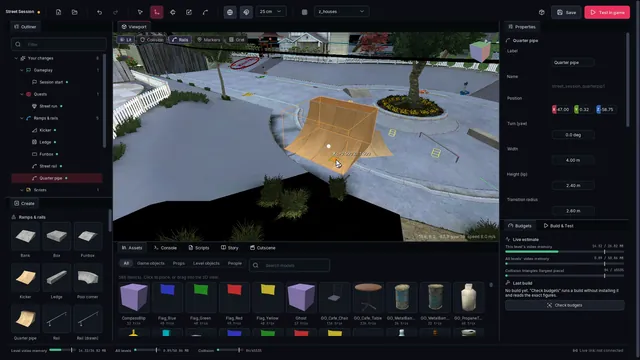
The Create page of the P8Plus launcher is a 3D editor for Tony Hawk's Project 8 levels and the hub for everything a mod can add: ramps and rails, props, restart points, texture edits, people, goals, stories and cutscenes, and Lua scripts. What you make is a normal modkit mod. The editor reads your own copy of the game, writes modkit.json plus your own assets, and builds the mod with the kit. "Test in game" plays it.

Running it

Open the launcher and go to Create. The first start reads the level from your game files, which takes about 10 s per level. After that the level loads in under a second from a cache in %LOCALAPPDATA%\P8Plus\editor\cache.

Running the editor from source and its test suites: DEVELOPING.md.

Using it

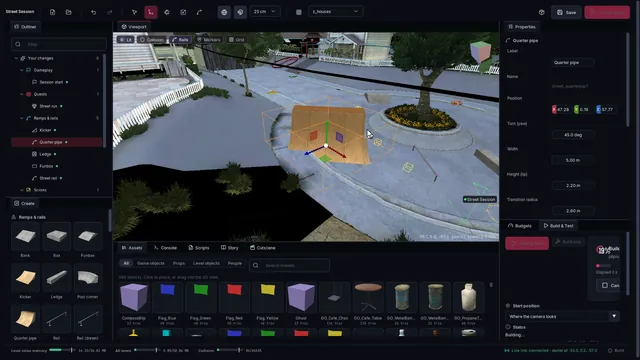
3D view hold the right mouse button to look around, with W A S D to fly, Q / E for down / up and Shift to go faster; the wheel changes the speed while flying, otherwise it dollies. Middle mouse pans, Alt + left mouse orbits the selection, F frames it. The pills at the top left switch lightmaps, the level's collision (colored by surface: orange = vert, blue = wallride, red = not skatable), the level's rails, its restarts / objects / goals / people, and a grid. The cube at the top right turns the view to an axis.
Select and move click to select; Ctrl- or Shift-click adds to the selection. W / E / R switch between move, turn and scale; X toggles world / local axes; the magnet toggles snapping (25 cm and 15 deg by default; hold Ctrl to invert). Drag a level restart or game object to move it: it becomes a "Moved node" of your mod. Ctrl+D duplicates, Del deletes (on a level object, Del hides it in your mod), Ctrl+Z / Ctrl+Y undo and redo. F1 shows every shortcut.
Create ramps and rails: quarter pipe, kicker, funbox, rail, ledge, bank, pool corner, stairs, box. Each has parameters with solid collision (vert faces flagged like the game's own quarter pipes) and automatic grind rails on its copings and edges. "Rail (drawn)": click points on any surface, Enter finishes. "Restart point". "Import glTF / OBJ" for your own models. The goals, people and story pieces come from their own panels' operations.
Prefabs small layouts made of pieces, placed with one click and facing the way you look: mini ramp, street line, bowl, stair set. Every piece stays editable.
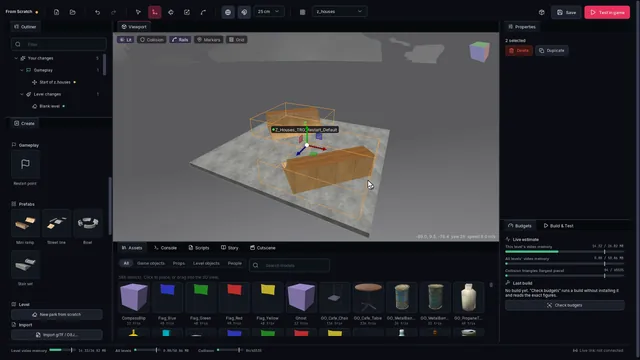
New park from scratch hides the whole level in your mod (its objects, collision and rails), lays a 60 m concrete slab where free skate starts, and moves the start onto it. The level's video memory shrinks too.
Find Ctrl+P finds anything in the level by name: your objects, restarts, game objects, level objects, goals.
Assets the game's own props, the game objects of the level (barrels, cones, flags...) and the level's own objects, with thumbnails rendered from your copy of the game. Click one, or drag it into the 3D view, then click where it goes; the wheel turns it.
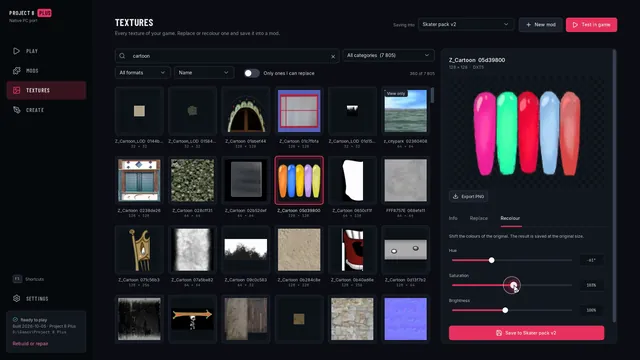
Properties everything about the selection: transform, the parameters of a piece, a goal's texts and targets, a person's look. For a level object: hide it, copy it as a new object, and edit its textures (recolor, replace with your picture, or paint over it with your own layer), with a live preview.
Budgets a live estimate of what the mod costs (this level's video memory, the video memory of all levels, collision), and the exact figures from the last build. A build over a budget fails, and "Share" refuses to package it.
Light pieces are baked when they are saved: sky occlusion and sun shadow from the level around them, stored as vertex colors, so a ramp under a roof is darker than one in the sun. The other pieces shade it too where its mesh is fine enough to show it (a big platform has 1 m cells near its edges, so a wall standing beside it darkens the floor at its foot). Untick "Bake light" on a piece to use the level's lightmap instead, and "Casts shadow" on a piece (a roof, a canopy) that should not shade the pieces around it. "Contact shade" (0 to 1) darkens a piece more where other pieces stand within 1.5 m, for a visible line where a wall meets a floor.
Test in game saves, builds the mod into the editor's own test mods folder (pack zz_editor) and starts the game in free skate right where your camera looks (or at a restart you choose in Build & Test). If a game with a live link is already running, it hot-reloads instead and teleports the skater: about 3-4 s for a changed level piece, ~7.5 s when grind rails or goals changed (those need a level reload).
Live game with the game running (Build & Test starts it with the live link): "Live update" builds and hot-reloads every finished edit by itself; "Game camera follows the editor" drives the game's camera from the 3D view; "Skater here" teleports the skater; moving a restart or game object moves it in the game at once; a goal's "Play in game" starts it; script errors and prints show in the Console.
Share checks the budgets with a build, then writes <id>-<version>.zip next to the project. The launcher's Mods page installs that zip.
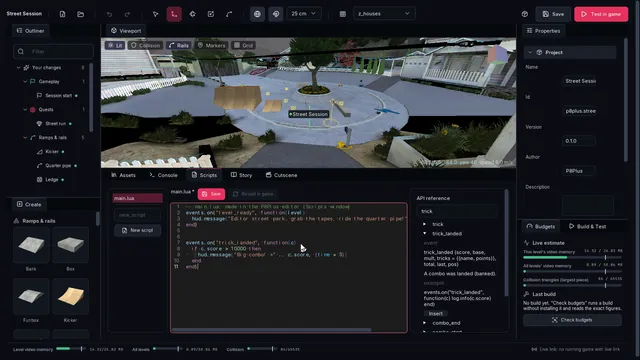
Scripts Lua script mods with syntax highlighting, the scripting API reference next to the code, and "Reload in game" over the live link.
Story, Cutscene the Story and Cutscene panels: the chapter / quest / dialogue graph, and a cutscene timeline whose playhead drives the 3D view's camera.

Architecture

launcher (imgui-bundle, hello_imgui)                 thp8-mod/tools
  Create page ── CreateWorkspace(EditorApp) ──────── editor/
                                                      app.py        EditorApp: document, zone, selection, tools, tasks
                                                      workspace.py  toolbar, dock layout, budget bar, shortcuts
                                                      viewport.py   camera, gizmos (ImGuizmo), picking, place/rail tools
                                                      gl.py         moderngl renderer (zone, sky, meshes, collision, lines)
                                                      panels.py     outliner, properties, palette, assets, console,
                                                                    budgets, build & test, scripts
                                                      entities.py   editor objects -> modkit ops (regenerated from params)
                                                      prims.py      parametric pieces: mesh + collision + rails
                                                      schema.py,    SCHEMA / QUERIES of the ops modules: generic
                                                      schema_ui.py    property panels, gizmos and markers
                                                      zonecache.py  level geometry, textures, nodes, collision, rails
                                                      assetlib.py   the game's props / objects, meshes, thumbnails
                                                      texedit.py    texture edits + live preview
                                                      buildtest.py  build (modkit), budgets, launch, share
                                                      livelinkc.py  live link client (hot reload, teleport, events)
                                                      contrib/      content-area panels (story, cutscene, ...)
                                                    modkit/        the build: ops_static, ops_texture, ops_collision,
                                                                   ops_nodes, ops_rails, ops_goals, ops_peds,
                                                                   ops_story, ops_script ... -> one overlay pack
  • The document is the mod. modkit.json is the only project file. An editor object is one or more ops sharing x_editor.entity. Its primary op holds the editor's description (kind, params, xf = position / yaw / scale), and the editor regenerates the ops from it whenever something changes. The build strips every x_ key. Generated meshes go to assets/gen/. The contract with the content areas is contract.md.
  • Nothing from the game is in a mod. Pieces are generated with procedural textures. Game props are referenced by name (static.add_object game_model) and copied from the player's own files at build time. Texture edits ship parameters or the creator's own layer.
  • Caches (level meshes, thumbnails, the pak index) live in the user's local app data, never in the bundle.

Status

Tested in the native port, in Houses:

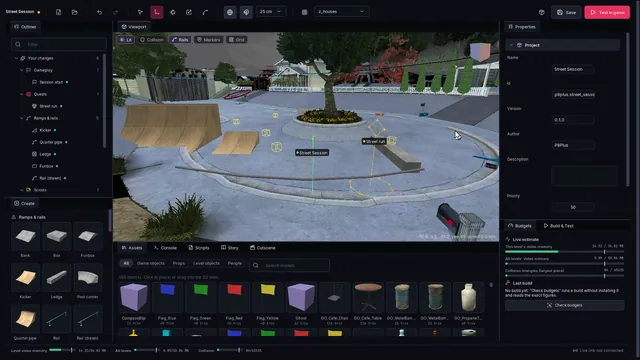
  • A street park built in the editor (a quarter pipe, a kicker, a ledge, a funbox, a drawn rail, a restart and a collect goal): Test in game starts free skate where the camera looks, the pieces are where they were placed, and the goal authored in the Properties panel runs with its text, its timer and its tapes.
  • The same park with a Lua script mod and the live link: after an edit the running game reloads the level in about 7 s, without a restart, and the skater is put back.
  • Grind rails on copings, ledges, funbox rails and drawn rails are built by the game and can be ground.
  • A 60 m park-from-scratch slab is evenly lit and can be skated.

Known limits:

  • Light baking is approximate: sky occlusion and sun shadow from the level's collision and the other pieces, written as vertex colors over the level's lightmap. There is no real lightmap bake. Pieces shade each other only within 12 m, and only on vertices with an edge of 1.5 m or less; a large flat surface has coarse cells away from its edges.
  • Pieces exist in the full zone only. They are not in the zone's distant _lod stand-in.
  • A change to rails, goals or scripts needs a level reload in the live game. Geometry-only changes take the 3-4 s zone reload once the test build has padded the zone's video memory (static.reserve_vram, test builds only).

Lua script mods

Script mods in Lua 5.4: mod.json, the sandbox, events, tasks, calling the game's scripts, examples and limits.

15 min read
docs/modding/scripting.mdView source

Script mods change what happens in the game: custom challenges and goals, stories, HUD counters, gameplay tweaks, characters who talk. They are Lua 5.4 scripts that react to game events (a trick landed, a goal won, a level loaded, ...) and drive the game through its own script system (QB): the same scripts, functions and UI the game uses itself.

Script mods run in the native PC port only, with the script-mod host plugin thp8_mod_modapi.dll. Without that plugin, or without any script mod installed, nothing of this runs and the game is unchanged.

Contents: quick start | mod.json | the Lua environment | events | tasks and waiting | calling the game (qb) | API reference | examples | native plugins | how it works | limits

Quick start

  1. You need the port's mod-capable exe (the P8Plus build, plugin ABI 1.2 or later) and thp8_mod_modapi.dll in <mods>\plugins\ (<mods> is %PS3_MODS_ROOT%, else the mods folder next to the exe).
  2. Make a folder for your mod in <mods>, with a mod.json and a scripts\main.lua:
<mods>\
  plugins\thp8_mod_modapi.dll
  hello\
    mod.json            {"id": "hello", "name": "Hello", "version": "1.0.0", "main": "scripts/main.lua", "api": 1}
    scripts\main.lua
-- scripts/main.lua
log.info("hello from", mod.id)

events.on("level_ready", function()
  hud.message("Hello, skater!", { time = 3000 })
end)

events.on("trick_landed", function(c)
  log.info(string.format("landed %d tricks for %d points", #c.tricks, c.score))
  if c.score > save.get("best", 0) then
    save.set("best", c.score)
    hud.message("New best combo: " .. c.score)
  end
end)
  1. Start the game. The game's log shows the host and your mod:
[mod:thp8_mod_modapi] 1 script mod(s) found under ...\mods; Lua 5.4.7
[mod:thp8_mod_modapi] [hello] scripts/main.lua:2: hello from	hello
[mod:thp8_mod_modapi] [hello] loaded: Hello 1.0.0 (...\mods\hello)

Errors in a script are logged with the file and line ([hello] scripts/main.lua:9: attempt to ...) and never stop the game: the failing handler is skipped, the rest of the mod keeps running. With the live link connected, the editor reloads a mod in place (script.reload) and shows these lines in its console.

mod.json

key
id string unique id (default: the folder name); the save data lives under it
name, version, author, description string shown in logs and the launcher
main string or list the script(s) to run at load, in order (default scripts/main.lua)
autoload list more scripts, run after main (the modding kit's ops add theirs here)
config object the mod's settings; scripts read them as mod.info.config
enabled bool false = installed but not loaded
api int the API version the mod was written for (this host: 1)

The modding kit writes this folder for you: script.add / script.dir / script.file / script.config ops in a modkit.json produce <mods>\<mod id>\mod.json + scripts\ when the mod is built (the folder is marked "built_by": "thp8-modkit"; the kit never overwrites a hand-made one). A mod can carry both kinds of content: data (levels, objects, textures, through the mods overlay) and scripts.

The Lua environment

  • One Lua state per mod. Mods cannot see or break each other's variables. They talk through game events, events.emit is per mod.
  • Sandbox. Available: the base library (without dofile / loadfile; load accepts text only), string, table, math, utf8, coroutine, os.time / os.clock / os.date / os.difftime, debug.traceback. Not available: io, os.execute and friends, package, C modules, bytecode. Files: mod.read / mod.json / mod.list inside the mod's own folder, save.* for the mod's save data.
  • require("a.b") loads scripts/a/b.lua of the mod (cached), else a built-in library (<plugins>\thp8_mod_modapi_lib\, e.g. require("peds")).
  • Game thread. Every handler, task and QB call runs on the game's main thread, between frames or inside the game's own script calls. There is no locking to do. A handler should be short: a script that runs longer than max_ms (default 250 ms) in one go is stopped with an error ("endless loop?").
  • Memory. Each mod may use up to 64 MiB of Lua memory (max_mem_mb).
  • Errors are caught at every entry from the game into Lua, logged with a traceback, and counted; after 200 errors only every 100th is logged.
  • print and log.info / log.warn / log.error write to the game log with the file and line.

Host settings (<mods>\plugins\thp8_mod_modapi.ini): max_ms, max_mem_mb, mods (another folder to load script mods from), always = on (load the host even without script mods, for native plugins that use its services).

Events

local h = events.on("trick_landed", function(c) ... end)   -- subscribe
events.once("level_ready", fn)                               -- next time only
events.off(h)
events.emit("my_mod.step", { n = 2 })                        -- this mod's own events
events.define("big_combo", "trick_landed", function(c) if c.score > 100000 then return c end end)

Named gameplay events (payload fields; "source" = how the host sees it):

event payload source
frame dt (host s), frame, time, game_dt game-thread frame step
level_loading level (string, e.g. "Z_Houses"), name, structure, params script load_level
level_ready script GameFlow_PlayRun (also at each new run)
level_unload script cleanup_before_changing_level
zone_loaded / zone_unloaded zone, pak scripts Zones_PakMan_Init / _DeInit
trick name, points, mult, base, combo trick text shown (trick component Display)
combo_start event SkaterEnterCombo
combo score, base, mult, landed, tricks = {name, points}..., total, last, pos combo_end + the tricks since the last one
trick_landed as combo, landed only
combo_end score, base, mult, landed, total, last ClearPanel_Landed / ClearPanel_Bailed
bail / landed pos events SkaterBailed / SkaterLanded
grind_start / grind_end pos events SkaterEnterRail / SkaterExitRail
manual_start / manual_end pos SkaterEnterManual / SkaterExitManual
lip_start / lip_end pos SkaterEnterLip / SkaterExitLip
air_start / air_end pos SkaterEnterAir / SkaterExitAir (also wall_*, ground_*)
gap id (= GapID), text, score, ... gap component EndGap
gap_first gap_text, ... script got_gap_for_first_time (career)
secret_spot spot, ... script secret_spot_found
goal_started goal (key), params event goal_activate
goal_completed / goal_failed goal, params, kit events goal_win / goal_lose, kit goals p8q_goal_won / p8q_goal_failed
goal_quit goal kit goals p8q_goal_quit
goal_ended goal, won, params event GOAL_DEACTIVATE
pause / unpause the game's pause setter (menus that pause included)
menu state (e.g. uistate_pausemenu, uistate_gameplay) script Fsm_Set
ped_near / ped_talk the ped's params scripts ped_speech_got_trigger / ped_speech_accept2
speech_box text, ... script create_speech_box
career func, params, result CFunction CareerFunc (AddGoalPoints, FoundSecretSpot, ...)
rank_up new_rank, old_rank script ui_rank_up_message
game_saved / game_loaded ok, params CFunctions SaveToMemoryCard / LoadFromMemoryCard
button button, down buttons watched with input.watch
unload this mod is about to be unloaded (reload, exit): undo your changes to the game here
shutdown the game is exiting

Any game script, CFunction or event can be watched by name too:

event payload fires when
script:<name> name, params, object, script the QB script starts: spawned, goto'd, run from C, or called by another script
cfunc:<name> name, params, object, script, result the QB CFunction returned
event:<name> name, source, target, data, broadcast the game launched the event (LaunchEvent, BroadcastEvent, C code, exceptions)

Names are case-insensitive. The game-side hooks for these are only switched on while some mod listens, so an unused tap costs nothing. Skater events (*_start, bail, ...) are the local skater's only.

Tasks and waiting

A task is a function that can wait without blocking the game (a Lua coroutine resumed by the host every frame):

task(function()
  hud.message("3"); wait(1)
  hud.message("2"); wait(1)
  hud.message("1"); wait(1)
  hud.message("GO!")
  local c = wait_event("trick_landed", function(c) return c.score >= 10000 end, 60)
  if c then hud.message("made it: " .. c.score) else hud.message("time is up") end
end)
wait(seconds) host time
wait_frames(n) game frames
wait_until(fn, timeout?) until fn() is true (checked every frame); nil on timeout
wait_event(name, filter?, timeout?) the next event (that passes filter); its payload, nil on timeout
handle:wait() a qb.spawn that has not ended yet

A qb.call whose callee waits (a script with waits, a dialog that blocks) suspends the task until the callee ends. Outside a task it returns nil, false, "pending" and the callee keeps running on its own.

Calling the game (qb)

THP8's game logic is mostly QB scripts plus C++ functions those scripts call ("CFunctions") and functions of game objects ("member functions", e.g. Skater:Obj_SetPosition). qb.call runs any of them by name, on the game thread, exactly as a QB script would:

local r, ok = qb.call("GetCurrentLevel")                       -- CFunction with results
log.info(tostring(r.level))                                    -- load_z_houses
qb.call("create_panel_message", { text = qb.wstr("Hi"), time = 2000 })   -- a QB script
qb.call("Obj_SetPosition", { position = qb.vec(-63, 2.4, -66) }, "Skater") -- member function on an object
local _, won = qb.call("GMan_HasWonGoal", { goal = qb.key("my_goal") })  -- condition: ok = its result
qb.call("ChangeNodeFlag", { qb.key("NODEFLAG_Z_HOUSES_CHALK"), 1 })     -- unnamed params

Parameters (Lua -> QB):

Lua QB
integer integer
float, qb.float(x) float
string string; "#name" = checksum ("##x" = the string #x)
qb.wstr(s) wide string (UI text)
qb.key(name) checksum (name)
qb.vec(x, y, z) / qb.pair(x, y) vector / pair
qb.global(name) $name: the global itself, resolved by the game (pass trick data / tuning structs this way, not a Lua copy)
"#xxxxxxxx" (8 hex digits) that raw checksum (how unknown names come back in results)
{a = 1, ...} struct; flag = true = the bare flag flag
{1, 2, 3} (only 1..n keys) array
array part of the params table unnamed params, in order

Results: qb.call returns results, ok. results holds what the callee returned (a CFunction's results, a script's return x = ...), converted back (checksums as qb.key values that print as their names, vectors as qb.vec, wide strings as UTF-8 strings). ok is the boolean result (CFunctions and member functions; true for scripts).

Trick data: pass qb.global references, not copies. The game's trick scripts trust their params. An AnimData struct without the animation names hangs the game thread inside the game's own trick code for good (seen in game). Pass the game's own data by reference: AnimData = qb.global("ChristianAir_Data") (QB's $ChristianAir_Data), never a Lua copy of it (qb.get_global copies lose array element types and every member whose name the host cannot spell). qb.call / qb.spawn / qb.call_on check the known trick entry points before the call, directly (qb.call("GrabTrick", p, "Skater")) or through MakeSkaterGoto / MakeSkaterGosub ({qb.key("GrabTrick"), params = p}): GrabTrick, fliptrick, InvertTrick, manual, NoseManual, Flatland, ManualFlip. A missing required param (Name, score, AnimData), a wrong type, a qb.global that names no struct, or an AnimData that lacks one of the members every one of the game's own trick tables has for that script raises a Lua error naming it, and nothing is called. A complete copy passes with a one-time warning.

qb.call("MakeSkaterGoto", { qb.key("GrabTrick"), params = {
  Name = qb.wstr("Christian Air"), score = 1250, AnimData = qb.global("ChristianAir_Data"), IsSpecial = true } })

Other ways into the trick scripts (e.g. SpawnSkaterScript, a QB script of your own made with qb.script) are not checked.

Lua functions callable from QB: qb.register(name, fn) defines a QB CFunction whose body is Lua. Use it for callbacks the game calls by name: dialog buttons (pad_choose_script), a ped's activation_script, goal scripts.

qb.register("MyMod_Choice", function(params, ctx)
  log.info("button", params.choice)            -- the call's params
  ctx:call("Obj_PlayAnim", { Anim = qb.key("Idle") })   -- member function on the calling object
  return { picked = params.choice }             -- added to the caller's params (or return true/false)
end)

qb.script(name, steps) defines a real QB script made of calls (steps: "Name" or {"Name", params, object}), which the game runs like its own: as a spawned script, a callback, or a camera's ControlScript on the camera object (camera.look is built on it).

qb.override(name, fn) replaces an existing global script or CFunction of the game with a Lua function (the original comes back when the mod unloads). Globals: qb.get_global / qb.set_global (int, float, name), qb.get_field / qb.set_field (one member of a global struct, e.g. the physics tuning in skater_physics).

API reference

The full list with signatures and examples is scripting_api.json; in short:

table functions
qb call call_on spawn register override script key is vec pair float wstr global exists get_global set_global get_field set_field
events on once off emit define
tasks task wait wait_frames wait_until wait_event
skater exists pos vel speed id object state trick stance score set_score add_score teleport to_node physics.get physics.set
world create kill exists node_flag global_flag
hud message dialog close_dialog speech close_speech
sound play stop music_volume skip_track
goals start stop won active exists unlock lock list config last_result
camera play stop look
input held watch
game frame time delta level paused
save get set data flush
mod id name version info read json list export
other require json.encode json.decode log.info/warn/error print livelink.emit livelink.active
mem u8 u16 u32 s32 f32 f64 vec cstr write_u8 write_u16 write_u32 write_f32 write_vec

mem.* reads and writes guest memory through typed accessors (values are converted from the console's big-endian layout). Writes are refused outside the game's data and heap ranges (code, stacks and device memory are off limits). Prefer qb.* where it can do the job: guest addresses differ between game versions.

Save data (save.*) is a JSON file per mod, <mods>\_modsave\<mod id>\save.json, written atomically within 10 s of a change, on reload and at exit, or at once with save.flush(). The game's own saves are never touched.

Examples

examples/scripts/ has four complete mods; copy a folder into <mods>:

mod shows
trick_counter trick_landed / bail events, hud.message, save data
ramp_challenge a custom challenge: air off the modding kit's kicker ramp (example.houses_ramp) and land a 50,000 combo, then hud.dialog congratulates you; settings in mod.json config
low_gravity changing the game's physics live (skater_physics), a pad toggle (input.watch), undoing it on unload
talking_spot a character who talks when you skate near (distance check every frame, the game's speech box), a ped from the built-in peds library

Native plugins (C)

Native plugins (other DLLs in <mods>\plugins) use the host through two services (plugin ABI 1.2 host->service_get), declared in thp8_game.h:

  • "thp8.game": on_frame / post (run code on the game thread with a guest context), qb_call_json (sync, game thread), qb_run (any thread, async, completion callback; params as JSON with "#name" / {"$vec": [x,y,z]} etc.), qb_key, qb_global_int / qb_global_float, skater_pos / skater_vel.
  • "thp8.modapi": reload(mod) (the live link's hot reload), call(mod, fn, args_json, done) (a mod's mod.exported function), set_log_sink (script output + errors with file and line), count.

How it works

The port's lifter compiles every PPU function of the game into C, with a guard at each function's entry, so the mod-capable exe can wrap any game function at run time (plugin ABI 1.2 hook_add). The host:

  • pumps the game thread from the frame step (sub_5C1E18): Lua tasks, the frame event, queued work;
  • calls QB by writing a tiny QB script ("stub") into the game's symbol table and starting it with the game's own SpawnScriptNow code (sub_375790): if [object:]Name <params as literals> then modapi_ret __mcid = <id> __ok = 1 <...>. The callee's results land in the stub's params; modapi_ret is a CFunction whose body is the host's trampoline, so the results come back to Lua the moment the callee returns, in the same frame or (if it waits) frames later;
  • defines Lua CFunctions as QB symbols of type CFunction whose function descriptor points at a dead game function (sub_42CEBC, the retail-unused QB text compiler) that the host replaces; the descriptor's TOC word carries the Lua function's id;
  • taps script starts (CScript::SetScript sub_43DC9C, script calls sub_43DE70), CFunctions (their own entries), and the game's event funnel (sub_3C41DC, every LaunchEvent / BroadcastEvent / exception), each only while a mod listens;
  • hooks a few C++ gameplay functions directly: trick text (Display 0x7DA0CC), combo banked / lost (ClearPanel_Landed 0x7D6474 / ClearPanel_Bailed 0x7D743C), gaps (EndGap 0x799A7C), pause (sub_817884);
  • reads the local skater (sub_38BEF4 on the skater manager *(0x100E82C4); position +0x70, velocity +0xD0, score object *(*(skater+0x2C4)+0x18)).

Host-made symbols are flagged "file-backed" so the game never frees them; strings and scripts the game must read live in a host-owned guest heap (plugin ABI 1.2 guest_alloc, 0x7C000000..0x7F000000). Addresses are for the US disc BLUS30011 01.02 (PPU-de89165d4428c218f9ade10050ea093f7bde9e8d); the plugin refuses to load on anything else.

Status

Tested in the native port, in free skate in Houses:

area works
host several script mods at once, each in its own Lua state; services published; the game hooks installed
qb.call / qb.register / qb.spawn a QB stub calls a Lua CFunction with int, float, string, vector and flag params and gets its table back; GetCurrentLevel, GameIsPaused, create_panel_message, Obj_SetPosition on Skater, Held
HUD / UI hud.message from several mods at once (including a kit-built mod), hud.dialog (the game's dialog box; the chosen button runs its Lua function), hud.speech
events level_loading, zone_loaded, level_ready, menu, pause / unpause, landed, air_start / air_end, gap, combo_start, trick, combo / trick_landed, script: taps
gameplay live skater_physics changes (air gravity), skater position, velocity, speed and state, save data written and read back across game starts
tricks MakeSkaterGoto GrabTrick with AnimData = qb.global("ChristianAir_Data") performs and lands "Christian Air"; a trick call with incomplete params is refused with a Lua error before the call, and the game keeps running
watchdog a script that blocks the game thread for more than 10 s is named in the log, with its call and its mod
camera camera.look moves the camera to a point looking at the skater; camera.stop returns to the gameplay camera
people require("peds"), peds.spawn, play_anim, wait_anim (a blocking qb.call inside a task), world.exists
examples the four examples and example.hud_hello run

Not yet tested in game: the goal_* and ped_* events, career, game_saved / game_loaded.

Limits and known issues

  • One game version (above). Guest addresses in mem.* code are version-specific too.
  • Returning arrays or vectors from a Lua CFunction (qb.register) is not supported yet (structs, numbers, strings, names and flags are).
  • combo / trick_landed come when the game banks the combo, which is a few frames after touchdown (the revert / manual window) or when a manual / grind that continues the combo ends.
  • level_ready also fires at the start of every run (career runs, retries) and in the front end; check skater.exists() or your own objects before acting on it. GetCurrentLevel (game.level()) can return no level outside a level.
  • Struct copies: a table read from the game and passed back (e.g. qb.get_global of trick data) loses array element types and any member whose name the host cannot spell; pass qb.global(name) instead.
  • If the game thread stops running frames for 10 s, the host logs a watchdog warning naming the last QB call a script mod started (a QB loop that never waits stops the whole game). For example, MakeSkaterGoto GrabTrick with an AnimData struct that lacks the animation names hangs the game thread inside the game's own trick code; the trick guards refuse such a call with a Lua error before it reaches the game. Pass the game's own data (qb.global).
  • A script that blocks forever (waits for something that never happens) keeps its call slot; at most 256 QB calls can be pending at once.
  • Hot reload rebuilds the mod's Lua state; QB scripts it spawned keep running, and a Lua CFunction of a mod that was removed returns false.

Stories

Stories: custom campaigns (chapters, quests, characters, dialogue trees, cutscenes, triggers, rewards), the format, the Lua runtime, the editor panels, the example "The Kicker", and how THP8 tells its own story.

27 min read
docs/modding/story.mdView source

A story mod adds a campaign to the game: chapters of quests, characters who talk to you, dialogue trees with choices, in-engine cutscenes, triggers, rewards and its own saved progress. It is written as one YAML file or built in the editor's Story and Cutscene panels; the modding kit compiles it, and a Lua runtime (on modapi) plays it with the game's own dialogue boxes, talk prompts, cinematic cameras and goals.

page part contents
The format the file, every field, conditions, actions, steps, triggers, cutscenes
The runtime how a story plays in the game, saves, Lua hooks, livelink
Authoring in the editor the Story and Cutscene panels, Play from here
The example "Project 8 Plus: The Kicker"
Testing offline the compiler, the simulator, the tests
How THP8 does its own story the reverse engineering this is built on

Status: stories run in the game (native port with the modapi and live-link plugins). The example below plays from start to finish in game, including Play from here from the editor; the format, compiler and runtime are also covered offline by the simulator tests.

The story format

p8story/1. A story is one document. You can write it two ways:

  • a YAML or JSON file in the mod, built by the op {"op": "story.file", "source": "assets/story/kicker.yaml"} (like every build input, it lives under assets/);
  • editor ops, one per entity: story.story, story.character, story.chapter, story.quest, story.dialogue, story.cutscene, story.trigger. These are what the editor writes. Every op names its story with "story" (default: the mod's only story.story).

tools/story/storyfmt.py converts both ways (ops_from_doc, doc_from_ops), and the compiler accepts either. Check a file on its own with python tools/story/storyfmt.py assets/story/kicker.yaml. It prints every error with its place, e.g. quest warm_up.steps[0]: no goals.* op named 'kick_scor'.

YAML here is the subset in tools/story/miniyaml.py, since the kit runs on the launcher's Python, which has no PyYAML. It has block and flow mappings and lists, quoted and plain scalars, block scalars (|, >) and comments, and follows YAML 1.2 rules: yes is a string, 1e3 is a number. Anchors, aliases and tags are refused with an error, never misread.

Conventions:

  • Names (ids) are lower-case a-z0-9_, starting with a letter.
  • Positions are world meters in the game's frame (Y up, right-handed), the same as the modding kit and the editor.
  • yaw is in degrees about +Y; 0 faces +Z.
  • pitch is in degrees, positive looks up.
Top level
story: kicker                       # id
title: "Project 8 Plus: The Kicker"
summary: ...
zone: z_houses                      # where the story's characters live (default zone of spawns, prompts)
start: {level_enter: z_houses}      # when the story begins (below); default: entering `zone`
characters: {rory: {...}}
chapters: [{id: challenge, ...}, ...]
quests: {meet_rory: {...}, ...}
dialogues: {rory_intro: [...], ...}
cutscenes: {cs_arrival: {...}, ...}
triggers: [{when: ..., do: [...]}, ...]

Start (story and quests): auto, manual (only an action starts it), {talk: <character>, prompt: "..."}, {area: {pos: [x, y, z], radius: m}}, {event: <name>} (an emit action), {level_enter: <zone>}, {after: <seconds>}.

Characters
rory:
  name: Rory                        # shown as the dialogue box title (upper-case, the game's style)
  color: [255, 170, 60]             # title color
  ped: kick_rory                    # a person placed with peds.add (object id = the op name) ...
  spawn: {profile: Profile_Greg_Skater, pos: [x, y, z], yaw: 45, anim: PedM_ArmCrosIdle01_xx, zone: z_houses,
          when: <condition>}        # ... or created by the story when the zone loads
  talk: {radius: 4, prompt: "Talk to Rory"}
  idle: [{rory: "The kicker's not going anywhere."}]   # what they say when there is nothing to do

The talk prompt is the game's own (setup_ped_speech: "Rory: (button) to talk." while you stand near them on the ground and are not in a combo).

Chapters
- id: session
  title: "Chapter 2: Kicker Session"   # shown as a hint when the chapter starts
  requires: <condition>                # default: the previous chapter is done
  intro: cs_arrival | rory_intro | [inline dialogue]    # played when the chapter starts
  quests: [warm_up, three_airs]
  complete_when: <condition>           # default: all its quests done
  on_start: [actions]
  on_complete: [actions]
  outro: ...                           # played when it completes
  reward: {...}                        # same as a quest reward
Quests
warm_up:
  title: Warm Up
  description: Show Rory a real score.
  giver: rory                       # default start: talk to the giver
  start: auto                       # see Start
  requires: {quest: meet_rory}      # becomes available when this holds (and its chapter is active)
  steps: [...]                      # run in order
  on_start / on_complete / on_fail: [actions]
  reward: {stat_points: 1, deck: Decks_Birdhouse_Secret, title: REWARD, text: "+1 stat point."}
  repeatable: false
  optional: false                   # true: its chapter completes without it (side quests, gated bonuses)

Only one quest runs at a time, like the game's goals. Progress is saved after every step. A quest interrupted by a level change or by quitting resumes at its current step.

Steps (one key each):

step
dialogue: <id> or dialogue: [inline lines] a conversation (below)
cutscene: <id> a cutscene (below)
goal: <goals.* op name> a goal built with the quests ops; retry: true (default) offers Retry / Later on failure; on_fail: [actions]
objective: {type, ...} a light challenge run by the story itself (below)
reach: {pos, radius, text} get to a place
talk: <character> + prompt: talk to someone
wait: <seconds>
do: [actions]
lua: <hook> call a Lua hook of the mod (below)
if: <condition> + then: [steps] / else: [steps] branch
until: <condition> wait for a condition

Any step may have text:, which is shown as the objective line at the top of the screen while the step runs.

Objectives (objective: {...}) are for small beats that do not need a full goal:

type parameters done when
score target the landed combos add up to target
combo target one combo of target points
land_in target, area a combo of target landed inside area
airs / grinds / manuals count, optional area that many tricks of that kind
trick trick (the name the game shows), count, optional area
reach area

All take text, time (seconds, optional), retry (default true) and fail_text. Progress shows as Text 2 / 3 0:41.

Dialogues

Write them as a list of lines and constructs:

rory_intro:
  - rory: "Whoa, careful -- that's my kicker you almost ran over."     # <character>: text
  - say: "(narration has no speaker)"
  - choice:                                                           # 1-4 buttons in the dialogue box
      - text: "I can handle it."
        set: cocky                                                    # actions when chosen
        then:
          - rory: "Big words."
      - text: "Show me how it's done?"                                 # without `then`: continue below
  - if: cocky                                                         # branch on a condition
    then: [{rory: "You said you could."}]
    else: [{rory: "Not bad for a beginner."}]
  - do: [{reward: {stat_points: 1}}]
  - label: again
  - goto: again
  - end

The editor stores the same dialogue as a node graph: {start, nodes: [{id, kind: line|choice|branch|action|end, speaker, text, next, choices: [{text, next, if, do}], cases: [{if, next}], do}]}. When a line comes directly before a choice, the choice shows that line's text above its buttons.

In the game, each line is the game's dialogue box (create_dialog_box) with the speaker as the title and a Continue button, the same look as the game's own NPC boxes (goal_dialog_box). The skater is held still (pauseskaters) for the whole conversation.

Cutscenes
cs_arrival:
  letterbox: true                   # the game's fake_letterboxing
  skippable: true                   # X skips (fades out, then the end placement)
  hide_hud: true
  hide_skater: false
  motion: smooth                    # camera easing over a shot: smooth | linear | ease_in | ease_out
  fade_in: 0.5                      # start from black
  fade_out: 0.5
  duration: 7.0                     # default: the last key / event
  camera:                           # keys; `cut: true` starts a new shot
    - {t: 0.0, pos: [-66.0, 4.4, -69.47], look_at: [-61.05, 2.7, -64.52], fov: 70}
    - {t: 4.0, pos: [-63.9, 3.9, -66.4], yaw: -71.5, pitch: -2, roll: 0, fov: 60}
  actors:                           # placed before the first frame
    - {character: rory, pos: [-61.05, 2.39, -67.35], yaw: -71.5, anim: PedM_ArmCrosIdle01_xx, hide_after: false}
  events:
    - {t: 0.0, fade_in: 0.6}
    - {t: 0.5, text: "Houses. Saturday afternoon."}                     # caption, the game's subtitle style
    - {t: 4.2, line: {speaker: rory, text: "Let's see what you've got.", time: 3}}   # "(Rory) ..."
    - {t: 5.0, actor: {character: rory, anim: PedM_Cheer01_xx, look_at: [x, y, z], hide: false}}
    - {t: 5.2, walk: {character: rory, to: [x, y, z], speed: walk, then: PedM_Clap01_xx}}   # or to: <node name>
    - {t: 5.5, sound: General_Goal_Success_Sound_sfx}
    - {t: 6.0, music: <track>}
    - {t: 6.0, skater: {pos: [x, y, z], yaw: 45, hide: false}}
    - {t: 6.2, do: [actions]}
    - {t: 6.3, wait_input: "Press X"}                                   # holds the timeline until X
    - {t: 6.4, fade_out: 0.6}
  end: {pos: [-63.17, 2.39, -66.64], yaw: 45}                          # or {node: <restart node>}

Each shot plays as one of the game's cinematic cameras: PlayIGCCam with the helper control script p8story_cam_control, which runs CCam_SplineMorph over the keys. These are the keyframes the stock goal-intro cameras use. Each key becomes {LockTo = world, Pos, Quat, FOV, time}:

  • Quat holds x, y, z of the orientation quaternion, with w ≥ 0 implied. The camera's forward is R(q)·(0, 0, 1).
  • yaw, pitch and roll are converted to it. The convention was checked against the stock E3 fly-in camera of chapter_info.qb.
  • In the editor, the keys are {t, view: {pos, yaw, pitch, roll, fov}, cut}.

Actors are the peds library's: walk (or to: on an actor event) is peds.walk_to, the game's scripted mover (Obj_MoveToPos / Obj_MovetoNode with a walk cycle; the agents' own navigation does not move script-made people in free skate), speed walk | walk_slow | walk_fast | run | run_fast, then the then animation (default the character's idle). A character that walked gets its talk prompt where it now stands.

Triggers
- when: chapter_start        # talk | area | goal_won | goal_failed | quest_done | quest_started | chapter_start |
  chapter: session           #   chapter_done | flag | level_enter | event | combo
  once: true                 # default
  if: <condition>
  do: [{hint: {text: "Rory's challenges are on your compass.", time: 4}}]

Parameters by when:

when parameters
talk character, prompt
area area: {pos, radius}; fires on entering
goal_won, goal_failed goal
quest_*, chapter_* quest / chapter
flag flag
level_enter zone
event event
combo min (points), area (optional)
Conditions

These are written as a string or a mapping:

string mapping
cocky, !cocky {flag: cocky}, {flag: cocky, is: false}
quest:warm_up, quest:warm_up=active {quest: warm_up, state: done} (states: locked, available, active, done, failed, started)
chapter:session {chapter: session, state: done} (active, done, started)
counter:laps>=2 (also <=, ==) {counter: laps, min: 2} (max, eq)
goal:kick_score, goal:m_pro_mullen {goal_won: kick_score}
zone:z_houses {zone: z_houses}
rank:150 {rank: 150} (the career's Top-200 rank is 150 or better: GetYourRank, the atoms' depends_on rank)
goal_points:25 {goal_points: 25} (at least 25 goal points: CareerFunc GetGoalPoints, the atoms' GoalPoints)
{chose: "rory_intro.n2", option: 1} (a dialogue choice)
{lua: my_hook} (a Lua hook returns true)
a, b {all: [a, b]}, {any: [...]}, {not: ...}, or a list (= all)
Actions

Every action is a mapping with one verb. It may have if: <condition>.

action
start_quest, unlock_quest, lock_quest, complete_quest, fail_quest: <quest>
start_chapter, complete_chapter: <chapter>
dialogue: <id>, cutscene: <id> play now (blocks)
set: <flag> or a list, clear: <flag> story flags (saved per mod)
add: <counter> or {counter, by}
reward: {stat_points, goal_points, deck, decks, nodeflags, unlock_goal, flag, title, text} see below
unlock_goal, lock_goal, start_goal: <goals op name> quests' p8q_goal_*
nodeflag: {NODEFLAG_...: 0/1} open or close areas, the career's way (ChangeNodeFlag)
teleport: {pos, yaw} or {node} move the skater
message: {title, text} a dialogue box
hint: {text, time} the small box at the bottom (create_speech_box)
objective_text: "..." the line at the top ("" clears it)
sound: <SoundEvent>, music: <track>
mood: <tod manager global>, time: blend the level's lighting (TOD_Proxim_Update_LightFX); mood: null restores it
wait: <seconds>
lua: <hook> or {fn, args}
emit: <event> starts {event: ...} quests and fires event triggers
save, end_story

Rewards:

  • stat_points uses the game's AwardStatPoint.
  • goal_points adds goal points (CareerFunc AddGoalPoints, as secret spots and gaps do).
  • deck / decks mark decks as bought in the skate shop, the way the shop does (shop_decks_bought). The editor's story.decks query lists the ids.
  • nodeflags opens areas.
  • unlock_goal unlocks a quests goal.
  • flag sets a story flag.
  • With text, the reward shows a dialogue box (title, default "REWARD") and the game's goal-success sound.

Areas (top level areas:): the career's node-flag unlocks, kept by the story. An area has the node flags of its locked and unlocked looks and the condition that opens it:

areas:
  main_street:
    title: Main Street
    locked: {NODEFLAG_Z_HOUSES_UNLOCKSHOPS_PRE: 1, NODEFLAG_Z_HOUSES_UNLOCKSHOPS_POST: 0}     # the gate shut
    unlocked: {NODEFLAG_Z_HOUSES_UNLOCKSHOPS_PRE: 0, NODEFLAG_Z_HOUSES_UNLOCKSHOPS_POST: 1}   # the gate open
    unlock_when: {all: ["quest:warm_up", {goal_points: 25}]}
    message: {title: "MAIN STREET", text: "The gate to Main Street is open."}               # when it opens in play

A level load resets node flags to the game mode's (free skate: everything open), so the runtime applies an area's flags whenever its zone loads and again when the condition turns true; the open state is saved (areas). The stock area flags of each zone are the *_PRE / *_POST pairs of game_progress_set_initial_story_mode_nodeflags (chapter_info.qb); in Houses NODEFLAG_Z_HOUSES_UNLOCKSHOPS_PRE is the Z_Houses_G_SUBURBS_GATE_LOCKED gate and _POST the open Z_Houses_G_SUBURBS_GATE (plus its grind rails), UNLOCKCRETEPARK_* the way to the skate park.

Time of day: THP8 has no clock, so there is no time trigger. Each level has one lighting set (its TOD manager), and mood changes the look for a scene.

The runtime

tools/story/lua/story/*.lua is a Lua library on modapi. The build copies it into the mod's pack, under scripts/story/, and makes scripts/story/boot.lua the mod's mod.json main (modapi needs a main; when the mod already has one, from script.add name=main, the boot goes to autoload instead). When the mod loads, boot.lua:

  • loads every compiled story listed in story/index.json;
  • loads the mod's optional Lua hooks (scripts/story_hooks.lua, a module that returns {name = function(story, ...)}; ship it with {"op": "script.dir", "source": "assets/scripts"});
  • starts the runtime;
  • runs the mod's own scripts/main.lua if it ships one through script.dir (the boot took the main slot).

Things the game does that the runtime allows for (all seen in game):

  • Zones come from game.zone(). The game itself reports a level only as its load script's checksum (load_z_houses, nameless in the retail build); modapi's game.zone() turns that into "z_houses", which is what stories name. The front end's menus are a level too: a story with a zone plays only while that zone is loaded, and Play from here answers waiting: <zone> elsewhere.
  • Talk prompts are the peds library's (peds.talk, one implementation for every mod). The stock trigger (setup_ped_speech: the ped's AnyObjectInRadius event) never fired for people made by a zone setup script, so the prompt is checked in Lua: within the character's talk.radius, on the ground and not in a trick, the stock-look speech box "Rory: (button) to talk." appears and Circle or Triangle talks. The story passes the character's position (a spawn position or its peds.add op's pos, copied in by the compiler), or lets the prompt follow the person once it walked.
  • People appear a few frames after they are created. CreatePedAtPos (zone setup script or Lua) builds the ped later; member calls made before that are lost. The runtime waits for world.exists(id) before animating a character or arming its talk prompt (the keeper retries every frame).
  • Back-to-back goals. A goal's end-of-run reset can move the skater after the next goal's restart, so the runtime leaves 1.2 s between a goal's end and the next p8q_goal_start.
  • Never raise inside a wait_until condition. modapi's scheduler evaluates conditions outside the waiting task; an error there kills the task without unwinding its pcalls (in game this left the UI lock taken after a reset). H.wait_until catches errors in the condition and raises them again inside the task; the simulator evaluates conditions the same way (tests/reset_mid_box.lua fails on the old code).
  • Cutscene end placement after unfreeze. goal_move_skater on the frozen, hidden skater after a goal brought the skater back without its body; the runtime places the skater after unhiding and unfreezing it, and hides skater_board together with the skater (the stock cutscene player does the same).
  • No package, io or os in a mod. modapi's sandbox leaves them out; test_storyfmt.py checks the runtime never uses them.
file
host.lua the only file that touches modapi (qb.call, events, skater.pos, save.*, mod.json, tasks, livelink.emit)
runtime.lua stories: a director task per story (chapters, quests, steps), one keeper task (talk presses, prompts, area triggers), conditions, actions, saves, exports
ui.lua dialogue boxes and choices, messages, hints, the objective line, subtitles
characters.lua characters on the peds library: spawn, animations, walks (peds.walk_to), talk prompts (peds.talk)
cutscene.lua the cutscene player
objectives.lua the story's own challenges (trick / combo events from modapi)

The game side is the stock scripts plus p8story.qb. The build installs it into the main script pak through the kit's shared qbinject. It holds the dialogue-button callback, the talk activation, the camera control script, the skip watcher and the deck unlock. Those scripts hand their results to Lua through globals (p8story_dialog_result, p8story_talk_serial / _who, p8story_skip), and the runtime polls them, so no QB script has to call into Lua. Goals report through quests' globals (p8q_result_serial, p8q_last_goal, p8q_last_result).

Saving: the story state is stored with modapi's per-mod save (<mods>\_modsave\<mod id>\save.json, key story.<id>). The game's own save is never touched. It holds:

  • chapter states, and quest states with their current step;
  • flags, counters and dialogue choices;
  • fired triggers, seen dialogues and cutscenes, and won goals.

The state is written after every step and flushed at quest and chapter boundaries.

Mod scripts can use the runtime:

local story = require("story.runtime")
story.hook("kicker_finished", function(s) ... end)       -- lua: actions / steps / conditions
local s = story.get("kicker")
s:flag("cocky"); s:set_flag("x", true); s:counter("laps"); s:quest_state("warm_up"); s:start_quest("bonus")
s:on("quest_done", function(s, id) ... end)              -- story_start, chapter_start, chapter_done,
                                                         -- quest_started, quest_done, goal_won, goal_failed, story_done

Livelink exports (modapi's mod.export, called by livelink's mod.call):

  • story.list
  • story.state(id)
  • story.reset(id)
  • story.play(id, kind, name): jump to a chapter or quest, or play a dialogue or cutscene now
  • story.set_flag(id, flag, on)
  • story.ui(): the dialogue box on screen ({title, text, buttons}) or false

While a story plays, it emits livelink events so the editor can follow it:

  • story.node {story, kind, id, node}: a story, chapter, quest, goal, dialogue node, cutscene or trigger starts;
  • story.box {title, text, buttons}: a dialogue box opened (the editor shows "waiting on Rory ...").

Authoring in the editor

There are two panels in the editor's Create workspace, both in tools/editor/contrib. For the plain fields of every story op, the generic Properties window comes from ops_story.SCHEMA; it has gizmos for character spawns, trigger areas, cutscene actors and camera keys.

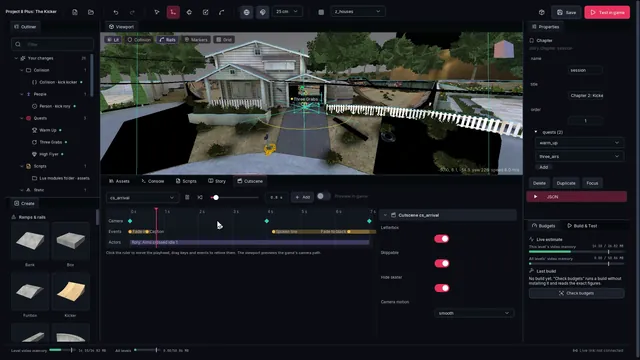
  • Story (story.py):
    • Flow: start, chapters and quests as a node graph at real text size (pan with the mouse). Each node has a colored header and two lines of plain summary ("Talk to Rory", "2 steps: goal, dialogue"). Drag a chapter's quests pin onto a quest to move the quest into that chapter.
    • Dialogue: the conversation tree: lines, choices (one pin per choice, labeled with its text), branches (one pin per case plus "otherwise"), actions and ends. Drag pins to link, press Delete to remove links or nodes, use Add node or right-click to add.
    • Problems: the compiler's errors and warnings as sentences ("Quest “Warm Up”, step 1: there is no goal named “kick_scor” in this mod."). Click one to jump to it.
    • Inspector: typed rows in the editor's property grid:
      • quest start: a "Starts" dropdown (automatically, talk to someone + prompt, enter an area, a story event, only by an action);
      • "After quests" chips;
      • one row per step: kind + goal / dialogue / cutscene / character / seconds, with up / down / delete;
      • reward: stat points, deck, message;
      • action rows;
      • trigger "When" + its fields;
      • character person, talk distance, idle chatter;
      • dialogue speaker, text and choices. Anything more complex is still editable: each group has a Show as text switch with the YAML snippet (the kit's own subset, tools/story/miniyaml.py), checked as you type.
    • Add: one menu for chapters, quests, characters, dialogues, cutscenes and triggers.
    • Play from here: builds the mod. With the game running (livelink) it reloads the mods and jumps the story to the selected chapter, quest, dialogue or cutscene; otherwise it starts the game first. While it works, the button shows the current step with a Cancel.
    • The node the game is playing is outlined.
    • A mod written as a YAML file is offered a one-click conversion to editor ops (the file stays as a backup).
  • Cutscene (story_cutscene.py):
    • a timeline with lanes for camera keys, events and actors, a ruler to scrub, and drag to retime; event names and friendly animation names are shown, with details on hover;
    • Add: a camera key from the viewport camera at the playhead, any event, or an actor;
    • Snap to view and Look through move a key to the viewport camera and back;
    • the playhead drives the viewport camera (a preview of the game's spline);
    • Preview in game sends the same camera to the running game over livelink (cam.free + cam.set);
    • the viewport draws the camera path, a frustum per key, and the actor marks.

Screenshots of both panels are made with tools/story/tests/editor_shot.py.

The example: "The Kicker"

examples/story_kicker is a three-chapter story in Houses, around a kicker ramp that the mod builds in front of the free-skate start:

chapter what happens
1. The Challenge cutscene (fly-in to Rory), talk to Rory, a choice ("I can handle it." sets cocky)
2. Kicker Session intro dialogue; Warm Up (goal kick_score: 5,000 points in 60 s, starts by itself); Three Grabs (goal kick_airs: 3 grab tricks off the kicker, talk to Rory)
3. Respect intro dialogue; High Flyer (goal kick_tapes: collect 3 tapes over the kicker); cutscene (Rory steps up, claps, cheers); the payoff dialogue (different if you were cocky); reward: +1 stat point and the Birdhouse secret deck; a Lua hook logs the finish; optional Pro Line, only for a Top-150 rank

Career-style gates: Warm Up pays 25 goal points, and Main Street (the stock gate out of the Houses garage street) stays shut until Warm Up is done and you have 25 goal points (the main_street area).

Ops:

  • static.add_object + collision.add_mesh for the ramp;
  • peds.add for Rory: a fixed look, {base: RPed_M_SkaterTeens_NoBoard01, parts: {torso, head, legs}} (every slot chosen, so the same each load; a profile without a skateboard -- a ped with one stands on its board, a separate object, and does not walk);
  • goals.add_score, goals.add_trick and goals.add_collect, all locked, started by the story;
  • story.file for assets/story/kicker.yaml;
  • script.dir for assets/scripts/story_hooks.lua, the Lua hook.

In the native port, with modapi and the live link, the whole example plays through tools/story/tests/ingame_livelink.py and every check passes:

  • the story loads, and the intro cutscene flies the camera in over the kicker to Rory;
  • the Main Street gate is shut at the start (node flags) and opens after Warm Up's +25 goal points;
  • the prompt "Rory: (button) to talk." shows next to him; his dialogue box has the stock NPC look and the choice "I can handle it." / "Show me how it's done?";
  • the story starts each goal (Warm Up with its timer and score, Three Grabs, High Flyer) and moves on when it is won;
  • Play from here (story.play quest three_airs) jumps straight to Three Grabs;
  • in the second cutscene Rory walks up to you (peds.walk_to to a waypoint the build adds), claps, then cheers;
  • the payoff dialogue and the reward message follow; back in free skate Rory cheers and his idle prompt returns;
  • story.walk outside a cutscene reaches a position and a level node;
  • the Top-150 pro line stays locked at rank 200, and Rory looks the same in every run (all three parts of his profile are chosen).

The goals were won through the goal manager's debug win (GMan_DebugBeatCheckpoint), not by skating them; the win travels the normal path (quests' p8q_* globals -> the story -> next step). In free skate the career's AddGoalPoints changes nothing, so the gate counts the points the story itself awarded. Progress is in <mods>\_modsave\example.story_kicker\save.json (story.kicker: chapters, quests, the cocky flag, the choice, won goals, the story's goal-point tally, the opened area).

Play from here also works from the editor. With the game running on the editor's test mods root and the live link connected, the Story panel's Play from here runs Build & Test's live path (build, reload, mod.call story.play); the editor shows "In the game: goal kick_airs" and "Playing in the game" while the game runs the Three Grabs goal. tools/story/tests/editor_play.py --attach drives this.

Testing in game

tools/story/tests/ingame_livelink.py plays a story mod in the running game the way the editor does, through the live link: mod.call to story.reset / story.play / story.state / story.ui, skater.set to walk up to a character, the harness pad file for the buttons, qb.run GMan_DebugBeatCheckpoint to win the goal the story started, and screenshot for proof. The mods root needs thp8_mod_modapi.dll and thp8_mod_livelink.dll in plugins\, and the game runs with PS3_LIVELINK=1.

python tools/story/tests/ingame_livelink.py --mods <mods root> --shots <folder> --press tools/harness/press.sh

It prints one PASS / FAIL line per check (story loaded, intro cutscene, talk + dialogue, goals started by the story and won, Play from here, the finish and the save) and exits 1 when a check failed.

Testing offline

  • python tools/story/tests/test_storyfmt.py, all offline:
    • the quaternion convention, against the stock camera;
    • compiler errors;
    • dialogue sugar;
    • the YAML → editor ops → story round trip;
    • two simulator playthroughs.
  • tools/story/sim:
    • storysim is a plain Lua 5.4 host built from modapi's vendored Lua by sim/build.sh.
    • sim.lua fakes modapi and the game's scripts and plays a scenario against a built pack. The scenario can walk somewhere, talk to someone, end a goal, land tricks, skip, restart, or call exports.
    • tests/kicker_full.lua plays the whole example: a goal failure and retry, the rewards, and a restart that keeps the progress. tests/features.lua covers objectives, timeouts, reach, talk, if-steps, counters, events, triggers, an editor-op story, and Play from here.
  • python tools/story/storybuild.py <mod> --out <dir> builds a story mod's pack files without the game, which is what the simulator loads.

How THP8 does its own story

Every script name below was read in the decompiled scripts of disc BLUS30011 01.02 (tools/qbc/qbc.py dump --pak all); file names are the dump's <name>_<checksum>.q labels.

1. The career is an atom graph (chapter_info_3ebf39b4.q)

chapter_info_data_internal is one array of atoms. Each atom has a Name, a Type, its parameters and a depends_on list; when every dependency holds, the atom fires once. There are no explicit chapter boundaries: the "chapters" are just groups of goal atoms that unlock together.

atom Type count parameters effect
goal 174 atom_goal or atom_goals = [...], atom_params = { achievement }, ui_params = { view_goals_text, debug_menu_text } makes the goals available (goal givers appear)
scr 87 atom_script, atom_params runs a script once (unlock area, save prompt, pop-up, radio spot)
PagerMessage 59 atom_params = { flag, send_delay, text = { from, message, slides = [{ movie, no_music }], priority_message } } a phone/pager message with Bink "slides"; flag is a global flag set with it (sponsor CAS unlocks)
depends_on entry params holds when
{ Type = goal goals = [...] } optional depend_func = count count = [n] all (or n of) the goals are won
{ Type = atom atom = X } atom X has fired (chains scripted beats)
{ Type = rank target_rank = N } the player's Top-200 rank is N or better (101 uses: sponsors, pros)
{ Type = GoalPoints ... } enough goal points
{ Type = GlobalFlag ... } a global flag is set
{ Type = CurrentLevel level = load_z_shops } the player is in that level
{ Type = gap ... } a gap was landed

Atoms are evaluated by the engine (CareerFunc func = UpdateAtoms forces a pass, e.g. after SetGlobalFlag). Typical scr atoms: game_progress_unlock_pro_movie (22), game_progress_clear_pager_message (18), game_progress_save_prompt (15), unlock_skater_and_movie, game_progress_process_goal_lock (lock = 1 goals = [...] hides finished goals), chalk_challenge_unlockscript, funpark_unlockscript.

Area unlocks are node flags: changenodeflag NODEFLAG_Z_HOUSES_UNLOCKSHOPS_PRE 0 / ..._POST 1 swaps the barrier objects of a zone (game_progress_set_initial_story_mode_nodeflags lists all ~150 story flags and their start values). Example chain from the start of the career: m_chalk_intro -> m_chalk_grindhouses -> (lock the intro, chalk_challenge_unlockscript) -> m_photo_houses01 + m_story_dadhouses + m_chalk_grindhouses -> m_unlock_cretepark + a Filmer pager message -> m_film_filmerintro + m_pro_mullen -> m_unlock_houses ... Ranks drive the sponsor chain: Sponsor_<brand>_Message atoms at ranks 160, 150, 140, 120, 110, 100, 80, 60, 50, 40 set CAS_<BRAND>_UNLOCKED flags and send Jason Lee pager messages with the sponsor's Bink clips.

2. Goal presentation (the intro card of every goal)

story_mode_goal_info (goal_info_f2233bb4.q) holds per goal: intro_presentation = { Template, Camera } (or checkpoints = { checkpointN = { presentation = {...} } }), view_goals_title, view_goals_presentation (the description), view_goals_text_am/_pro/_sick (tier texts), start_zone, trigger_Pos, has_intro_cutscene. PlayGoalPresentation goal_id = X (goal_presentation_31c082bd.q) freezes the skater, hides the HUD, plays a camera (PlayIGCCam { <Camera> Name = goal_presentation_igc update_when_paused play_hold = 1 }), optionally a Bink loop behind it (goal_presentation_templates: Filmer, photo, classic have movies), and builds the card: sprite pause_classic_goaltextblotch tinted [20 0 30 125], title in font text_a1 scale 0.65 rgba [100 90 80 255], the info panel (goal_classic_mode_view_info_panel), helper text \m0 ACCEPT / \m1 QUIT, then pauses and blocks on event goal_presentation_finished (goal_presentation_ok / goal_presentation_quit).

3. Cameras: IGC cams and keyframes
  • PlayIGCCam { Name, ControlScript, params, play_hold, allow_pause, ExitScript, viewport } (CFunction) creates a cinematic camera object (components CinematicCamera, Locator, Camera) and runs igc_runcamerascript (52f6cdf2.q): with ControlScript it runs that script on the camera, otherwise it does CinematicCamera_DoMorph <params> (a static shot from LockTo/Pos/Quat/FOV), then holds with play_hold. WaitMovie Name = X waits for it, KillSkaterCamAnim Name = X ends it.
  • Camera keyframes inside a control script: CCam_DoMorph { LockTo = world Pos = (x,y,z) Quat = (qx,qy,qz) FOV = 72 time = s motion = smooth }, CCam_SplineMorph { motion = smooth keyframes = [ {LockTo Pos Quat FOV time} ... ] }, CCam_WaitMorph, CCam_Yaw deg time = s Block, CCam_Orbit. Quat stores x, y, z of a unit quaternion (w >= 0 is implied). Positions are world meters. Examples: m_film_school_intro_cam (5-key spline), chapter_info_e3_intro_flyin_cam.
  • IGC_Camera_MoveToPlayer time = s morphs back to the gameplay camera (skatercam0).
  • Stock generic control script: goal_instruction_cam_control params = { camera_points = [ { Pos Quat FOV time motion text } ] } morphs through the points showing text (font text_a1) under each, with a 1 s hold per point.
4. Cutscenes

Pre-rendered-in-engine cutscenes (Cutscene_7b9ec42b.q, 408 CUTSCENES paks): PlayCutscene Name = "c_..." ExitScript = X / GoalPlayCutscene Name = "c_story_skateshop_2". CutsceneSetup hides peds and the skater, pauses objects and spawned scripts, loads the cutscene data (Cut_GEL_*), sets render and game lock to 2 (30 fps), swaps the sound buss to Generic_IGC_BussSet and pauses the user music; CutsceneCleanup / PostCutscene undo all of it, optionally RestartNode to reset the skater. Subtitles: cutscene_subtitles_d59c70dc.q; fades: CutsceneFadeIn/Out time = s.

In-game cinematics (IGC scenes): igc_player_run (igc_player_7698ded1.q) is a data-driven scene player: scene_setup / Template (actors, default_direction, default_behavior, camera_cycle), shot_params = [ { Camera, speaker, frames | waitfor | VO, actor_positions = [{ ActorName, Pos, Quat | node }], actor_directions, actor_behaviors, shot_script, pre/post_shot_script, transition = { in out } } ], gameside_callbacks = { setup, Cleanup, play_text, stop_text, play_camera, stop_camera }, skippable shots, VO streams named <scene>_<shot>_<actor suffix>. PlayIGCScene (b554d8a2.q) wraps it with generic setup/cleanup (letterbox, freeze skater, IGC sound buss) but its play_text callback igc_utils_create_text does not exist in the retail scripts and nothing calls PlayIGCScene or Ped_Utils_SetupIGCSpeech (talk-radius trigger): the system is a leftover from the previous games, intact enough to drive with our own text callback.

Helpers in b554d8a2.q: freeze_skater_for_cinematic / unfreeze_skater_after_cinematic, fadetoblack On|off time alpha (sprite black at z 9000), igc_fadeout / igc_fadein, igc_ped_walk_in, igc_skater_orient, IGC_ped_point / _Wave / _Clap / ... gesture anims, fake_letterboxing [remove], hide_all_hud_items / show_all_hud_items, kill_start_key_binding / restore_start_key_binding.

5. Text boxes

All in 9758d39f.q unless noted.

  • create_dialog_box { title text buttons = [ { text pad_choose_script pad_choose_params } ] no_helper_text } -> create_snazzy_dialog_box: centered box (pos (320, 230), z 40), title font text_a1 scale 0.7 [90 90 70 255], text text_a1 0.6 [90 70 50 255] in a 530-wide block, background [8 15 24 170], buttons in a VMenu (create_dialog_button: focus/unfocus colors, pad_choose -> button_choose_script destroys the box, then runs the button's script with its params). dialog_box_exit / destroy_dialog_box remove it and restore input. Several buttons = a multiple-choice prompt for free.
  • goal_dialog_box { title text } (ff82ffd6.q) is the stock NPC-dialogue look: pauseskaters, create_dialog_box with title = the speaker ("MASCOT") and one \m0 Continue button, then Block Type = event_dialog_ok.
  • create_speech_box { text Pos=(320,350) pad_choose_script pad_option_script pad_back_script no_pad_choose no_pad_start anchor_id z_priority style }: the small bottom box (dialog_frame / dialog_middle / dialog_frame_b sprites, TextBlockElement 540 wide); speech_box_exit fires speech_box_destroyed.
  • The talk prompt: setup_ped_speech { ped_id accept_text activation_script activation_script_params inner_radius outer_radius dont_deactivate_goals hide_in_goals text cam_anim } (aee40f82.q), run on the ped (RunScriptOnObject id = <ped> <script>): an AnyObjectInRadius handler shows "<display_name>: \me to talk." in a speech box at (320, 400) while the skater is on the ground and not comboing; the button (pad_option) runs activation_script on the skater. Example: m_unlock_houses_intro_SetUpPedSpeechOnMascot -> m_unlock_houses_intro_PedSpeechInstructions -> goal_dialog_box. Goal givers use the same pattern through goal_trigger_far/near + goal_trigger_dialog_create (goal_utilities_6ef8471d.q: \m5 Talk, radius globals goal_utilities_trigger_radius_inner/outer).
  • Text lives in localized string globals $str_<script file>_<n> (d1644c97.q for English), e.g. str_m_unlock_houses_intro_scripts_3 = w"Try to Ollie (\b3) over my RC car... if you can!". Button glyphs are escapes (\b3, \m0, \m5, \me).
6. Rewards, rank, time of day
  • CFunctions (work/gfx/cfuncs.json): AwardStatPoint N (the cheat menu gives 100), GetNumStatPointsAvailable, GMan_UnlockGoal, UnlockSkater, SetGlobalFlag / UnSetGlobalFlag / GetGlobalFlag, GetYourRank / SetYourRank, GetSkaterRankings, GoalManager_GetGoalRewardPoints, GMan_SaveGoalStates / GMan_LoadGoalStates, SaveToMemoryCard, GetStatValue.
  • goal_rewards (goal_rewards_398b67b8.q): goal points per goal type (story 20, film 20, comp 20, photo 10, chalk 10, classic 30, ...) feed the Top-200 rank.
  • Time of day is not dynamic: each level has one TOD manager (*_tod_manager, lighting + screen effects) plus TOD_Morning/Afternoon/Evening On/Off_NN node flags created by tod_manager_nodeflags_setup. Script can blend the look at run time with TOD_Proxim_Update_LightFX fxParam = <tod struct> time = s (the pause menu does this) and restore it with TOD_Proxim_Reapply_LightFX. A story can therefore set a mood per scene, but there is no clock to trigger on.
7. Subtitles and movies
  • Subtitles are timed arrays <cutscene>_Subtitles = [ { text = w"(Tony) ..." time = 5.3 duration = 2.6 } ] (cutscene_subtitles_d59c70dc.q, movie ones in movie_subtitles_8f8aa591.q); the speaker is written into the text as (Name). One line is drawn by cutscene_subtitle_create { text duration }: create_panel_block id cutscene_subtitle at (320, 430), font text_a1 scale 0.6, rgba [110 100 90 255], 800 wide, z 115; it does nothing when the global flag NO_DISPLAY_CUTSCENE_SUBTITLES is set (the options menu). cutscene_subtitle_cleanup removes it. This is the look our cutscene text uses.
  • Bink: PlayMovie { movie = "name" TextureSlot TexturePri start_frame loop_start loop_end viewport } / KillMovie TextureSlot = n / IsMoviePlaying; full-screen in-game movies go through ingame_play_movie { movie | movies = [...] level }, which tears the level down and reloads it (Change_Level ... from_movie), so a story uses movies on surfaces / goal cards, not full-screen mid-level.
Still to document

Rank computation details, deck/CAS unlocks, the save layout.

Goals

Custom goals (quests): the goal operations, starting goals from Lua and stories, and how THP8's goal system works.

13 min read
docs/modding/goals.mdView source

Custom goals for the free-skate world, plus how THP8's own goal system works underneath them. The first part is the reference for the goal operations; the second part is the reverse-engineering notes they are built on.

Status: see In the game at the end for what has been run in the native port.

Custom goals

A goal is one operation in a mod's modkit.json (packaging.md), at build phase 60 (after peds):

{"op": "goals.add_score", "name": "myname_garage_score", "title": "Garage Session", "text": "Score 5,000 points!",
 "target": 5000, "time": 60,
 "start": {"trigger": "marker", "pos": [-58.2, 2.6, -65.9], "yaw": 45, "prompt": "Garage Session"}}
operation the player has to kind parameters
goals.add_score reach a total score before the time runs out target
goals.add_combo land one combo worth target target
goals.add_collect pick up every item pickups [[x, y, z], ...] (1-32), model, radius (1.5 m), collect_text
goals.add_race pass the gates in order before the time runs out (the timer counts up) gates [[x, y, z], ...] (1-32), model (flag_red), radius (3 m)
goals.add_gap fly from one region into the other, count times from / to {pos, radius}, gap_name, gap_score, count, air (true)
goals.add_trick land a trick (or one of a kind of tricks) count times, optionally on a spot trick (preset or name), flips, spin, count, spot {pos, radius}
goals.debug (test builds only) the harness command channel, see Testing enable

Parameters every goal takes:

parameter default meaning
name required the goal id: 3-40 characters a-z 0-9 _, starting with a letter. Use your own prefix; m_ is the game's. The game knows the goal by qbkey(name)
title the name shown on the HUD and in the success / fail message (40 characters)
text none the instruction shown when the goal starts (200 characters)
time 60 (race 120, collect 90) seconds; 0 = no timer. Running out fails the goal (race: the limit of the count-up timer)
start {"trigger": "script"} how the goal starts: marker (a start marker at pos / yaw; walk up to it, the prompt appears, the square button starts it), giver (a person from the peds ops, giver below), menu (an item in the pause menu, above GAME OPTIONS, while no goal runs; a hot level reload does not reload the pause-menu scripts, so a newly added menu goal shows only after a restart of the game), script (nothing in the world; Lua or a story starts it). prompt = the prompt / menu text, model = the marker: nail chalk bail getthere gap gap_pro gap_sick stoken
giver none the peds.add goal-giver op that gives this goal (the peds ops record its ped_info); implies start.trigger giver
restart none {pos, yaw}: where the skater is put when the goal starts (and on retry)
locked false the goal is not in the world until a script unlocks or starts it (story goals)
unlocks none goal names that become available when this goal is won: chains of goals (make them locked)
intro none true or {camera: {pos, look_at, fov}, template, objective}: the game's goal presentation before the goal starts (camera, title / description card, ACCEPT / QUIT); without camera it is placed automatically near the goal
modes ["freeskate"] which game modes list the goal: freeskate (free skate and High Score) and / or career (added to the career's goal list; untested)
zone z_houses where the goal is, for the editor

Pickup / gate models are ones the game keeps loaded in every level, so a mod never ships a model for them: tape (secret tape), classic (classic-mode icon), letter_s letter_k letter_a letter_t letter_e, combo_c combo_o combo_m combo_b, flag_red flag_green flag_blue flag_yellow, stoken, and the marker models.

Trick presets are the game's own trick lists: basic_flip any_flip double_flip triple_flip basic_grab any_grab basic_grind doubletap_grind any_grind slide basic_lip any_lip any_stall stall_or_lip hold_tricks basic_manual revert pivot wallie wallride; any other string is one trick's name as the game shows it (Kickflip).

What the build makes

All the goal operations of a build together make:

  1. scripts\mods\p8q_goals.qb in pak/qb.pak (the main script pak, PAK/F56B119F.CHK + F87B73EE.CHK), through tools/modkit/qbinject.py: the runtime library (tools/modkit/goals/runtime.q) plus, per goal, its configuration ($p8q_goal_cfg.<id>), its goal_info ($p8q_goal_infos.<id>) and the callbacks the engine calls by name (<id>_chk1_enter, <id>_chk1_scr_landedTargetScore, <id>_post_activate, ...).
  2. The free-skate goal list goal_infos_hsfreeskate (pak/goal_infos/goal_infos_hsfreeskate.pak = PAK/ED31D903.CHK) with the goal infos of every goal that is not locked appended. When free skate (or High Score) starts, the engine adds them like its own goal, initializes them (the start marker or giver appears) and runs them.

Nothing from the game is in a mod: both files are rebuilt from the player's own copy. The build checks that no generated symbol is already defined by the game (or by another mod's script file), that no goal id is a game goal, and records qb_pak.added (bytes added to the main script pak) and goals.count in the build report.

Starting goals from scripts, Lua and stories

The runtime's entry points are ordinary QB scripts, so the modapi Lua bridge (qb.call) and the story ops use the same calls:

script does
p8q_goal_start goal=<id> adds the goal if it is not in the goal manager yet (locked goals), initializes it, deactivates any other goal, activates it. Spawns its work, returns at once
p8q_goal_unlock goal=<id> adds + initializes: its marker or giver appears
p8q_goal_lock goal=<id> deactivates + uninitializes: the marker or giver goes away

Results, when a goal ends:

global value
p8q_last_goal the goal id (checksum)
p8q_last_result 1 won, 2 failed, 3 quit
p8q_result_serial +1 on every end (poll it to see a new result)
p8q_active_goal the running goal, none when none runs

and the events p8q_goal_won, p8q_goal_failed, p8q_goal_quit (data = {goal = <id>}).

Testing

goals.debug adds a command channel for the test harness: a script started with the first start marker polls the integer globals p8q_dbg_cmd / p8q_dbg_arg, which tools/modkit/goals/qbglobals.py writes through the port's PS3_DEBUG console (mem / poke32 on the engine's script-global hash table). Commands: 1 start goal #arg (index into p8q_goal_ids), 2 teleport to point #arg of the active goal (pickup / gate / gap region), 3 quit, 4 beat the checkpoint (GMan_DebugBeatCheckpoint), 5 unlock goal #arg, 6 set the skater's speed, 7 run-up #arg of a gap goal (placed before from, facing to, with a speed), 8 move to the goal's restart, 9 lock goal #arg, 10 goal #arg state into p8q_dbg_out (0 missing, 1 added, 2 initialized, 3 active). Each command bumps p8q_dbg_ack. Never ship a build with goals.debug.

python tools/modkit/goals/qbglobals.py --dbg <run dir>/dbg.txt cmd 1 0          # start goal 0
python tools/modkit/goals/qbglobals.py --dbg <run dir>/dbg.txt get p8q_last_result p8q_result_serial

How THP8's goal system works

Everything below was read from the game's own scripts (decompiled with tools/qbc) and its executable.

The goal manager ("GMan")

The engine's goal manager is C++ (script functions GMan_*, about 130 of them, plus GoalPakManager_* and GoalManager_*). Goals are data: a goal_info structure per goal, and script callbacks found by name.

Where goals come from (per game mode)

init_goal_manager game_mode=<mode> (goal_utilities.qb) loads a small pak, calls GMan_AddGoals game_mode=<mode> and unloads the pak again: the goal manager copies the goal infos into its own objects. GMan_AddGoals (code 0x91A6B8 -> 0x832708) picks the global array(s) by mode:

game mode pak loaded arrays read
career pak/goal_infos/goal_infos.pak (localized) goal_infos (114 goals with mission paks) + goal_infos_pakless
freeskate, singlesession pak/goal_infos/goal_infos_hsfreeskate.pak goal_infos_hsfreeskate (one goal: m_hsfreeskate, the 2-minute high-score run of the pause menu)
net, netlobby, freeskate2p goal_infos_net.pak goal_infos_net
training goal_infos_training.pak (localized) goal_infos_training

Then GMan_LoadGoalStates, GMan_SyncGoalsWithCareer and (once the skater exists) GMan_InitializeAllGoals. A single goal can also be added at run time from any script: GMan_AddGoal goal_info=(<struct>) (the developers' test level z_testlevel_mb does this), then GMan_InitializeGoal, wait for GMan_GoalIsInitialized, then GMan_ActivateGoal; and the reverse: GMan_DeactivateGoal, GMan_UnInitializeGoal, GMan_RemoveGoal.

Goal types (goal_types / goal_rewards, goal_rewards.qb): Bail chalk classic comp demo elimiskate film getthere hsfreeskate nail net photo pro_challenge race story training turf unlock. goal_rewards.<type> gives the menu name, goal_points (career progression points: 0-30) and the leaderboard columns. chalk, turf and training goals are "permanent" (they stay in the world after being won); won goals of other types are uninitialized.

Goal life cycle

added -> initialized (the intro: trigger ped / marker created; paked goals load <goal>_intro) -> activated (paked goals load their mission pak; <goal>_post_load or, for pakless goals, <goal>_post_activate; the first checkpoint is entered) -> checkpoints pass / fail -> won / lost (goal_win / goal_lose: messages, rewards, leaderboard) -> deactivated (<goal>_post_unload / <goal>_post_deactivate) -> back to initialized (or uninitialized when won and not permanent).

goal_info
{
    Name = "m_photo_shops02"          // string: the goal id is its checksum
    goal_type = photo                 // one of $goal_types
    data = { ... }                    // free per-goal data: GMan_GetData / GMan_SetData
    pak_info = { main = { size = 1 } }// mission pak Missions/<name>/<name>.pak (+ intro); absent = a "pakless" goal
    ped_info = [ { Name profile|Model Pos Quat exists_in = intro|main|both activates_goal prompt_text ... } ]
    no_success_messages / no_fail_messages / no_retry / classic_goal / ...
    checkpoints = [
        { Name = "checkpoint1"  next_checkpoint = <name>  enter_restart_node = <node> | enter_restart_pos = {Pos Quat}
          retry_node  dont_reset_score
          tools = [ { Name = "timer1" Type = timer start_time = 120 end_time = 0 beep_time = 10 expires_checkpoint ... }
                    { Name = "score1" Type = score target_score = 1000 } ... ] }
    ]
}

Mission paks (MISSIONS/<crc>.CHK = Missions/<name>/<name>.pak) hold <name>_goal_info + the goal's scripts, a node array <name>_NodeArray (restart points, trigger geometry with TriggerScript, game objects) and a sounds file. story_mode_goal_info (main pak, goal_info.qb) holds, per career goal, the presentation: intro camera (intro_presentation = { Template Camera = { LockTo = world Pos Quat FOV } }), the view-goals texts (view_goals_title, view_goals_presentation, view_goals_text_am/pro/sick), start_zone and trigger_Pos.

Tools
tool parameters seen events (callback suffix)
timer start_time end_time beep_time, start_on_enter show_on_enter, expires_checkpoint fail_on_expire force_end_on_expire, format = hundredths, beep_sound, screen_element_style = boundary, expire_script _expire
checkpoint_control_timer as timer
flags flags = [..], pass_on_all_set, dont_reset_on_enter _gotflag _gotallflags _flagReset
score target_score _atTargetScore _landedTargetScore
combo target_score _landedTargetScore _landedCombo _atCombo _started _ended _landedNoCombo _bailedNoCombo
score_accumulator dont_start_on_enter dont_show_on_enter
collect objects = [{Name=<node> Radius letter sound_type}], requires_combo, collect_text _gotObject _gotallObjects _lostCombo
trick_tracker trick = {Name = <trick name> or <list> array_name, flips, spin}, dont_start_on_enter _gotTrick _landedTricks _atNumTricks ...
trick_objects skate_the_line = {timer_tool flags_tool requires_combo objects} _gotTrickObject _stoleTrickObject
nail_trick, bail_tracker, ctf

Callback names: <goal>_<checkpoint>_<tool>_<event> (m_hsfreeskate_chk1_timer1_expire, m_classic_houses_chkp1_high_scr_landedTargetScore), <goal>_<checkpoint>_enter / _exit (they get goal_id), and the script-side <goal>_post_activate _post_deactivate _post_load _post_unload _post_init _intro_post_load _pre_activate. Event suffixes in the executable: strings 0xCBA910..0xCBAE38.

Passing and failing: GMan_PassCheckpoint goal=<id> / GMan_FailCheckpoint (script wrappers that spawn the safe versions); passing the last checkpoint wins the goal. GMan_SetFlag goal tool flag value, GMan_IsFlagSet, GMan_SetGrade goal grade (0..3 = none, am, pro, sick), GMan_GetData / GMan_SetData, GMan_HasWonGoal, GMan_HasWonGoalThisTry, GMan_DebugBeatCheckpoint.

Starting a goal (goal_utilities.qb)

goal_create_goal_ped makes each ped_info entry: with Model a marker object (goal_create_non_ped_trigger: a composite object with motion, model, suspend, objectproximity, sound, hover and an optional compass blip; then create_script), without it a person (goal_script_peds_create_ped: CreatePedAtPos, proximity 10/15 m, an AI order). activates_goal entries get trigger handlers (goal_trigger_init_goal_trigger): inside 45 m (goal_utilities_trigger_radius_outer) the object glows (goal_trigger_far), inside 3 m (..._inner) a speech box "\m5 <prompt_text>" appears (goal_trigger_near); the square button (pad_option, verified in game) runs goal_accept_trigger: it checks goal_trigger_can_start_goal (no active goal, not locked, GoalManager_CanStartGoal, skater on the ground, no score pot, no menu), runs <goal>_pre_activate, an optional activate cutscene, then goal_accept_trigger_activate: PlayGoalPresentation when story_mode_goal_info.<goal> exists, GMan_DeactivateAllGoals, GMan_ActivateGoal.

The career's goal_infos_pakless goals (Nail the Trick) are the model for custom goals: a marker Model = "props/nail_marker/nail_marker.mdl", exists_in = both, activates_goal, prompt_text, CompassBlipType = goal, and enter_restart_pos in the checkpoint.

The pause menu (ui_pausemenu.qb) shows START / RETRY / END RUN for m_hsfreeskate in High Score mode and RETRY GOAL / RETRY LAST GOAL / QUIT GOAL otherwise.

Presentation (intro card and camera)

goal_presentation_play_guts {Template title dialog_text am_text pro_text sick_text grade Camera exit_script exit_params} (goal_presentation.qb) freezes the skater, plays an IGC camera (Camera = {LockTo = world Pos Quat FOV}), shows the title / description card with ACCEPT / QUIT, and on accept runs exit_script. Templates: goal_presentation_templates (dialog position; some play a Bink movie). goal_checkpoint_enter plays story_mode_goal_info.<goal>.checkpoints.<checkpoint>.presentation before the checkpoint's tools start.

Messages

HUD_message (ui_display_message / goal_ui_display_message) types: alert_signpost alert counter instruction instruction_general uberAlert alert_goal; goal_create_counter initial_count total_number hud_counter_caption (the "3 of 5 collected" counter); create_panel_message text style. Success: goal_success_messages = "<goal_text>: Goal complete" (uberAlert, green), fail likewise in red.

Gaps

Career gaps are binary assets per zone (zones/Z_Houses/Z_Houses.gap, loaded by career_gaps_startup). Scripts can also fire gaps the THUG way: StartGap GapID=<id> flags=[PURE_AIR | CANCEL_GROUND ...] and EndGap GapID=<id> text=w"..." score=<n> GapScript=<script> GapScriptParams={...} (skater member functions; gap_scripts.qb GetGap, the spot challenges' Chalk_StartGap / Chalk_EndGap). Mission node arrays call them from TriggerScripts of LevelGeometry nodes (m_classic_houses_trim_bush_gap04: StartGap flags=[PURE_AIR] trickscript=... then EndGap).

Collectibles and models

collect tool objects are GameObject nodes (Model = "gameobjects\skate\letter_s\letter_s.mdl", ...); goal_collect_init_object makes them spin, hover and raise AnyObjectInRadius -> goal_collect_got_object -> GMan_GotCollectObject. Every level load brings in pak/singleplayer/singleplayer.pak (stoken, bail / nail / chalk markers, get-there poster, historical markers, gap markers) and pak/multiplayer/multiplayer.pak (classic icon, secret tape, S-K-A-T-E and C-O-M-B-O letters, CTF flags): those models can be created anywhere with CreateCompositeObject (SetSearchAllAssetContexts around it).

In the game

Run in the native port (Houses, free skate from the main menu, which is the High Score mode singlesession), with the houses_goals example, test goals and goals.debug:

what result
a QB file added to pak/qb.pak loaded at boot: its globals are in the script-global table, tagged with the file's checksum
goals appended to goal_infos_hsfreeskate added and initialized when the level starts: the 4 start markers are created (their create_script runs)
p8q_goal_start (script start) activates the goal: <id>_post_activate, <id>_chk1_enter run; instruction text, timer, score panel show
intro presentation the camera from intro.camera and the title / description / objective card, ACCEPT / QUIT, then the goal starts
timer + fail the countdown fails the goal at 0:00 (<id>_chk1_fail is called; reported as failed)
collect pickups spawn (secret tape, stokens), "N of 5 collected", won when all are taken
race flags, count-up timer with hundredths, "N of 5 gates", won at the last gate; the skater put at the restart rolls through the first gates on his own
gap the kicker gap of the example is won on a run-up over the example kicker (StartGap / EndGap from the regions)
pause menu the patched pause menu shows the menu goal's item above GAME OPTIONS; choosing it with the pad (START, down, X) starts the goal
chains / locked a locked goal is not in the goal manager until unlocked; winning p8qt_chain_a (unlocks) initialized the locked p8qt_chain_b, which then ran and was won
script start, quit start: script + intro: none starts silently; quitting reports result 3 (quit)
goal giver (peds) a peds.add goal giver becomes the goal's trigger: the person stands where the peds op put him, his own scripts run, the prompt shows near him, Square starts the goal
real pad input the driveway ollie gap (air: true) is won with X presses only; the same goal with no input fails on its timer
results won (via GMan_HasWonGoalThisTry in <id>_post_deactivate) and failed (via <id>_chk1_fail) are reported; the goal_info keys goal_success_script / goal_fail_script are never called

Things to know: a global initialized to the checksum none does not exist (the loader drops it); a won goal is uninitialized by the game and only initializes again with force_init (p8q_goal_start sets it; replay, on by default, brings the marker back); a previous goal's end-of-run reset can move the skater after the next goal's restart when goals are started back to back.

Place start markers more than 3 m from the free-skate start: the skater's walk-out passes them, and the level can then stay black behind the marker's prompt.

Not completed in the game yet: the trick, combo and score kinds with real input (the test harness's digital pad presses never landed a scoring trick: the score stayed 0; the goals start, show their HUD and time out correctly), and modes: career.

People

People: how the game spawns pedestrians, walkers, skater peds and goal-givers, and the peds.* operations, catalog and Lua library.

17 min read
docs/modding/peds.mdView source

How Tony Hawk's Project 8 (BLUS30011) puts people in a level, and the kit's peds.* operations that add your own. Everything here was read from the game's own scripts and data. The status section lists what works in the native port; the rest is checked offline (it builds, parses back and compiles).

Where people come from

kind defined in example
ambient life peds ("PedLife") LifeNode spawners + Interaction points in the z_peds zone's node array, for every level at once Z_Peds_Houses_S_Street01a02: 1 ped of kid_pedlife_profiles within 25 m, Area = Houses_Street01a
placed Pedestrian nodes a node Class = Pedestrian in a zone or mission node array, created when the array is parsed m_story_dadhouses_trg_ped_dad (PedAI_Type = Stand, profile = $GPed_Dad_Golfclub_putt, CompassBlipType = goal)
script spawns CreatePedAtPos (agent.qb) -> CreateFromStructure { Class = Pedestrian ... }; goals: goal_script_peds_create_ped, fed by the ped_info array of a goal's *_goal_info the Dad goal-giver of m_story_dadhouses

The kit uses the second way for people that stand or walk where you put them (a zone node is part of the zone, needs no goal and no script mod), the third for goal-givers (the goal system creates them) and for Lua (peds.lua).

The z_peds zone (the people heap)

ZONES/AE0D2CA4.CHK = z_peds.pak.ps3 (6,444,928 B) + ZONES/6957C973.CHK = z_peds_vram.pak.ps3 (24,692,736 B), loaded by load_level into the fixed PedParts heaps (main 6,656,000 B, video 25,088,000 B, limits.md) for every level (LoadPak "zones/z_peds/z_peds.pak" Heap = PedParts). It holds:

  • 108 ped skins: the random-ped parts (RPed_* heads, torsos, legs), the goal peds (GPed_*), three pros (Hawk, Huston, Williams), Ped_RandomSkater_HEAD, ... A person can only be drawn in any level when every part of its profile is one of these (the kit calls such a profile resident; 125 of the game's 200 profiles are);
  • z_peds_scripts.qb: the pedlife profile tables (global_pedlife_profiles, kid_pedlife_profiles, TouristM_pedlife_profiles, SkaterPeds_pedlife_profiles, ...): weighted lists of profiles, one per spawner;
  • Z_Peds_NodeArray (.nqb, 2,065 nodes; compressed templates merged: 2,064 Interaction/POI, 1,279 Waypoint/PedAI, 777 LifeNode, 354 Interaction/Skate, 6 NavAllow). Names carry the level: Z_Peds_Houses_S_* (spawner), Z_Peds_Houses_I_* (interaction), Z_Peds_Houses_Sk8Ped* (skater path). Houses: 5 spawners, 22 interactions, 17 waypoints.

Level load (levels.qb): ParsePedLifeNodeArray Name = "zones/z_peds/z_peds.qb" once per level, and per zone ParseGlobalPedNodeArray ... zone = <zone> (Ped.qb: spawn_global_peds_in_zone, CleanupGlobalPedNodeArray on unload).

Ambient people (life peds)
{ Name = Z_Peds_Houses_S_Street01a02  Pos = (...)  Angles = (...)
  Class = LifeNode  Type = Generic  CreatedAtStart          (or CreatedFromVariable = NODEFLAG_...)
  ProfileName = kid_pedlife_profiles  Radius = 25.0  Num_Objects = 1  Area = Houses_Street01a }
{ Class = Interaction  Type = POI  CreatedAtStart  Area = Houses_Street02a
  UserData = AnimScript_MoveTo  Action = Act_Custom_Rest }
  • The spawner script PedlifeSpawner keeps at most Life_Current_Max_Objects = 10 life peds alive. It spawns with SpawnAmbientObject { ped_type = ped_life } at a LifeNode chosen by default_spawn_params (40-55 m from the skater, out of view, 6 s cooldown); Pedlife_Refresh fills up to the cap at once (always_spawn_params). So ambient people appear out of sight and walk in.
  • A life ped walks between the Interaction points of its spawner's Area and plays the point's UserData animation script there: AnimScript_GenMWallLean01, AnimScript_GenMIdles02, AnimScript_BumMSitFloor01, AnimScript_PedMTouristTakePic01, AnimScript_CopIdles, ... (120 AnimScript_* in the game, about 60 used). AnimScript_MoveTo = walk through the point. An AnimScript is Interact_MoveToAndBlock + Interact_Play...Anim calls (b9062e1a.qb), so they only work at interaction points.
  • Composite objects (peds, props) come from the COIM pool: Generic_COIM_Size = 2,400,256 B in 8 KiB blocks, 250 blocks reserved for permanent objects outside classic mode; ShouldSpawnPed Priority = $COIM_Priority_PedLife asks it whether a life ped fits.
Profiles (appearance and behavior)

A profile is a global struct in the main script pak (8fc6e6ce.qb) that merges a creation-params struct:

RPed_Businessmen = { $human_creation_params  agent_stats = stats_civilian_kid
                     anim_profile = Businessmen_anim_profile  voice_profile = BusinessMan1
                     random_parts = [[RPed_businessmen_head], [RPed_businessmen_Torso], [RPed_businessmen_legs]] }
GPed_Jason_Lee   = { $goalped_creation_params  ped_body = { desc_id = GPed_Jason_Lee }  SkeletonName = GPed_JasonLee_skel ... }
Profile_Greg_Skater = { $human_creation_params  random_parts = [...]  scale = (0.93, 0.93, 0.93)
                        skateboard_profile = $skateboard_item_profile }
Pro_Hawk_Skater  = { $criticalped_creation_params  behavior_style = Bv_FixedPathSkaterPed  ped_body = { desc_id = Pro_Hawk } ... }
  • random_parts: one list per slot (head, torso, legs, ...), each naming part tables (9cf0fa80.qb): arrays of { desc_id, mesh = "Models\\Peds\\Random_peds\\Businessmen\\RPed_businessmen_Head01.skin" }. The game picks one entry per slot (CreateRandomAppearance).
  • ped_body / ped_board / ...: one fixed part, desc_id looked up in the global table of the same name (ped_body lists the pros, goal peds and cut-scene skaters; ped_board the props: golf club, camera, sign, ...).
  • SkeletonName (Human or a goal ped's own, e.g. GPed_Dad_skel), sex, anim_profile (locomotion and reaction animations, 87ea66be.qb), behavior_style (Bv_Agent, Behavior_Blank, Bv_FixedPathSkaterPed, ...), agent_stats, voice_profile, skateboard_profile (the ped skates).
  • A mesh is found by its file's base name among the loaded skins (Obj_InitModelFromProfile ... use_asset_manager = 1). The kit treats a profile as usable everywhere only when all its meshes are in z_peds.
Animations

Every person animation is in perm_anims.pak (PAK/170664B4.CHK, always loaded; 5,255 .ska, 942 for people): PedM_* (male, 360), PedF_* (female), PedMGen_* (walk cycles), PedMSk8* / PedMSk8r_* (skater peds), PedMBum_*, PedMCop_*, PedMTourist_*, PedMJudge_*, PedMKid_*, PedMWorker_*, GPed_* / gped_*. Goal peds use the human animations too (gped_anim_profile merges the default profile). Useful ones: PedM_Idle00_xx, PedM_ArmCrosIdle01_xx..05, PedM_Talk01_xx..11, PedM_Cheer01_xx..04, PedM_Clap01_xx..04, PedM_Laugh01_xx..04, PedM_Disappointed01_xx..09, PedM_CallSk8r02_xx, PedM_CheckWatch_xx, PedM_Looking01_xx..07, PedF_02_Cheer_xx, PedF_01_Clap_xx. The THAW-era names in some leftover scripts (Ped_M_Wave, Talk_Gesture_02, IGC_ped_*) do not exist in THP8.

Playing one on a person (THP8-era calls, from m_story_skateshop and goal_comp):

Behavior_ReplaceHierarchy { hierarchy = animation behavior = Behavior_PlayAnim
                            params = { anim = PedM_ArmCrosIdle01_xx orient_type = body cycle } }   ; loop
Behavior_ReplaceHierarchy { hierarchy = animation behavior = Behavior_PlayAnim params = { anims = [ PedM_Cheer01_xx ] } }
BlockUntilEvent Type = playanim_finished                                                            ; one-shot
AI_giveorder Name = Behavior_PlayAnim params = { anim = X event_id = Y }  +  BlockUntilEvent Type = Y
Movement and behavior (the agent system)

Peds are "agents" with behavior hierarchies (order, logic, life, animation, reaction, ...):

  • AI_giveorder Name = <behavior> params = {...} (Agent_GiveOrder); Bv_Agent = the default life behavior, behavior_stand, Behavior_Blank, Behavior_LookAt { Object = Skater }.

  • Walking: AI_giveorder Name = Behavior_MoveTo params = { Waypoint = <node> movement_desc = { movement = WALK_SLOW | WALK_FAST | run_slow | run_fast } finished_event_id = Move_Finished }, then BlockUntilEvent anytypes = [ Move_Finished Path_Blocked ] (the pattern of Interact_MoveToAndBlock). Behavior_FollowPath / Behavior_FollowPathNodes follow linked waypoints. Peds navigate on the zone's nav mesh (nav_ped, PEDMOTION_NAVMESH).

  • Life mode: AI_giveorder Name = Bv_Agent + Agent_SetInteractAreas interact_mode = life interact_areas = [ <area> ] sends a ped to wander between the Interaction points of that area (how m_story_skateshop drives its peds).

  • Reactions (bails, dodges): agent_stats (registered by RegisterAgentStatsStructures, 1412978d.qb) picks a damage block (323fbf71.qb) and a life behavior (ee7b176c.qb):

    stats can be trampled can be bumped life behavior used by
    stats_civilian, stats_civilian_kid yes yes (dodge, Bumped_Small/Big_*, knock-down) Bv_LifePed random peds
    stats_goal_ped no knock-down only Bv_GoalPed goal peds
    stats_critical_ped no no Bv_LifePed goal peds that must not be disturbed

    The animations come from the anim profile (Bumped_Small_F ..., Bumped_KnockDown_*, the PedM_Dodge*, PedM_Fall*, PedM_Bump* sets); trample reactions are LifePed_ReactToTrample_* (9d1e9b81.qb).

Placed Pedestrian nodes
{ Name = m_story_skateshop_trg_ped_g1_a2  Pos = (...)  Angles = (0.0, yaw, 0.0)
  Class = Pedestrian  Type = Generic_Ped | Goal_Ped | Ped_Global_Skater | Pro_Hawk ...
  CreatedAtStart  AbsentInNetGames  RenderToViewport  SelectRenderOnly  [IsSkaterPed]  [proximtrigger]
  PedAI_Type = Stand | walk | Skater   profile = RPed_Kid   SuspendDistance = 0  lod_dist1 = 80  lod_dist2 = 150
  [CompassBlipType = goal]  [TriggerScript = <script>] }

The node-object creator (sub_009125B4, called by ParseNodeArray and CreateFromStructure) handles Class = Pedestrian (and Ped) by pushing the "pedestrians" memory profile and calling sub_00898B2C:

  • in the ped test level (load_z_test_nn) or for a node with the flag missionpakonly, the ped is built at once (sub_00898668: model from the profile, anim tree, ped logic, then the ped_init_skateboard script);
  • otherwise sub_008716A4 turns the node into a spawn request for the composite-object manager (COIM): the profile, appearance, Name, Priority (default 0 = permanent) and Heap (default Generic) are packed and queued (sub_003CDAF4); with an extra_heap the ped is built directly in that heap.

293 Pedestrian nodes exist in the game (zones z_training and z_testlevel_peds, 40 mission paks); m_comp_parking creates 22 at once. Angles.y is the yaw in the kit's convention (the Houses start Angles = (0, 0.79, 0) faces the street, +X +Z).

In the native port, a Pedestrian node added to a zone node array with CreatedAtStart is not spawned (its spawn request is made, the ped never appears: the guest-memory search finds its position only in the node data); the same node with missionpakonly is built at once but stands in the bind pose (T-pose) unless a script animates it; a ped made with CreatePedAtPos from a script appears with its idle animation. The TriggerScript of a node or of CreatePedAtPos runs on the new ped (a diagnostic global set by it is found in memory). So the kit creates every placed person from the zone's setup script with CreatePedAtPos (below); mission paks keep using nodes.

Skater peds

Houses has one: the spawner Z_Peds_Houses_S_Sk8Ped01a00 (ProfileName = SkaterPeds_pedlife_profiles = Profile_Greg_Skater x2 / Skater_Female, Area = Houses_Sk8Ped01a) and two lines, each an Interaction (Type = Skate, Action = Act_SkatePath, in the area) linked to a chain of waypoints:

{ Class = Waypoint  Type = PedAI  CreatedAtStart  Continue  [JumpToNextNode]  PedType = Skate  Priority = Normal
  ContinueWeight = 1.0  SkateAction = Continue | Jump | Flip_Trick | Grab_Trick | Grind | manual
  [JumpHeight = 0.5]  [ManualType = manual]  [TerrainType = TERRAIN_DEFAULT]  Links = [<next node index>] }

The skater ped (a profile with skateboard_profile; Bv_FixedPathSkaterPed behaviors, Task_Skater) picks a line of its area, skates it doing the actions, and picks again at the end. m_story_skateshop puts a placed skater ped (Type = Ped_Global_Skater, IsSkaterPed, PedAI_Type = Skater) on a line of a mission area with AI_giveorder Name = Bv_Agent + Agent_SetInteractAreas interact_mode = life interact_areas = [ skateshop_school ]. Pros as skater peds: Pro_Hawk_Skater, Pro_Huston_Skater, Pro_Williams_Skater are resident (the other pros' skins are not in z_peds).

Goal-givers

A goal names its giver in <goal>_goal_info.ped_info:

ped_info = [{ Name = "m_story_dadhouses_Dad"  profile = GPed_Dad_Golfclub  areas = [StoryDadHousesArea]
              Pos = (-11.61, 2.64, -92.01)  Quat = (-0.0, -0.6708, -0.0)  exists_in = intro
              prompt_text = $str_...  activates_goal }]

The goal system creates it (also for pakless goals, goal_initpostload; an entry with Model becomes a marker object instead) through goal_script_peds_create_ped { ped_id profile Pos Quat [areas] [proxim_init_params] [behavior] [tags] [create_script create_params] }: CreatePedAtPos, Obj_SetOrientation Quat, Proximity_Init (the talk trigger: inner 10 m / outer 15 m by default, EnterProximityScript), Agent_SetInteractAreas, Agent_GiveOrder Name = <behavior> (default Bv_Agent), then <create_script> <create_params>. Quat is the vector part of the orientation quaternion (w implied, positive); the game reads it as the inverse of the usual right-handed rotation, so a yaw a (local +Z -> (sin a, 0, cos a), like Angles.y) is Quat = (0, -sin(a/2), 0) (in game: (0, +sin(112.5), 0) faced 135 degrees). The goal side (prompt, talk trigger, camera) belongs to the quests ops; the kit's peds.add kind goal_giver provides the person and hands the entry over (below).

Limits

what limit where it comes from the build
placed people per zone 22 the most the stock game creates at once (m_comp_parking), plus the ambient ones peds.placed:<zone> fails over 22, warns over 12
ambient people 10 Life_Current_Max_Objects (PedlifeSpawner) not changed by the kit
people models resident in z_peds PedParts heap, every level peds.add refuses a non-resident profile (allow_streamed: true to try one)
PedParts heap 6,656,000 B main / 25,088,000 B video load_level PedParts.main when an op edits z_peds (remove / pedlife tables)
zone header pak stock max 3,302,272 B Z_Ghetto zone_header:<zone> warns above
object memory COIM 2,400,256 B (8 KiB blocks) coim.qb not measurable offline; stay under the people limit
path 2..64 points, segments >= 0.25 m kit fails

Each placed person adds about 300 B of node data and 300-900 B of scripts to the zone's header pak (the Houses example with five people: +5,120 B).

The operations

All in tools/modkit/ops_peds.py (PHASE 50: before the goals ops). Coordinates are world space (Y up, meters); yaw in degrees about +Y, local +Z -> (sin yaw, 0, cos yaw), the same as every other op. A person's name is its node name and its run-time object id (Lua: qb.call(fn, params, name)), used as given: give it your own prefix.

peds.add
parameter default meaning
zone, name required name: letters, digits, _ (a QB identifier, <= 48 characters)
kind stand stand, walker, skater, goal_giver
pos, yaw_deg where the person stands / starts (walker and skater: default the first path point)
profile RPed_Businessmen (skater: Profile_Greg_Skater) a profile name, or {"base": "<profile>", "parts": {"<slot>": "<desc_id>"}} to choose the part of some slots (the others keep their random choice)
anim none a looping animation (stand, goal_giver; walker: at the end of an open path)
anims none instead of anim: a random sequence of one-shot animations
look_at_skater false keep looking at the player
react false false: stats_critical_ped (ignores the skater); "knockdown": stats_goal_ped (a bump knocks it down); true: the profile's own stats (dodges, bumps, can be trampled)
path walker / skater: {"points": [[x, y, z], ...], "loop": true (walker) / false (skater), "speed": "walk" | "walk_slow" | "walk_fast" | "run" | "run_fast", "mode": ..., "actions": [...]}; walker modes follow (default), wander, and the game-AI modes path, life; skater modes script (default), ai
idle_at_points walker: one animation (or null) per point, played on arrival (mode: life: an AnimScript_* too)
goal goal_giver: the goal it gives (quests' goals.add name)
spawn goal with goal, else script goal_giver: goal = the goal system creates it from ped_info; script = the zone's setup script creates it, with a goal blip
snap_to_ground true drop pos and the path points onto the zone surface (within 1.5 m above the given height)
allow_streamed false allow a profile whose models are not resident (not verified)

What each kind makes (in the zone's <zone>_scripts qb, plus path nodes in its node array):

  • every person except a goal-created giver: <name>_Spawn, called last by the zone's setup script <zone>_Setup (run by levels.qb after the zone's node array is parsed, each time the zone streams in; the kit adds the call, or the script if the zone has none): if not isCreated <name> -> CreatePedAtPos Pos Quat Ped = <name> profile TriggerScript = <name>_Script [CompassBlipType = goal] [ped_skates = 1]. <name>_Script (run on the new ped) spawns <name>_Life: stats, look-at, then the kind's behavior;
  • stand: <name>_Life plays the idle animation loop (or the random sequence);
  • walker, mode: follow (default): Waypoint nodes <name>_wp<i> linked in order (and back to the first for a loop); <name>_Life stops the agent's AI (Behavior_Blank) and calls <name>_WalkTo waypoint = <node> for each: turn to the node (Obj_LookAtPos at the ped's own height), play the profile's walk cycle (its anim profile's Move_Ground_Walk_F) and move with the game's scripted mover (Obj_MoveToPos <pos> speed = N mph + Obj_WaitMove, as its goal and AI scripts do), then play idle_at_points. mode: wander: the same, to a random point each time, idling there. The game-AI modes path (Behavior_FollowPath over the nodes) and life (Interaction points in area <name>_area, the ped in life mode) are kept, but they did not move script-spawned people in free skate;
  • skater, mode: script (default): an Interaction (Skate, Act_SkatePath) <name>_line + Waypoint/PedAI nodes <name>_sk<i> with the actions (continue, ollie, jump, flip, grab, grind, manual); <name>_Skate rides from point to point (the skateboard object, Agent_GetVehicle, when the ped has one, else the ped) with the push cycle PedMSk8_PushCycle_xx at 9 mph and plays the action's skater-ped animation at each point (PedMSk8_Ollie_xx, PedMSk8_KickFlip_xx, PedMSk8_MuteInvertINIT_xx, PedMSk8_5050slow_xx, PedMSk8_ManualRange_xx). mode: ai: the game's skater-ped AI (created on its board, life mode over <name>_area: Task_Skater follows the PedAI waypoints and does the SkateActions); it did not move a script-spawned ped in free skate;
  • goal_giver, spawn: goal (the default when goal is set): no spawn script; <name>_Create (spawns the idle loop on the giver) and the ped_info entry for the goal op: ctx.goal_givers[name] = {"goal", "ped_info_qb": "{ Name = \"<name>\" profile = ... Pos = (...) Quat = (0, -sin(yaw/2), 0) create_script = <name>_Create create_params = { ped_id = <name> } }"} (also ops_peds.goal_giver_entry(ctx, name)); spawn: script (no goal): spawned like a stand person, with the goal blip on the compass;
  • a custom profile adds <name>_profile: the base profile's items written out (its merges expanded) with each chosen part set under its stock part-table key, RPed_businessmen_head = { desc_id = Businessmen_Head03 }, and random_parts kept only for the slots left out. The ped model builder (create_ped_model_from_appearance = ForEachInEditableList ModelAddGeom) draws only the part keys of the global ped_editable_list (51 keys, registered at startup), so a part stored under any other key is never drawn (in game: a first version with tables of its own made headless people). The build refuses a part whose table is not in that list.
{"op": "peds.add", "zone": "z_houses", "name": "ex_ped_suit", "pos": [-60.13, 2.39, -65.16], "yaw_deg": 225,
 "profile": "RPed_Businessmen", "anim": "PedM_ArmCrosIdle01_xx"}
{"op": "peds.add", "zone": "z_houses", "name": "ex_walker", "kind": "walker", "profile": "RPed_Kid",
 "path": {"points": [[-57.2, 0.3, -57.8], [-54.3, 0.3, -60.6], [-52.2, 0.2, -58.5], [-55.0, 0.2, -55.7]]},
 "idle_at_points": [null, "PedMKid_Idle02_01_xx", null, null]}
{"op": "peds.add", "zone": "z_houses", "name": "ex_skater", "kind": "skater",
 "path": {"points": [[-59.6, 0.2, -46.1], [-55.4, 0.2, -50.4], [-51.2, 0.2, -54.6], [-46.9, 0.2, -58.9]],
          "actions": ["continue", "continue", "ollie", "continue"]}}
peds.remove

{"zone", "name"}: a Pedestrian node (stock or added) is no longer created (its CreatedAtStart / CreatedFromVariable is dropped; the node stays, so no index moves). {"zone", "area"}: the zone's ambient spawners of a z_peds area; {"zone", "ambient": true}: all of them (edits z_peds, checked against the PedParts heap). peds.ambient {"zone", "enabled": false} is the same as the latter.

peds.replace_appearance

{"zone", "name", "profile"}: another profile (or {"base", "parts"}) for a Pedestrian node. {"table": "<pedlife table>", "profiles": [{"profile", "weight"}]}: what a z_peds pedlife table spawns (e.g. make every Houses street kid a tourist: kid_pedlife_profiles).

Editor and catalog

ops_peds.SCHEMA (property panels, gizmos: pos position, yaw_deg yaw, path.points path, marker ped) and QUERIES:

  • peds.catalog -> {profiles: [{name, kind, resident, skeleton, sex, anim_profile, behavior, skates, scale, slots: [{slot, tables, choices: [{desc_id, mesh, resident, bytes}]}], fixed, thumb?, glb?}], anims: [{name, category, loops}], anim_scripts, pedlife_tables, skate_actions, speeds, kinds, limits};
  • peds.stock {zone} -> the zone's placed peds, ambient spawners, interaction points and skater lines.

python tools/modkit/peds_catalog.py [--thumbs] [--glb] [--only resident] writes the same JSON plus thumbnails (textured bind pose, rendered with the kit's renderer) and one .glb per part, from the player's own game files, into work/peds/catalog (nothing of the game goes into a mod or the repository).

Lua (modapi)

tools/modkit/lua/peds.lua, shipped by modapi as the built-in library peds: peds.spawn(id, profile, pos, yaw_deg, {anim, react, skates, blip, behavior}), peds.remove, peds.teleport, peds.face, peds.play_anim(id, anim, {loop}), peds.idle, peds.wait_anim, peds.walk_to(id, node | object | {x, y, z}, {speed, wait, object, anim}), peds.look_at, peds.stop, peds.skate_line(id, area), peds.mover(id). A person whose profile has a skateboard (Profile_Greg_Skater, Skater_Female, Pro_*_Skater) stands on its board, an object of its own (Agent_GetVehicle): moving the ped does nothing, so walk_to and teleport move peds.mover(id) (the board, or the ped itself when it has none). In game, a Lua-spawned Profile_Greg_Skater walks to a position or a node and can be teleported, and a zone-script RPed_Businessmen moves with every method (walk_to to a position or a node, Obj_MoveToPos, Obj_MoveToRelPos, Obj_SetPosition).

Talk prompts: peds.talk(id, {name, prompt, radius = 4, pos, once, on_talk = function(id) ... end}), peds.untalk(id), peds.talking(id), peds.near() (the id whose prompt is up). While the skater is within radius of the person (its pos, or its own position re-read twice a second, so walkers work), on the ground and not in a trick, the stock-look prompt ": (button)" shows at the bottom of the screen (create_speech_box, the box the game's talk prompts use); Circle (the glyph) or Triangle talks: on_talk(id) runs in a task of its own and the event peds_talk {id} is emitted; once removes the prompt after one talk; the nearest person wins. The game's own trigger (setup_ped_speech) does not fire for people made by a zone setup script or by Lua in free skate, so this is the one prompt implementation for every mod (the story runtime uses it). Offline test: tools/modkit/tests/peds_lua_test.lua (any Lua 5.4).

Status

Offline, every kind builds into z_houses, parses back, and its scripts compile and decompile (tools/modkit/tests/test_peds.py). In the native port, in free skate in Houses:

what result
a zone Pedestrian node not spawned; kept only for mission paks
people from the zone setup script (CreatePedAtPos) appear where placed, facing the given yaw; 8 at once work
idle animation, random one-shot sequence play (arms crossed; clap, cheer, laugh; talk, call-over)
custom look (parts) head, torso and legs chosen per slot
walker follow / wander walk their points with the walk cycle
skater script a pro (Nyjah Huston, Pro_Huston_Skater) rides his line on his board, pushing and ollieing, back and forth
goal-giver + quests goal created by the goal system, idles and talks; the prompt shows near it and Square starts the goal
peds.remove (ambient area) the stock Houses skater ped no longer spawns
Lua peds.lua spawn, play_anim, wait_anim, look_at, walk_to (to a node: Obj_MovetoNode), teleport, remove, talk prompts
game-AI movement (Behavior_MoveTo, Behavior_FollowPath, life mode, skater-ped AI) does not move script-spawned people; the kit uses the scripted mover

The stock talk trigger setup_ped_speech (AnyObjectInRadius on the ped) never fires for people made by the zone setup script in free skate, so a talk prompt for such a person must be drawn by a script of its own (peds.talk does this). The goal-giver path (spawn: goal, the goal system's own proximity trigger) does show its prompt. A random-parts profile (Profile_Greg_Skater, RPed_*) gets a new look every load; for a fixed look give every slot a part ("parts") or use a one-body profile (GPed_*).

Not yet tested in game: peds.replace_appearance on a pedlife table or a mission ped, react: true reactions (bumps, knock-downs), pros other than the three resident ones (allow_streamed), more than 8 people at once. more than 8 people at once.

Operation reference

The reference: every operation with its parameters, defaults and an example.

23 min read
docs/modding/operations.mdView source

Every operation is one entry of the ops list of a mod manifest: a JSON object with "op" and the parameters below. python tools/modkit/modkit.py ops lists the operations your copy of the kit provides.

Rules that hold for every operation:

  • Paths (source, gltf, image, ...) are relative to the mod folder, for example assets/ramp.glb. An absolute path, or one that leaves the folder, is an error.
  • Unknown parameters. The static, texture and skin operations reject a parameter they do not know and list the ones they accept, so a typo cannot silently do nothing. The collision and nodes operations ignore parameters they do not know: check the spelling against this page (yaw_deg, rotation_y, ...). Keys that start with _ or x_ are comments and are removed before the operation runs.
  • Order matters. The operations of a build run in load order (packaging.md); each one sees the files as the earlier ones left them. Collision operations that name a static object ("object": "modkit_kicker") must come after the static.add_object that made it.
  • Failure writes nothing. The first error stops the build; the installed pack stays as it was.
  • Coordinates are game world space: Y up, right-handed, meters. rotation_y and yaw_deg are degrees about +Y; a yaw of 0 leaves local +Z pointing at world +Z, and a positive yaw turns local +Z towards +X (local +Z becomes (sin yaw, 0, cos yaw)).
  • Budgets are checked after the operation and recorded in the build report (limits.md).

All the objects of one mod are named by you. The game only knows names by their checksum, so choose a prefix of your own (modkit_, mymod_) and keep it unique within the zone.

Contents: static: add_object, replace_object, replace_mdl, remove_object | texture: replace, recolor | skin: common parameters, replace_mesh, replace_part, add_mesh, recolor, replace_texture, deck_graphic, griptape, cas_texture | collision: add_mesh, add_box, add_ramp, remove, copy | rails: add, remove | nodes: add_rail, add_gameobject | goals

How the operations are checked: the build runs, every rebuilt file parses back, the example mods render correctly in the kit's own renderer, and each area runs in the native port; the overview lists what works in game and the known limitations.


static

Geometry of zones (levels) and props. glTF in; the game's .geom / .mdl geometry, the material and texture dictionary entries it needs, and the zone's node entry out. Library: tools/models/import_static.py.

How an import turns glTF into game data: each glTF primitive (one per material) becomes one game mesh, split automatically when it exceeds 32,767 vertices or 65,535 strip indices. The vertex format is the template mesh's (position, packed normal, tangents, color, half-float UVs). A glTF material gets a game material cloned from a template of the same kind (opaque, cut-out, blended), its own texture is added to the zone's texture dictionary, and a neutral normal map fills any normal-map slot. See blender.md.

Parameters shared by static.add_object, static.replace_object and static.replace_mdl:

parameter default meaning
source (alias gltf) required the glTF file in the mod
node the object's / model's name, else the only mesh node which glTF node's meshes to use
materials automatic {"<glTF material name>": {"material": <crc or name>}} reuses a material the zone already has as it is; {"<name>": {"template": <crc or name>, "params": {"<index>": [x, y, z, w]}}} clones that material and gives it your texture. Without an entry, materials named by the kit's own exports (extras thp8_material) are reused and all others are cloned from a template chosen by alpha mode
role by the glTF alpha mode force the template kind for every material: opaque, cutout or blend
static.add_object

Adds a new object to a zone: a ramp, a rail, a box.

parameter default meaning
zone required zone pak, e.g. z_houses
name required the new object's name, used as it is for its node and its collision body (no zone prefix is added)
source, node, materials, role see above
game_model none instead of source: a model of the game itself, read from the player's own game files when the mod is built, so the mod ships no game data. "GO_PropaneTank": a prop (.mdl) by name; "z_houses:Z_Houses_Street_JG_MailBox04": an object of a zone's own geometry (or the name of a node that places an instanced one), as it stands in the world, moved so that its origin is the bottom center of its bounding box
game_model_pak the first pak holding it for a prop that several paks hold in different versions: which one (pak name or DATA path)
position none [x, y, z] world position of the node's local origin
rotation_y 0 degrees about +Y
scale 1 a number or [x, y, z]
offset [0, 0, 0] [dx, dy, dz] added after everything else
snap_to_ground false move the object vertically so that its lowest point sits on the zone surface under the middle of its bounding box
lightmap surface how the zone's two lightmap atlases are filled for the new triangles: surface (the surface below each triangle lends its lightmap coordinates), ground (the whole object takes one sample of the open, sunlit ground under it: even light on a big flat piece, used by the editor over a blanked level), object, neutral (the zone's typical sunlit ground, without a footprint), keep (the glTF's own UV sets)
node_entry true also add a LevelGeometry node (created at start) to the zone's node array; collision and the skater's trick detection need it
template_object auto an existing zone object whose record is copied for the new one

If any of position, rotation_y, scale is given, the glTF node's own transform is ignored and the node's mesh (in its local space) is placed by them. Without them the glTF world transform is the placement, as an object's position in Blender is. The operation records the placed object (world triangles, bounding box) for the collision operations that follow it.

{"op": "static.add_object", "zone": "z_houses", "name": "modkit_kicker", "source": "assets/ramp.glb",
 "node": "modkit_kicker", "position": [-61.05, 2.39, -64.52], "rotation_y": 45, "snap_to_ground": true}

Game models. With game_model the kit exports the model from your game files to a temporary glTF at build time (base-color textures embedded, the material references kept) and imports it like any other source; the file never enters the mod folder. A prop needs position (its model space is around its own pivot, usually the bottom center). A zone object without position / rotation_y / scale is duplicated in place, at its original spot. Materials the target zone already has (a zone object copied within its own zone) are reused as they are; others (every prop material) become clones of a zone material of the same kind with the model's own base-color texture, which adds that texture to the zone (the budgets show the growth). Collision is not copied: add it with a collision.* operation.

{"op": "static.add_object", "zone": "z_houses", "name": "mymod_propane", "game_model": "GO_PropaneTank",
 "position": [-61.0, 2.39, -64.0], "rotation_y": 30, "snap_to_ground": true},
{"op": "static.add_object", "zone": "z_houses", "name": "mymod_mailbox",
 "game_model": "z_houses:Z_Houses_Street_JG_MailBox04", "position": [-62.5, 2.39, -63.0], "rotation_y": 90}

The object has no collision until a collision.* operation gives it some, and it exists only in the full zone, not in the distant _lod stand-in (limits.md).

static.replace_object

Swaps the meshes of an existing zone object for those of a glTF node. The object keeps its name, node and collision; you can add or remove meshes inside it.

parameter default meaning
zone required zone pak
object required the zone object's name, e.g. Z_Houses_Street_JG_FlowerRing01 (names come from the export, blender.md)
source, node, materials, role see above default node: the one named like the object
lightmap auto auto (the glTF's lightmap UVs if it has them, else the replaced object's old lightmap), object, surface, ground, neutral, keep
space auto world, local or auto. glTF files are in world space. Objects whose geometry is stored in local space (instanced masters, object-local objects) get the inverse placement applied; the kit's own exports record it (thp8_local_to_world), so a round trip needs nothing from you
{"op": "static.replace_object", "zone": "z_houses", "object": "Z_Houses_Street_JG_FlowerRing01",
 "source": "assets/ring.glb", "node": "modkit_ring", "lightmap": "object"}

Collision stays the old object's. If the shape changed, remove the old collision with collision.remove and add the new with collision.add_mesh.

static.replace_mdl

Replaces a prop (a .mdl model such as GO_PropaneTank) in every pak that holds it, so every place that prop appears changes.

parameter default meaning
model required the prop's name
paks all all, or a list of pak names / DATA paths
source, node, materials, role see above default node: the one named like the model

A prop is replaced as a whole: a model with several objects keeps only the first, the others lose their meshes. Lightmaps are neutral (props are lit dynamically).

static.remove_object

Hides a zone object: its meshes are removed; its record, node and collision stay.

parameter
zone, object required
static.clear

Hides every object of a zone: a blank canvas for a park built from scratch (the level editor's "New park from scratch"). Objects added earlier in the same build are kept, so put it after your static.add_object ops: the importer clones the zone's own materials as templates, which a cleared zone no longer offers.

parameter
zone required
keep none object names to keep, or prefixes ending in * (Z_Houses_Street_*)

Hiding the largest zone's geometry also shrinks its _vram pak, which frees video memory for every level (limits.md). Pair it with collision.clear and rails.remove all, or the skater still hits and grinds the invisible level.


texture

Any texture of the game, by dictionary entry. A texture is found by its checksum (8 hex digits, the form the kit's exports use in their image names) or its name. Library: tools/tex/texdict.py.

texture.replace

Puts your picture in place of a game texture. The size may change (the dictionary entry, the mip chain and the pixel data are rebuilt together).

parameter default meaning
pak required the pak (or standalone .img / .tex file) that holds the texture: a name (z_houses, cas_shared), a game file name (pak/cas_shared/cas_shared.pak.ps3) or a DATA path (ZONES/D34E37E4.CHK)
texture required checksum ("76fe3380") or name. A single-image (.img) entry holds one unnamed texture: give the entry's own name (or full-name) checksum
image required PNG or JPEG in the mod
format keep keep (the entry's format; DXT1 becomes DXT5 / punch-through when the picture has alpha), auto, DXT1, DXT5, A8R8G8B8
max_size none shrink the picture so that neither side exceeds this (a power of two)
dict all only the dictionary entry with this name (a pak can hold several dictionaries)

Sizes that are not powers of two are resized to the nearest power of two (at most 2048); the mip chain is generated; cube and volume textures are not supported. The operation changes every container of the pak that holds the texture and fails if the texture is not there.

{"op": "texture.replace", "pak": "z_houses", "texture": "794d6ffd", "image": "assets/drywall.png"}
texture.recolor

A build-time color edit of a game texture, so a mod ships parameters instead of game pixels. The texture is decoded from the player's own game files, changed, and encoded again.

parameter default meaning
pak, texture, dict, format, max_size as texture.replace
image none recolor the mod's own picture instead of the game's texture
hsv [hue shift in degrees, saturation factor, value factor], e.g. [120, 1.0, 1.0]
tint [r, g, b] multiplier 0..1 (or "#rrggbb")
colormap [{"from": [r, g, b], "to": [r, g, b], "tolerance": 40}, ...]: texels near from (RGB distance, soft edge) move towards to and keep their shading

At least one of hsv, tint, colormap is required. The steps run in the order colormap, hsv, tint; alpha is kept.

{"op": "texture.recolor", "pak": "z_houses", "texture": "794d6ffd", "hsv": [200, 1.0, 1.0]}

For skater textures, which are shared atlases, use skin.recolor: it finds the texture through the model and changes only the texels one mesh uses.

texture.overlay

Paints over a game texture with a layer of your own (graffiti, a logo, scuffs): the mod ships only the layer, a PNG with transparency; the build composites it onto the player's copy of the texture.

parameter default meaning
pak, texture, dict, format, max_size as texture.replace
image required your layer (PNG with alpha); resized to the texture's size
opacity 1 0..1, multiplies the layer's alpha
mode normal normal (alpha over), multiply, screen
{"op": "texture.overlay", "pak": "z_houses", "texture": "794d6ffd", "image": "assets/tag.png", "opacity": 0.9}

The level editor's texture tools write this op ("Paint over...").


skin

Skinned models: skaters, create-a-skater (CAS) clothing and accessories, boards, deck graphics. Library: tools/models/import_skin.py. Units and axes are the kit's export space: game model space, Y up, meters, the skater faces +Z, the board's nose is +Z.

Common parameters
parameter default meaning
skin required (or target.entry) which model: an entry name (Pro_Hawk, board_default, Punk_Pants_Plaid02), a model path (models/skater_pro/pro_hawk.skin), a CAS description id (hawk) or a checksum in hex
pak (or target.pak) every copy the game draws only this pak's copy (cas_shared, global, cas_punk, ...). Default: all copies the game draws: cas_shared, global, cas_<type>. board_default is edited in both global and cas_shared
copies drawn drawn, or all (also the pedestrian pak and cutscene copies; the pedestrian heap is then checked)

Free skate, skater select and create-a-skater draw a pro from the cas_shared pak, not from his standalone files, so the default is right for most mods.

skin.replace_mesh

Replaces game meshes with glTF meshes, normally ones exported by the kit and edited in Blender (modkit.py export skater pro_hawk, blender.md).

parameter default meaning
gltf (alias source) required the glTF file
mesh automatic which game mesh(es) a primitive goes to, by index. Automatic: the primitive's thp8_mesh custom property, else its mat_<crc> material, else a node name ending #NN / .mNN
node all mesh nodes a node name or a list of names
skeleton the model's own skeleton name
min_weight 0.001 weights below this are dropped
textures true a changed base-color image replaces that material's diffuse texture
texture_size keep keep the game texture's size, or image to take the picture's size
allow_ppu false allow a mesh over the SPU skinning budget (slower CPU skinning)
offset, scale none [x, y, z] and a number, applied to the imported positions about the center of the imported geometry, to fit a part made for another skater

Bones are matched by name (case-insensitive; bone_<crc8> for unnamed bones); weighted joints the game skeleton does not have fail the import with the list. At most 3 weights per vertex are kept (the largest, renormalized). Meshes whose vertices, normals, weights and triangles did not change keep their bytes. A changed mesh is rebuilt; if it is over the SPU skinning budget it is split automatically unless allow_ppu.

{"op": "skin.replace_mesh", "skin": "Pro_Hawk", "gltf": "assets/hawk_head.glb", "node": "Pro_Hawk_head"}
skin.replace_part

Same parameters as replace_mesh, plus hide_missing (default true), template (a mesh index: descriptor donor for new meshes) and material. The glTF is the whole model: primitives that map to a game mesh replace it, the others are added as new meshes, and game meshes that are not in the glTF are hidden (one degenerate triangle) unless hide_missing is false. A whole-character replacement on Tony Hawk's slot works.

skin.add_mesh

Adds a mesh to a skinned model.

parameter default meaning
gltf (alias source) required
node the only mesh node
rigid_bone (alias bone) none the bone that an unskinned mesh (or unweighted vertices) follows, e.g. Bone_Head
template the largest mesh on the same bone a game mesh whose descriptor (vertex format) the new mesh copies
material auto auto (a new material and texture when the glTF material has a base-color image), new, template
offset, scale, min_weight, allow_ppu as above
{"op": "skin.add_mesh", "skin": "Pro_Hawk", "gltf": "assets/cap.glb", "node": "modkit_cap",
 "rigid_bone": "Bone_Head", "offset": [0, 0.03, -0.012], "scale": 1.1}

The new mesh draws after the mesh it copies its descriptor from. It adds a material and a texture of its own to the model's texture dictionary.

skin.recolor

Recolors the texture(s) of a skinned model at build time.

parameter default meaning
mesh (index or list), material (checksum), texture (checksum) every color texture of the model what to recolor
hue (alias hue_shift) 0 degrees
saturation (alias sat) 1 factor
value (alias val) 1 factor
tint, strength none, 1 when tint is given [r, g, b] 0..255 and 0..1; the tint multiplies the luminance after the HSV step
uv_mask true with mesh / material: only the texels that mesh's UVs cover change. Textures are often atlases: Tony Hawk's jacket (mesh 0) and T-shirt (mesh 4) share one texture
{"op": "skin.recolor", "skin": "Pro_Hawk", "mesh": 4, "hue": 150, "saturation": 1.9, "value": 1.35}
skin.replace_texture

Puts your picture on a skinned model's texture.

parameter default meaning
image (alias png) required
mesh, material or texture one is required which texture
fit stretch stretch, cover (fill, crop the overflow) or contain (fit inside, pad)
size the texture's size [w, h]
skin.deck_graphic

Replaces a skater's deck graphic. A pro's deck graphic is a texture swap of the CAS system (the Board's default deck texture is replaced by Decks_X); this edits that swap image.

parameter default meaning
image (alias png) required
skater Hawk (his appearance), or
deck a deck description such as Decks_Birdhouse_01, or Default (the board's own deck texture, board_default's 128x256 DXT5, in global and cas_shared)
fit cover stretch, cover, contain
rotate 0 0, 90, 180 or 270 degrees
size the graphic's size [w, h]

The deck graphic is a portrait picture, u across the deck and v along it. One of skater or deck is required. Tony Hawk's graphic is the 128 x 256 DXT1 image Decks_Birdhouse_01; the size is kept unless you give size.

{"op": "skin.deck_graphic", "skater": "Hawk", "image": "assets/deck.png"}
skin.griptape

The same for the griptape slot: image, skater or desc (Generic 1, Grip_Zombie, Grip_VooDoo), fit, rotate, size.

skin.cas_texture

Any CAS texture-swap list: slot (e.g. deck_graphic, griptape) plus desc or skater, image, fit, rotate, size. deck_graphic and griptape are shortcuts for it.


collision

New solid surfaces in a zone's collision (Havok .hkc). The visual geometry of an object and its collision are separate data, so these operations add collision only: pair them with static.add_object to see what you hit. See collision-rails.md for what the game does with them and what is not supported.

Common parameters:

parameter default meaning
zone required
name the object's name the node the body belongs to. A node of that name (e.g. the one static.add_object made) is reused; otherwise a collision-only node <zone>_<name> is created
terrain ConcSmooth the surface type, an entry of the game's Terrain_Types table: a name such as Wood, Metal, MetalPole, WoodPlywood, Grass, or its index (collision-rails.md)
flags none face flags: skatable, not_skatable, wallride, vert, non_collidable, trigger, camera_collidable, no_skater_shadow, invisible; or an integer
level_node true add a collision-only LevelGeometry node named <Zone>_<name> (created at start, trick object) unless one exists, e.g. made by static.add_object
trick_object, cluster true, none properties of that node

Limits per operation: 65,535 triangles and 65,535 vertices; 254 distinct material words.

collision.add_mesh

A triangle mesh as collision.

parameter meaning
object an object placed earlier in the build by static.add_object: its world triangles are used; name defaults to it
source + node, or nodes the world-space triangles of those glTF nodes
materials {"<glTF material name>": {"terrain": ..., "flags": ...}} per-material override (glTF material extras thp8_terrain / thp8_flags work too)
{"op": "collision.add_mesh", "zone": "z_houses", "object": "modkit_kicker"}
collision.add_box

A box.

parameter meaning
center + size [x, y, z] and the full size [sx, sy, sz] in meters
yaw_deg or rotation_deg turn about +Y, or [x, y, z] in the game's order (Ry Rx Rz)
source + node the box is the node mesh's local bounding box, placed by the node's world transform
object [+ yaw_deg] the bounding box of a static.add_object object, measured in the frame turned by yaw_deg (default 0 = the world axes)
{"op": "collision.add_box", "zone": "z_houses", "object": "modkit_rail", "yaw_deg": 45}
collision.add_ramp

A parametric kicker, without needing a mesh.

parameter default meaning
pos required [x, y, z] middle of the ramp's base
width, height, length required meters (0.01 to 100)
yaw_deg or rotation_deg 0 the surface rises along local +Z; the yaw turns it towards +X
shape arc arc (a circle tangent to the ground, like the example ramp) or straight
segments 12
collision.remove

Takes the collision bodies of a node (stock or added) out of the zone: zone, name. Use it after static.replace_object changed an object's shape, then add the new shape.

collision.clear

Takes every collision body of the zone out: zone, and keep (node names, or prefixes ending in *). Bodies added earlier in the same build are kept: put it after your collision.add_* ops. (rails.remove all, in contrast, goes before your rails.add ops.)

collision.copy

Copies the collision of an existing node as a new body: zone, from (the node, e.g. Z_Houses_g_nuclear_kicker), name, offset [dx, dy, dz], rotation_y (degrees about pivot, default the source's base center), pivot. Boxes and cylinders of the source become convex hulls. Useful to clone a stock ramp where you want one.


rails

Grind rails the game really builds. In the retail game (script global RAILNODE_ASSETS_ENABLED = 1) the rails of a level come from pak/global_rails/global_rails.pak: one baked .rnb_lvl file per zone, loaded once per level. The zone's node array also lists every rail point as a RailNode node, but the game only reads those by name (scripts) and in the park editor. rails.add writes both, like the game's own tools did. Format, loader and limits: collision-rails.md; library tools/models/thp8rnb.py. Seen working in the game: the skater grinds a rails.add rail, and a rail only in the node array is not built (what is verified).

rails.add

Adds a grind rail: a polyline the skater can snap to and grind along. Rails are not collision: a rail has no surface of its own, so give it a visual (static.add_object) and, if it must be solid, a collision body.

The rail line is one of:

parameter meaning
points [[x, y, z], ...] or a flat [x, y, z, x, y, z, ...], world space, in the direction of travel
source + node the node's custom property thp8_rail_points (flat or nested, node-local space), or the node's LINES / LINE_STRIP mesh (a chain of connected edges); placed by the node's world transform

Other parameters:

parameter default meaning
zone, name required one rail node per point, named <zone>_<name>_<n>: modkit_rail_line in z_houses becomes z_houses_modkit_rail_line_0, _1, ... (names are not case sensitive). A name that is already used fails
position, rotation_y, scale, offset none as in static.add_object: when any is given the glTF node's own transform is ignored
terrain TERRAIN_METALPOLE the rail's surface, which sets the grind sound and sparks (TERRAIN_* name or the Terrain_Types description: MetalPole, Metal, Wood, ConcSmooth, ...)
closed false the last point links back to the first (at least 3 points)
trick_object true the rail counts as a trick object
cluster the rail's name the trick object the rail scores as. Give the name of the object the rail belongs to (the name of its static.add_object): a node of exactly that name is used as it is, any other name gets the zone prefix. The stock rails name the object they sit on
flags none NoClimbing, HangLeft, HangRight, DefaultLine, LipOverride (bits of the baked record), AbsentInNetGames (node array only). Every rail is created at start
type Default the node array's Type
node_array true also add the RailNode nodes to the zone's node array. false writes the baked record only
{"op": "rails.add", "zone": "z_houses", "name": "p8rail_line", "cluster": "p8rail", "terrain": "MetalPole",
 "points": [[-54.3335, 0.539, -57.806], [-50.798, 0.539, -54.2704]]}

A rail needs at least two points; no segment may be shorter than 5 cm. One operation per rail: a level editor turns each drawn or generated rail (coping, ledge edge, funbox rail) into one rails.add with its world points.

Budget: the rails of all zones share RailNodeHeap (1,761,280 bytes; the stock global_rails.pak uses 1,742,848 of them once padded), so about 150 rail nodes fit before the build raises the heap: rails.add then sets the heap size in the startup script in 64 KiB steps (a warning; at most 1 MiB over the stock size, taken from main memory). The build report records RailNodeHeap (global_rails.pak).

rails.remove

Removes rails from a zone's baked rails (the records the game grinds on). zone and one or more of:

parameter removes
name / names the complete rail through each named point: a rail node name (with or without the zone prefix), the name of a rails.add (all its <name>_<n> points), or a cluster name
cluster every rail of that trick object
within {"center": [x, y, z], "radius": meters}: the rail points inside that sphere (a rail loses those points and is cut there; a segment whose two ends lie outside stays); with "whole": true the complete rails that have a point inside
all true: every rail of the zone, except the rails named in keep ([names or clusters], as for names). For a park built from scratch where the stock level is hidden

The points' neighbors are unlinked, so what is left of a cut rail ends there. The nodes stay in the node array (scripts may name them; the game builds no rail from them). Order matters as everywhere: all removes the rails added by earlier operations unless keep names them, and does not touch rails added after it.

{"op": "rails.remove", "zone": "z_houses", "name": "Z_Houses_NxSpline_76_KNOT_0"}
{"op": "rails.remove", "zone": "z_houses", "all": true, "keep": ["p8rail_line"]}
{"op": "rails.remove", "zone": "z_houses", "within": {"center": [-60, 3, -63], "radius": 6}}

nodes

Entries of the zone's node array (the .nqb): the data that scripts and the engine read to place and wire things.

nodes.add_rail

The same operation as rails.add, with the same parameters (kept so existing mods and editor projects build unchanged; new mods should write rails.add).

nodes.add_gameobject

Places another copy of a game object that the zone already has (a barrel, a bin) by cloning its node.

parameter meaning
zone, name required
type the GameObject type already placed in that zone, e.g. GO_MetalBarrelBlue (the error lists the types the zone has)
template alternatively: the name of a node to copy
pos + rotation_deg [x, y, z] and the game's angles [x, y, z] (degrees), or
source + node the node's translation and yaw

The object's model must already be loaded in that zone: you place more of what the zone has, not new models (use static.add_object for a new model).

nodes.set

Moves or turns an existing node: a restart point, a game object, a trigger.

parameter meaning
zone, node required: the node's name, e.g. Z_Houses_TRG_Restart_Default
pos [x, y, z] new position
offset [dx, dy, dz] added to the position
rotation_deg or yaw_deg the game's angles [x, y, z] in degrees, or only the turn about +Y (the other two angles are kept)
{"op": "nodes.set", "zone": "z_houses", "node": "Z_Houses_TRG_Restart_Default", "pos": [-60, 2.39, -60], "yaw_deg": 90}

The free-skate start of a level is its ..._TRG_Restart_Default node, so this moves where free skate begins.

nodes.add_restart

Adds a restart point (a copy of one of the zone's restart nodes).

parameter default meaning
zone, name, pos required the node is named <zone>_<name>
yaw_deg 0 the direction the skater faces
title the template's the text of the restart list (up to 40 characters)
type Player1 the restart Type (Player1, Multiplayer, Horse, ...): the template is a restart of this type
template the name of a restart node to copy instead

peds

People: peds.add (kinds stand, walker, skater, goal_giver), peds.remove, peds.replace_appearance, peds.ambient. The full reference, with what the game does underneath, is peds.md.

{"op": "peds.add", "zone": "z_houses", "name": "mymod_suit", "pos": [-60.13, 2.39, -65.16], "yaw_deg": 225,
 "profile": "RPed_Businessmen", "anim": "PedM_ArmCrosIdle01_xx"}

goals

Custom goals (quests) for the free-skate world: goals.add_score, goals.add_combo, goals.add_collect, goals.add_race, goals.add_gap, goals.add_trick, and goals.debug for test builds. They have their own page, goals.md: every parameter, how goals start (marker, person, pause menu, script), chains, the intro presentation, the runtime scripts and results for Lua and stories, and how the game's goal system works.

{"op": "goals.add_collect", "name": "myname_street_tokens", "title": "Street Tokens", "text": "Grab all 5 tokens!",
 "pickups": [[-54.68, 1.1, -58.15], [-52.56, 1.1, -56.03], [-50.44, 1.1, -53.91]], "model": "stoken", "time": 60,
 "start": {"trigger": "marker", "pos": [-57.51, 0.19, -55.33], "yaw": 45, "model": "chalk"}}

music

Custom soundtrack: music.add, music.folder, music.replace, music.disable, music.options. The full reference, with how the game plays music, is soundtrack.md.

{"op": "music.add", "file": "assets/my_song.ogg", "artist": "Me", "title": "My Song", "genre": "Punk"}
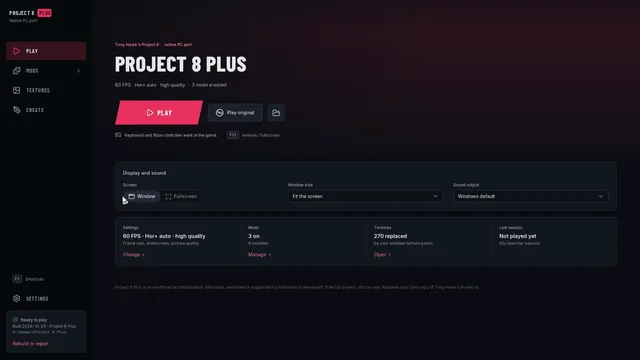
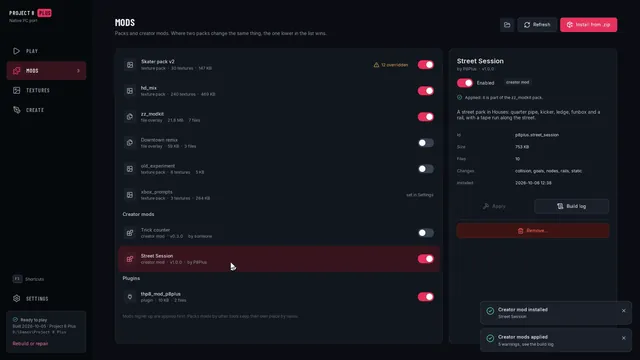
Mod packages

The mod package (modkit.json, assets), versions, load order, overlaps, the combined pack, zips.

8 min read
docs/modding/packaging.mdView source

The package

A mod is a folder:

mymod/
  modkit.json        the manifest
  assets/            your own content: .glb, .gltf (+ .bin), .png, .jpg
  README.md, LICENSE, preview.png, *.blend    optional: ignored by the build and not part of the package hash

Only modkit.json and the files under assets/ are build inputs. Never put game files in a mod: not an exported model, not a texture taken from the game, not a pak (CONTRIBUTING.md). To change a game texture without shipping it, use an operation that works on the player's own copy at build time (texture.recolor, skin.recolor). modkit.py validate refuses a package that holds a file that looks like a game file (.CHK, .ps3, .pak, ...) or a file identical to one of the kit's own game exports.

python tools/modkit/modkit.py new "My mod" --author you scaffolds a folder; validate checks it.

modkit.json

{
  "format": 1,
  "id": "example.houses_ramp",
  "name": "Example: kicker ramp and grind rail in Houses",
  "version": "1.0.0",
  "author": "someone",
  "description": "Adds a kicker ramp and a grind rail to the Houses zone.",
  "license": "MIT",
  "game": {"title_id": "BLUS30011", "disc_version": "01.02"},
  "priority": 50,
  "requires": [],
  "conflicts": [],
  "ops": [
    {"op": "static.add_object", "zone": "z_houses", "name": "modkit_kicker", "source": "assets/ramp.glb"}
  ]
}
field
format required the integer 1. A manifest with a newer format is refused with a message to update the kit
id required 3-64 characters: lower-case letters, digits, _ and -, words separated by . (yourname.my_mod). Unique, and stable across versions
name required display name, up to 100 characters
version required a semantic version: 1.0.0, 1.2.0-beta.1
author required
description optional
game optional title_id must be BLUS30011; disc_version is 01.02 (a different disc version gives a warning)
priority optional integer 0..1000, default 50; higher is applied later and wins
requires optional mods that must be part of the build (below)
conflicts optional mods that must not be (below)
ops required the list of operations, in order; may be empty (a warning: the mod changes nothing)
license, url, tags optional information for people; not used by the build

Keys starting with _ or x_, at the top level and inside an operation, are comments or tool metadata: never an error, and the build removes them from an operation before it runs. Any other unknown top-level key is a warning (a typo guard); unknown parameters inside an operation are an error for most operations (operations.md). An operation whose op itself starts with x_ (the level editor writes x_editor.placeholder for an object that has nothing to build yet) is tool metadata and is skipped.

Operations

An operation is {"op": "<area>.<name>", ...parameters...}, a JSON object. The operations of an area are provided by tools/modkit/ops_<area>.py; modkit.py ops lists what your copy has.

area operations
static add_object, replace_object, replace_mdl, remove_object: zone and prop geometry
texture replace, recolor: any texture dictionary entry
skin replace_mesh, replace_part, add_mesh, recolor, replace_texture, deck_graphic, griptape, cas_texture: skaters, boards, clothing
collision add_mesh, add_box, add_ramp, remove, copy
nodes add_rail, add_gameobject

operations.md documents every parameter, with defaults and examples.

Versions and dependencies

requires and conflicts list mods by id, with an optional version range:

"requires":  [{"id": "author.lib", "version": "^1.2"}, "author.other"],
"conflicts": [{"id": "author.big_houses", "version": "<2.0.0"}]

("id@range" is also accepted for a string.) Ranges: * or empty = any; 1.2.3 or =1.2.3 exact; >=1.2.0 <2.0.0 (a space means and); ^1.2.3 (>= 1.2.3, < 2.0.0; ^0.2.3 stays below 0.3.0); ~1.2.3 (>= 1.2.3, < 1.3.0); 1.2, 1, 1.2.x (that series); A || B (either). A pre-release sorts before its release.

Give a mod a new version whenever its content changes; the build records it. Keep the id when the mod is the same mod.

A requires that is not part of the build fails it, unless a lower pack of the mods folder was built with that mod (then the requirement counts as met). A conflicts entry that matches another mod of the build, or one built into a lower pack, fails it too, from either side: a lower pack's mod that declares a conflict with a mod you build also stops the build.

Load order and priority

All the mods of one build are applied in this order: a mod that another mod requires first; otherwise by priority ascending, then by id. A later operation works on the result of the earlier ones, so where two mods change the same thing the mod applied last is on top of the other: a mod with a higher priority overrides one with a lower priority. Two mods that edit different entries of the same pak both take effect.

A requirement cycle, a missing requirement, or a declared conflict stops the build with a message naming both mods.

Overlaps

Two mods overlap when they change the same pak entry (the same model, the same texture) or the same file. That is not an error: both are applied in load order, and the build lists every overlap in its output and in the pack record (conflicts: the file, the entry, the mods in order, last). Reading it: last is the mod applied last, on top of the others' result. If it replaces the whole entry (a texture, a mesh) it hides the earlier mods' change; if the mods edit different parts of an entry (different meshes of one skater, different objects of one zone) both survive.

Use the manifest's conflicts to forbid a combination that cannot work, and --strict to turn every overlap and warning into an error.

The combined pack

modkit.py build MOD [MOD ...] --mods <install>\mods [--pack NAME] applies all the given mods and installs one overlay pack, <mods>\<pack>\PS3_GAME\USRDIR\DATA\..., plus a record modkit_pack.json next to it. A MOD is a mod folder or a mod zip (below).

  • One pack, so that mods can combine. The overlay replaces whole files (formats.md); two separate packs that both edit a zone pak would hide each other. The build applies the mods to one in-memory view of the game's files and writes each changed file once. A mod that changes one entry of a pak therefore ships the whole pak: the three example mods together make a 43 MiB pack.
  • The pack name. Default zz_modkit, which sorts after hd_textures and every pack named a..y. A name is 1-64 letters, digits, _, ., -, must not start with _ or . (the overlay skips those), and PS3_GAME and plugins are reserved.
  • The base. The build edits the files the overlay would serve below the pack: lower packs (in name order, for example hd_textures), then the game (--game, default THP8_DATA). So a mod built on top of the HD textures keeps them. A pack that sorts after the mod pack, or loose files in <mods>\PS3_GAME, that replace the same file would hide the change; the build refuses that (--force to install anyway), so keep the default name or choose one that sorts last. A kit pack above yours that was built on files you change is reported as going stale: rebuild it next.
  • Only changed files are in the pack: files whose bytes differ from the base. A build that changes nothing installs nothing (and removes the kit's old pack).
  • Atomic. The pack is staged in <mods>\.<pack>.build, verified, then swapped in by renames; a failed build leaves the installed pack as it was. The overlay ignores folders starting with ..
  • Rebuild after changes. Change a mod, a lower pack, or the game, and build again. status tells you.
Commands
command does
new NAME [--dir D] [--id ID] [--author A] scaffold a mod folder
validate MOD... check manifests, operation names, asset paths, game-looking files
ops list the available operations
export KIND NAME [--out DIR] [--pak PAK] [--props] [--no-tex] [--game DIR] game content to a Blender-ready glb (zone, prop, skater, cas, board, skin; a skin by name, CAS description id, checksum or pak:<pak>#<entry>); writes thp8_export.json next to it
build MOD... --mods DIR [--pack NAME] [--game DIR] [--dry-run] [--strict] [--force] [--report FILE] apply the mods, install the pack; --dry-run writes nothing; --report writes the build report as JSON
status --mods DIR [--pack NAME] [--game DIR] verify the installed pack
disable, enable --mods DIR rename the pack to _<pack> and back
uninstall --mods DIR [--force] delete the pack (and leftovers of an interrupted build)
list --mods DIR every pack of the mods folder, in overlay order, with what it is
package MOD [-o OUT] validate a mod and write a distributable zip

status exit codes: 0 ok, 1 damaged (a file missing or changed), 2 rebuild needed (the game, a lower pack or a mod's files changed since the build), 3 not installed, 4 shadowed (a pack that sorts after yours replaces the same file). build exits 0 on success and 1 on failure.

The pack record

modkit_pack.json (record format 1) holds: the tool and kit version, the build time, the game DATA folder, disc version and title id, the lower packs the build used as its base, the mods (id, name, version, author, priority, source, the SHA-256 of the manifest and of the whole package, the SHA-256 of every asset, the operations), every output file with its size, SHA-1, the SHA-1 of the base file it was built on and where that came from (game, pack:<name> or none for a file the mods added), the inputs the build read (for the stale-base check), the entry-level change log, the overlaps, the budgets and the warnings. It carries no game content, and the overlay ignores it.

Mod zips

modkit.py package MOD validates the mod and writes <id>-<version>.zip next to the folder (or to -o). The zip holds <id>/modkit.json, <id>/assets/... and the top-level README*, LICENSE*, CHANGELOG*, CREDITS* and preview* files; the timestamps and order are fixed, so the same package always gives the same zip, and the zip comment carries the package hash. build, validate and status accept a zip anywhere a mod folder is accepted (it is extracted to a temporary folder for the build). A zip with an absolute path, .. or a link is refused.

The package hash

status and the pack record use a SHA-256 over the sorted sha256 size path lines of modkit.json and every file under assets/ (dot files, __pycache__, *.pyc, Blender backups *.blend1 and similar are left out). It changes exactly when a build input of the mod changes.

Publishing a mod

A mod folder or zip is safe to share if it contains only your own files. Give it a license, a clear id and version, a README.md that says what it does, and a preview.png (of your own content: a picture of the game's models is game content too). Keep your Blender source (.blend) next to it if you like; the build ignores it. Do not include thp8_export.json or anything the exporters wrote from the game. Whoever installs your mod builds it against their own game copy.

Collision and rails

Collision and grind rails: how the game stores them, what the kit adds, what is not supported.

10 min read
docs/modding/collision-rails.mdView source

What a skater can stand on, hit, grind and wallride is not the visible geometry. Each zone has more data: its collision (a Havok physics file, the zone's .hkc), its node array (the .nqb, which places objects and lists the rail points by name) and its baked rails (the zone's .rnb_lvl in global_rails.pak, which is what the game grinds on). The kit can add to all three. This page says what it adds, how to use it, and what it cannot do.

Status: the operations build, every changed file parses back, the new collision and rails export to OBJ for a look in Blender, and the example mod's kicker and rail render in the right place in the kit's renderer. Grind rails work in the game: a rails.add rail is loaded into the engine's rail manager and the skater grinds it (see "What is verified"). The collision operations have not been run in the game yet; read "What is verified" before you rely on them.

How the game stores it

part what it is
zone collision (.hkc) a Havok 4.0 packfile. Every collision object is one fixed rigid body, in world space. Its top shape's user data is the checksum of the name of a LevelGeometry node. Triangle meshes are a MOPP tree over a triangle storage with a material word per triangle; boxes and cylinders are primitive shapes
material word terrain index << 16 | face flags. The terrain index picks an entry of the game's own table of surfaces (Terrain_Types: concrete, wood, metal, grass, ...); the face flags are bits such as wallride, vert, trigger, invisible, non-collidable, camera-collidable
nodes (.nqb) one entry per node: name, position, angles, class, flags. LevelGeometry nodes tie a visible object to its collision; RailNode nodes are the points of a grind rail, linked in order
rails a polyline of rail points (a link per segment), baked per zone into global_rails.pak (Grind rails); the node array lists the same points as RailNode nodes. A rail has no surface: the skater snaps to the line. The rail you see is just a model

Every stock body belongs to a LevelGeometry node. Bodies of nodes that are created at start exist from the moment the zone loads, so new collision gets such a node (the default).

What the operations do

you want use
to hit the ramp you added collision.add_mesh with object (the placed object's triangles). Terrain Wood, WoodPlywood or ConcSmooth as it fits
a simple solid block (a box-shaped bench, the rail's base) collision.add_box with object, or center + size
a kicker without making a mesh collision.add_ramp (an arc or a straight slope)
to grind a rail rails.add with the polyline (one operation per rail), plus a model (static.add_object) and, if the rail should block the skater, a collision body
to take a stock rail away rails.remove
the same collision as a stock object, moved collision.copy
to change what an existing object blocks collision.remove the old node's bodies, then add new ones
another barrel, bin, trigger nodes.add_gameobject (copies a game object the zone already has)

operations.md has every parameter.

The ramp example

examples/houses_ramp adds a kicker and a rail to the Houses garage in five operations:

{"op": "static.add_object", "zone": "z_houses", "name": "modkit_kicker", "source": "assets/ramp.glb", "node": "modkit_kicker", "position": [-61.05, 2.39, -64.52], "rotation_y": 45, "snap_to_ground": true},
{"op": "static.add_object", "zone": "z_houses", "name": "modkit_rail", "source": "assets/ramp.glb", "node": "modkit_rail", "position": [-61.544, 2.386, -63.317], "rotation_y": 45, "snap_to_ground": true},
{"op": "collision.add_mesh", "zone": "z_houses", "object": "modkit_kicker"},
{"op": "collision.add_box", "zone": "z_houses", "object": "modkit_rail", "yaw_deg": 45},
{"op": "nodes.add_rail", "zone": "z_houses", "name": "modkit_rail_line", "source": "assets/ramp.glb", "node": "modkit_rail", "position": [-61.544, 2.386, -63.317], "rotation_y": 45}

(nodes.add_rail is the same operation as rails.add; new mods should write rails.add.) The collision operations come after the static ones, because they use the placed objects. The kicker's collision is its own 74 triangles, so the skater rolls up the arc. The rail's collision is a box around the whole rail (0.2 x 0.4 x 3 m including the feet); its grind line is two points 3 m apart at the top of the bar. rails.add has no snap_to_ground: its y is the position's y plus the line's height inside the model (0.4 m), so give it the height the static object ended up at (the build prints snap_to_ground: ground at y=...).

Grind rails

Where the game gets its rails

The startup script sets RAILNODE_ASSETS_ENABLED = 1. With it, the zone loader skips RailNode, ClimbingNode and ManualNode nodes of the node array (except in the park editor) and the rail manager is filled from baked rail files instead: pak/global_rails/global_rails.pak (PAK/200C0745.CHK) holds one .rnb_lvl entry per world zone, named after the zone, and the level script loads it once per level into its own heap, RailNodeHeap. Mission paks and the training zone carry their own .rnb_lvl. Each stock .rnb_lvl is an exact bake of the zone's node-array rails: 18,132 of the 18,134 records of the 12 zones come out byte for byte from the node array (the other 2 are points with two links, where the bake kept the second one), so the node array and the baked file always describe the same rails.

rails.add therefore writes both: the records of the zone's .rnb_lvl (what the skater grinds on) and the RailNode nodes (what scripts address by name, and what the park editor and the RAILNODE_ASSETS_ENABLED = 0 code path would build from).

The .rnb_lvl format

Little-endian (unlike the rest of the PS3 data):

offset size content
0 4 number of rail points n
4 n x 0x58 one record per point, sorted by the checksum of its name (unsigned)
4 + 0x58 n 8 n reserved: room for the game to expand each record to its 0x60-byte runtime form in place (zero in global_rails.pak; leftover tool memory in some mission paks)

A record:

offset content
0x00 bounding box minimum x, y, z, 1.0 of the segment from this point to the next (the point itself if it has no next)
0x10 bounding box maximum x, y, z, 1.0
0x20 position x, y, z, 1.0 (world, meters)
0x30 orientation quaternion x, y, z, w (ladder and ledge points only; zero for rails)
0x40 flags: 0x1 LipOverride, 0x2 DefaultLine, 0x4 CreatedAtStart, 0x8 NoClimbing, 0x10 ClimbingNode, 0x20 ladder, 0x40 HangLeft, 0x80 HangRight, 0x100 TrickObject, 0x200 has a next point, 0x400 has a previous point, 0x800 ManualNode
0x44 checksum of the point's name
0x48 checksum of its terrain (TERRAIN_*)
0x4C checksum of its trick-object cluster (0: none)
0x50 record index of the next point (0 when flag 0x200 is clear)
0x54 record index of the previous point (0 when flag 0x400 is clear)

There is no stored spatial index: the game tests each segment's bounding box when it looks for a rail, so a new point only needs a correct box. When the file loads, the game swaps the bytes, converts the terrain checksum to its index, turns the next / previous indices into pointers where the flags say so, and registers the zone's rails (one of 21 slots, keyed by the checksum of the entry's full name, e.g. 04db02de for z_houses) and its trick objects.

rails.add inserts the new records at their sorted places and renumbers every next / previous index; all other bytes of the stock records stay as they were. rails.remove takes records out the same way and unlinks their neighbors.

Heap and size

global_rails.pak must fit RailNodeHeap (1,761,280 bytes, set in the startup script). The stock file is 1,741,824 bytes (1,742,848 padded to the 2 KiB size the game caches it at), which leaves room for about 150 more rail points with a 4 KiB reserve. Past that, rails.add raises the heap in the startup script in 64 KiB steps (a warning in the build; at most 1 MiB over the stock size, from main memory). Each point costs 96 bytes in the heap and about 100 bytes in the zone's node array.

Tools
python tools/models/thp8rnb.py roundtrip          every .rnb_lvl of the game (43): parse + rebuild byte-identical, checks
python tools/models/thp8rnb.py bake-check         the 12 zones' baked rails vs a bake of their node arrays
python tools/models/thp8rnb.py dump z_houses      the zone's rails: points, length, terrain, flags
python tools/models/thp8rnb.py info               global_rails.pak size vs RailNodeHeap
RAILNODE_ASSETS_ENABLED = 0 (not used)

The other way to get node-array rails into the game is to set the startup global RAILNODE_ASSETS_ENABLED (startup script, next to RAILNODE_ASSETS_VEH_ENABLED = 1) to 0. The code then builds the rails of each zone from its node array when the zone loads (allocated in another heap), and the .rnb_lvl loader ignores every baked file: the 12 zones', the 25 missions' and the training level's. The same global is read by the loader of vehicle / model rails (.rnb_mdl). global_rails.pak would still be loaded (1.7 MB unused). That code path is the developers' own and is not exercised by the retail game, it changes memory use per zone load, and mission rails would have to match their node arrays too, so the kit does not use it.

Seeing what you have

python tools/models/thp8hkc.py export z_houses collision.obj      collision + rails of a zone -> OBJ (one group per body)
python tools/models/thp8hkc.py dump z_houses --objects            summary of the bodies, shapes and materials

(THP8_DATA must point at the stock game. The stock Houses zone has 243 collision bodies and 98 rails; the ramp example adds two bodies and one rail.) The export is a good way to see what the stock zone blocks near your object, so you can place yours.

What is verified

  • The collision editor's output re-parses and rebuilds byte for byte, and the MOPP tree generator was checked against every stock tree of the game (thp8hkc.py mopp-test).
  • The operations enforce structural limits: 65,535 triangles and 65,535 vertices per operation, 254 distinct material words.
  • The relation between collision bodies and nodes was inferred from the game's data (bodies of nodes that are not created at start follow their node), not traced at run time.
  • Rails, offline: every .rnb_lvl of the game (43) parses and rebuilds byte for byte, and 18,132 of the 18,134 baked records of the 12 zones equal a bake of the node arrays (thp8rnb.py roundtrip, bake-check); the tests in tools/modkit/tests/test_rails.py check that every stock record keeps its bytes and links after an insert or removal.
  • Rails, in the game (native port, Houses, a 5 m pipe rail 0.35 m above the street below the garage driveway, made by static.add_object + rails.add):
    • the level loads; the engine's rail manager holds the zone's 966 records (stock 964), and the two new points read back from game memory with the right name, position, flags, terrain and next / previous pointers;
    • the engine's rail overlay draws the new rail like the stock ones;
    • the skater, dropped onto the rail with triangle held, grinds it ("FS 50-50", sparks, the balance meter, the score counting) along its whole length, at exactly the rail's height;
    • control: the same pack with only the node-array RailNodes (the stock global_rails.pak) loads with 964 records, the overlay shows no rail on the pipe, and the skater falls through it to the street;
    • a pack with a 240-point loop more (global_rails.pak 1,765,376 bytes, over the stock RailNodeHeap) loads with the heap raised to 1,769,472 bytes by rails.add, and the rail manager holds all 1,206 points.

What is not supported (yet)

  • Moving or dynamic bodies. Every new body is fixed, like every stock zone body. No doors, no ragdolls.
  • Editing an existing body's shape. Remove it and add the new one.
  • Prop collision. The per-prop Havok data of game objects is not touched, so a prop replaced with static.replace_mdl keeps its old collision shape.
  • Other rail classes. Only RailNode polylines; no ladder or ledge (ClimbingNode) or manual (ManualNode) nodes (the format library reads and writes them, the operation does not make them). The rail has one terrain for its whole length, and no branches (one next point per point).
  • Rails in zones without baked rails. rails.add edits the zone's entry in global_rails.pak, which exists for the 12 world zones (Z_Cartoon, Z_Center, z_citypark, Z_Cretepark, Z_Factory, z_funpark, Z_Ghetto, z_houses, Z_Inschool, Z_Outschool, Z_Parking, Z_shops). Mission rails (in mission paks) and the training level's are not edited.
  • Live reload. global_rails.pak is loaded when a level loads; a changed rail needs the level loaded again, a zone reload does not pick it up.
  • Collision in _lod zones. Added collision exists in the full zone only.
  • Anything about the skater's AI, goals or scripts. Those are QB scripts (qb-toolchain.md).
  • The performance cost of many triangles. There is no measured budget; keep collision as simple as the shape allows (boxes where a box will do), the way the stock zones do.

Terrain types

terrain takes a name from the game's Terrain_Types list (83 entries) or its index. A selection: Default, Asphalt, Brick, ConcSmooth (the default for collision), ConcRough, Dirt, Grass, Metal, MetalPole (the default for rails), Sidewalk, Wood, WoodPainted, WoodDeck, WoodPlywood, WoodFence, PlasticHard, Glass, MetalThin, MetalGrate, Rubber, Gravel, ChainLinkFence, ZeroFriction, HighFriction. An unknown name fails with the complete list read from your game. Rails take the same names, written TERRAIN_METALPOLE or MetalPole.

Face flags

skatable, not_skatable, wallride, vert, non_collidable, trigger, camera_collidable, no_skater_shadow, invisible (a list of names, or an integer). They set bits of the material word. The names follow the face flags of the series' engine (THPS / THUG); their exact effects in this game have not been tested.

Blender and glTF

The glTF round trip with Blender 4.x: axes and units, export settings, what the kit reads, custom properties, skinned parts.

7 min read
docs/modding/blender.mdView source

The kit talks to Blender through glTF 2.0 files (.glb, binary, or .gltf + .bin). Blender 4.x imports and exports them natively (File > Import / Export > glTF 2.0), so the round trip needs no add-on:

game files --(modkit.py export)--> .glb --(Blender import, edit, export)--> .glb in your mod's assets/ --(build)--> game files

The add-on wraps these steps in a sidebar; this page is the file-based workflow it is built on. Anything that writes glTF works, not only Blender: the example mods' .glb files come from plain Python scripts.

Axes and units

  • The game's world is Y up, right-handed, 1 unit = 1 meter (Tony Hawk is 1.88 m tall). glTF is the same. Blender is Z up; its glTF importer and exporter convert on the way in and out, so with the exporter's default +Y Up the file has game coordinates and the kit does no conversion of its own.
  • The skater faces +Z in the file, which is -Y in Blender (the front view, numpad 1, looks at the skater's face). A ramp rolls up towards +Z in the file; a board's nose is +Z.
  • Keep the scene unit scale at 1.0 and metric units; never scale an exported skinned model's armature.

Exporting game content to edit

python tools/modkit/modkit.py export zone z_houses [--props]       a zone (with its props)
python tools/modkit/modkit.py export prop GO_PropaneTank
python tools/modkit/modkit.py export skater pro_hawk               a skater (also: cas <part>, board <name>)
python tools/modkit/modkit.py export skin 'pak:cas_shared#Pro_Hawk'   any skinned model by pak and entry

Each export goes to a folder (default work/modkit/workspace/<kind>/<name>, or --out) with a thp8_export.json that records what was exported and from which game files. These files are game content: they stay on your PC, they must not go into a mod, and modkit.py validate refuses a package that contains one unchanged.

Import the .glb (File > Import > glTF 2.0) with the defaults. Zone geometry arrives in world space, props in model space, skaters and boards with their skeleton (an Armature) and vertex groups named after the game's bones, one object per game mesh. Most of what the kit needs to find its way back is stored in custom properties (below); do not delete them.

Names carry meaning. A replace operation names the game object it replaces (object, model, skin), and an exported object's name is that game name, so do not rename an object you want to replace. Objects you add can be named freely: use a prefix of your own (mymod_) and keep it unique within the zone.

Exporting from Blender to the mod

File > Export > glTF 2.0 (names as in Blender 4.2; earlier 4.x versions place a few options differently):

setting value
Format glTF Binary (.glb)
Include > Limit to Selected Objects (if the scene holds more than the mod's objects)
Include > Data > Custom Properties on (the kit reads object custom properties)
Transform > +Y Up on (default)
Data > Mesh > Apply Modifiers on
Data > Mesh > UVs, Normals, Vertex Colors on. Blender 4.2 and newer export vertex colors only when a material uses them, unless the vertex-color option is set to Active; a missing color layer is read as white
Data > Mesh > Loose Edges on for a rail drawn as connected edges
Data > Material > Images Automatic (PNG, or JPEG where the source is JPEG)
Data > Armature on for skinned parts; the armature's bones keep the game's names
Animation off

Put the file in your mod's assets/ folder and name it in the manifest (packaging.md).

What the kit reads from a mesh

data what the game wants
positions meters. Zone objects in world space, props and skinned parts in model space. An added object is placed by the operation's position / rotation_y / scale, or by its glTF transform
triangles any glTF triangle list; the kit strips it for the game (limits.md for the size limits)
normals unit vectors (computed if absent); the game stores them at 11:11:10 bits, so very small normal detail is lost
UV set 0 (TEXCOORD_0) the color texture. Keep it within 0..1: the game stores UVs as half floats (about 3 decimal digits near 1, fewer further out)
other UV sets zone meshes use sets 4 and 5 for the two zone lightmap atlases. Added objects get theirs from the zone surface below them (lightmap parameter), so you never draw lightmap UVs
vertex color (COLOR_0) multiplied with the texture. White = no change
tangents computed from TEXCOORD_0 (skinned imports use a glTF TANGENT when there is one)
material one game mesh per material. The base color texture and factor are read; the alpha mode picks the shader template: OPAQUE an opaque one, MASK (alpha-tested cut-out, the way the game's own fences and foliage work) a cut-out one, BLEND a blended one. A normal texture is used if the material has one, else a flat normal map fills the slot
skin weights at most 3 bones per vertex; more are pruned to the 3 largest and renormalized

Check the budgets before you build: in Blender turn on Statistics (the overlay menu) to see triangles and vertices of the selection. A vertex is counted per unique combination of position, normal, UV and color, so hard edges and UV seams add vertices; the exported file's vertex count is the number the game sees.

Custom properties

Custom properties on objects, meshes and materials (Object Properties > Custom Properties) are exported as glTF extras and are the kit's metadata channel. They are numbers, text or flat lists of numbers, as Blender allows.

property on meaning who sets it
thp8_rail_points an object the grind line of a rail: a flat list x, y, z, x, y, z, ... in the object's local space, meters, in the direction of travel (read by nodes.add_rail; see the houses_ramp example). A mesh of connected edges (loose edges exported) works too you
thp8_terrain, thp8_flags a material collision terrain and face flags for the triangles that use it (collision.add_mesh from glTF) you
thp8_template a material clone the game material of this checksum or name for it (otherwise a template is chosen by alpha mode) you
thp8_material a material reuse the game material with this checksum as it is the exporters (and you, to reuse a game material)
thp8_mesh, thp8_skin, thp8_pak a skinned object which game mesh, model and pak the object came from; skin.replace_mesh maps by them the skin exporter
thp8_local_to_world an object the placement matrix of an object whose game geometry is local; the importer applies its inverse the zone exporter
thp8_uv_slots, thp8_vkey, thp8_uv_const a mesh the game's vertex layout, for a faithful round trip the exporters
thp8_export an imported object where it came from (the add-on's tag) the add-on
thp8_op, thp8_params, thp8_asset an object the add-on's mod-target marking the add-on

Skaters, boards and clothing

  • Import the exported skater, board or clothing part and edit the meshes; leave the Armature, the bone names and the hierarchy alone. The human skeleton has 101 bones, the board skeleton 9.
  • Weights: Weight Paint > Weights > Limit Total 3, then Normalize All, before exporting. Vertex groups carry the game's bone names; bones are matched by name, case-insensitively (bone_<8 hex digits> for the few unnamed ones). A weighted joint the game skeleton does not have fails the import and the message lists it.
  • Moving the armature: if the armature in the file is moved or scaled as a whole against the game's bind pose, the import undoes that and warns; any other difference of the bind pose fails. Blender re-orients bones on import; that is fine, only the joint positions are compared.
  • Meshes over the SPU skinning budget (about 1,600 vertices, limits.md) are split automatically by the build, which prints the exact job size of each mesh.
  • An accessory without a skin (a cap, a backpack) is a plain mesh in the bind pose; skin.add_mesh binds it to one bone (rigid_bone), and offset / scale fit it (cas_recolor). Model it where it sits on the exported skater, with the skater's pose as the reference.
  • Textures: a skater's textures are shared and small (128-512 px), and often atlases shared by several meshes (Tony Hawk's jacket and T-shirt share one image). skin.recolor with mesh changes only the texels that mesh's UVs cover. Replace textures with skin.replace_texture (or skin.deck_graphic for a deck) and keep the size unless you have checked the budget.

Use without Blender

Everything above is glTF: Blender is the intended tool, not a requirement. The example mods' assets are written by plain Python scripts that emit .glb files (examples.md); examples/_lib has a small glTF writer you can copy.

Blender add-on

The Blender add-on: install, preferences, the four panels, a first mod.

5 min read
docs/modding/blender-addon.mdView source

tools/blender/thp8_modkit is an add-on for Blender 4.x that drives the kit from Blender's sidebar: export game content into the scene, mark the objects that make up your mod, write the mod folder, and build it into the native port's mods folder. It is a convenience on top of the command line (getting-started.md); every step it does can also be done by hand (blender.md).

Status: preview. The add-on's logic and its Blender calls are covered by automated tests (tools/blender/tests), but it has not yet been used in Blender itself, so expect rough edges and please report what you find. The glTF import and export it uses are Blender's own.

Install

  1. Make a zip that contains the folder thp8_modkit (the zip must hold thp8_modkit/__init__.py and thp8_modkit/core.py): zip tools/blender/thp8_modkit as a folder, not its contents.
  2. In Blender: Edit > Preferences > Add-ons > Install from Disk (in Blender 4.2 and newer it is in the drop-down at the top right), pick the zip, and enable THP8 Modkit.
  3. Open the add-on's preferences and set:
preference what
Python python.exe that runs the kit (the one with numpy, pillow and quicktex; not Blender's own Python)
Kit folder the repository folder that contains tools/modkit/modkit.py
Game data the stock game: the folder with PS3_GAME, or its DATA folder
Mods folder the native port's mods folder
Workspace where game exports go (default <kit>/work/modkit/workspace)
Pack name the pack folder the build writes (default zz_modkit)

The preferences panel names every missing or wrong entry.

All the game-format work is done by the kit in a subprocess with your Python; nothing of it runs inside Blender.

The panels

3D Viewport > Sidebar (press N) > THP8 Modkit, four panels in the order you use them.

1. Export from game

Pick a kind (zone, prop, skater, CAS part, board, or a skin spec), a name (z_houses, GO_PropaneTank, pro_hawk, board_default, ...), optionally a pak, and press Export from game. The add-on runs modkit.py export, imports the glTF with Blender's importer into a new collection THP8 <kind> <name>, and tags every imported object with where it came from (custom property thp8_export). Zones can include their props ("Zone props"); "No textures" skips the images.

The exported files stay in the workspace on your PC and are game content: do not put them in a mod and do not share them.

2. Mod objects

Select objects and press Mark as mod target. The dialog asks for the operation and the fields it needs:

operation what it is for the object is exported as a glb
Add object to zone (static.add_object) a new object in a zone, placed where it sits in Blender yes
Replace zone object (static.replace_object) change an existing zone object (zone and object name prefilled from the export) yes
Replace prop (static.replace_mdl) change a prop everywhere it appears yes
Hide zone object (static.remove_object) remove an object's meshes no
Replace skinned meshes (skin.replace_mesh) edit meshes of a skater, CAS part or board yes (with its armature)
Replace skinned model (skin.replace_part) the object is the whole model yes (with its armature)
Add mesh to skinned model (skin.add_mesh) a cap, a backpack, ... yes
Recolor skinned mesh (skin.recolor) hue / saturation / value of the game mesh the object came from (skin, pak and mesh are prefilled from the import's custom properties) no
Add grind rail (nodes.add_rail) a rail along this object: a chain of connected edges (or thp8_rail_points) yes (loose edges included)
Add collision (mesh) (collision.add_mesh) this object's triangles as collision yes
Add collision (box) (collision.add_box) the object's bounding box as collision yes
Add collision (kicker ramp) (collision.add_ramp) a parametric kicker from the object's location, rotation about Z and dimensions (origin = middle of the base, local -Y = up the slope) no
Custom op any operation name from modkit.py ops yes

Skinned operations take the glb in the gltf parameter (the others in source), and a marked armature gets no node.

The marking is stored as two custom properties on the object, editable in the panel (and in Object Properties): thp8_op (the operation) and thp8_params (its parameters as JSON, using the names of operations.md); thp8_asset optionally names the glb file. Parameters left empty are dropped from the operation, so optional ones fall back to their defaults. Unmark removes the properties.

3. Export mod

Set the mod folder and the manifest fields (id, name, version, author, description, priority) and press Export mod. For every marked object the add-on exports assets/<object>.glb (selected objects only, +Y up, custom properties as extras, modifiers applied; the armature goes with skinned operations; edges of rails) and writes modkit.json: source and node are filled in, operations that take no glb get their placement from the object's transform. Operations you wrote into modkit.json by hand are kept; the ones the add-on generates carry an _blender_object comment key and are replaced on every export. Load modkit.json reads the fields back, and Validate runs modkit.py validate.

4. Build mod

Build mod runs modkit.py build into the mods folder with the pack name from the preferences; Dry run checks everything and installs nothing. The result (installed files, budgets, overlaps, warnings, errors) is shown in the panel and in two text blocks in Blender's Text Editor: THP8 build report and THP8 modkit log (the full output).

A first mod, start to finish

  1. Set the preferences.
  2. Export from game: kind zone, name z_houses. The Houses zone appears in a collection.
  3. Add your ramp (or import examples/houses_ramp/assets/ramp.glb) and move it where you want it in the garage.
  4. Select it, Mark as mod target, operation Add object to zone, zone z_houses. An object has one operation, so to give it collision duplicate it (name the copy ramp_collision) and mark the copy as Add collision (mesh) with the same zone; the copy is exported as its own glb and its triangles become the collision. (Collision from the placed visual by name, "object": "...", is available when you write the operation by hand.)
  5. Mod panel: folder, id yourname.ramp, name, version 1.0.0, author. Export mod.
  6. Build mod (try Dry run first). Start the port.

The object's transform in Blender is its placement in the zone (its glTF world transform), so put the object's origin at the middle of the base of the ramp, like the example, and move the object where you want it.

If it does not work

symptom try
"THP8 Modkit: set Python ..." the preferences: the paths must exist and the Python needs numpy, pillow, quicktex
the export imports nothing the text block THP8 modkit log has the kit's output
a Blender option error on export the add-on drops glTF exporter options a Blender version does not know and says which; the mod still works unless the dropped option was needed (it names it)
the build fails the report's last error line; the same build can be repeated on the command line

Example mods

The three example mods in examples/.

4 min read
docs/modding/examples.mdView source

Three small mods in examples/, made of our own content only. Each folder is a complete mod (packaging.md): modkit.json, assets/, and a make_assets.py that generates the assets from scratch (pure Python: numpy and Pillow, no game data). Build one the way you build your own:

python tools/modkit/modkit.py validate examples/houses_ramp
python tools/modkit/modkit.py build examples/houses_ramp --mods <install>\mods
example operations assets shows
board_graphic skin.deck_graphic deck.png, 256 x 512 replacing a deck graphic; fitting a picture to the game's texture
houses_ramp static.add_object x 2, collision.add_mesh, collision.add_box, nodes.add_rail ramp.glb, 134 triangles adding objects to a zone, placed and solid, with a grind rail
cas_recolor skin.recolor, skin.add_mesh cap.glb, 436 triangles changing a game texture without shipping it; adding an unskinned accessory to a skater

The three build together into one pack (they touch different entries, so nothing overlaps): 4 files, 43 MiB, in 20 to 35 seconds (the build measured 18.6 s and 33.8 s on a busy PC). The pack is large because the overlay replaces whole files: the Houses zone's video-memory pak alone is 14 MiB, and cas_shared's 23 MiB for a 16 KB deck graphic.

file of the pack size from
ZONES/D34E37E4.CHK (z_houses.pak.ps3) 1,898,496 B houses_ramp
ZONES/5EF17586.CHK (z_houses_vram.pak.ps3) 14,852,096 B houses_ramp
PAK/2E53137F.CHK (cas_shared.pak.ps3) 4,380,928 B board_graphic, cas_recolor
PAK/629BF43D.CHK (cas_shared_vram.pak.ps3) 23,878,656 B board_graphic, cas_recolor

The budgets after the combined build: free video memory predicted 58.61 MiB (the ramp grows the zone slots by 0.25 MiB in total), Houses header pak 1,890,688 B, skater geometry heap 306,000 / 614,400 B main and 1,467,390 / 3,145,728 B video, collision file 540,304 B. Warnings: only the expected "z_houses_vram is now ... larger than the stock slot".

board_graphic

An original deck graphic (chevron bands, a starburst and "MODKIT" in block letters), drawn with Pillow shapes. Portrait, 1:2, a power of two: 256 x 512 pixels. Tony Hawk's visible deck is the create-a-skater texture swap Decks_Birdhouse_01 (a 128 x 256 DXT1 image in cas_shared); skin.deck_graphic with "skater": "Hawk" edits it, and the default cover fit scales a 1:2 picture down to the 128 x 256 texture without cropping. The size is kept: a bigger deck texture would grow the skater's memory.

houses_ramp

A kicker (1.2 m wide, 0.5 m high, 1.5 m long, a 2.5 m radius transition, 74 triangles) with a plank texture and a 3 m grind rail (0.4 m high, 60 triangles) with a brushed-steel texture, as two nodes of one glTF file, placed in the Houses garage in front of the free-skate start: the kicker 3 m ahead of the spawn, the rail 1.3 m to the right of it, both turned 45 degrees to line up with the spawn's heading. The kicker's collision is its own mesh, the rail's a box, and the rail's grind line (two points, 3 m apart at the top of the bar, from the node's thp8_rail_points) is added to the zone's nodes. collision-rails.md explains each operation.

The placement was chosen offline: the garage floor is flat and clear of walls over the whole footprint (checked against the zone's triangles), and the driveway slopes down from about 6 m ahead of the spawn. To move the scene, change the position of the three operations (the rail's two entries must agree).

The mesh is a good template for your own: Y up, meters, unit normals, TEXCOORD_0 within 0..1, white COLOR_0, one material per node. Open ramp.glb in Blender to see it.

cas_recolor

skin.recolor changes the hue, saturation and brightness of Tony Hawk's T-shirt (mesh 4; the texture is an atlas shared with his jacket, so the operation changes only the texels the shirt's UVs cover). It is applied while you build the mod, to your own game files; the mod folder contains no picture of the shirt. skin.add_mesh adds a six-panel cap (436 triangles): a plain, unskinned mesh in the bind pose, attached to the head bone with rigid_bone and fitted with offset and scale. The cap gets its own material and texture, and the build checks the skater memory budget.

Regenerating the assets

python examples/board_graphic/make_assets.py
python examples/houses_ramp/make_assets.py --preview
python examples/cas_recolor/make_assets.py --preview

The output is deterministic. houses_ramp takes --origin x,y,z to move the scene in Blender terms (the manifest's position overrides it), board_graphic takes --width to change the size. The helpers (a small glTF writer, mesh and texture generators, a preview renderer) are in examples/_lib; they are examples of how to produce valid files from code, and a mod does not need them.

In game

All three examples were built together into one pack and booted in the native port (free skate, Tony Hawk): the overlay served the 4 files, the kicker and rail stand on the garage floor in front of the spawn, and Tony Hawk wears the cap in skater select and in free skate, with the recolored T-shirt. modkit.py uninstall brought the vanilla game back. Not yet seen in game: the deck graphic (the board's underside never faced the camera), riding the kicker and grinding the rail. Screenshots of the game are not included here because they show game content.

Game files

What the game's files are, in modder terms: zones, models, skins, textures, collision, nodes, paks, the overlay.

6 min read
docs/modding/formats.mdView source

What you need to know about how the game stores things, to know what a mod changes. The byte-level formats are in models.md, hd-textures.md and qb-toolchain.md; everything here is about US disc BLUS30011 version 01.02.

Files and names

The game's data is PS3_GAME\USRDIR\DATA\<FOLDER>\<8 hex digits>.CHK. The digits are a checksum of the file's real name (z_houses.pak.ps3 is ZONES\D34E37E4.CHK), so nothing in the folder tells you what a file is. The kit and the tools in tools/ resolve names for you; a name dictionary built from your own copy (python tools/qbc/harvest_dbg.py, qb-toolchain.md) lets them print readable names.

folder holds
ZONES the levels (zone paks, their _vram partners, _lod paks), the global pak
PAK the main script pak, the CAS (create-a-skater) paks, the shared skater parts
MODELS standalone models: pro skaters, boards, peds, animals, CAS parts
MISSIONS, CUTSCENES, SKIES goal, cutscene and sky paks
IMAGES, TEX, FONTS, MOVIES, ANIMS ... UI images, textures, fonts, video, animation

Paks

A pak is a container of entries (.geom, .tex, .hkc, .qb, ...). Each entry has a type (the checksum of its extension), a full name and a name checksum. Two things to know:

  • Header and vram halves. Geometry and textures are split in two: the part the CPU reads (X.pak: material libraries, scene tables, texture dictionaries) and the part the GPU reads (X_vram.pak: vertex buffers, index buffers, pixel data). Entries pair up by name. A mod that changes a model or a texture changes both files; the kit does this together.
  • Split paks. A few paks keep their data in a second file (.pab, e.g. the global pak).

A pak is rebuilt byte for byte by the tools, so an unchanged entry stays identical.

What is inside, by what you want to change

to change the game's data notes
a level's geometry zone pak: a .geom (+ vram) holding every object of the zone in world space one mesh per material; objects are listed in a scene table
a prop (bin, bench, barrel) a .mdl (+ vram) in model space, placed by node data; its textures are a .stex one .mdl can be placed many times
repeated objects (fences) one master object, placed by .nqb nodes with position, rotation, scale changing the master changes every copy
textures a texture dictionary: .tex (a level's), .stex (a model's), .img (UI images); DXT1, DXT1 with 1-bit alpha, DXT5, DXT5nm normal maps, or 32-bit pixels live in the vram half
a skater, board, ped, clothing part a .skin (+ vram): meshes with per-vertex bone weights, plus a .ske skeleton CAS parts also carry a cull block that hides covered parts
collision .hkc: Havok packfiles. A level has one for the world; a prop has its own rigid body not part of the visible mesh
placement, triggers, rails, LOD distances .nqb node arrays (scripts' own data format) every geometry object has a node of the same name
scripts and settings .qb and .nqb (compiled QB scripts) qb-toolchain.md
Nodes, placement and rails

Every zone has a node array (an .nqb entry named after the zone, Z_Houses_NodeArray): one struct per node with a name, a position, angles, a class and flags. Nodes that look alike share a "compressed node" template struct that they merge. Two sorted tables (..._SortedNames, ..._SortedIndices) give the engine its name lookup. Classes the kit touches:

class what it is
LevelGeometry ties a visible object (a .geom object of the same name) to its collision, trick flags and light group. Created at start, or from a script variable
RailNode one point of a grind rail. A rail is a chain of RailNodes linked by Links (node indices, one per segment end); the engine builds its rail objects from them when the zone loads. A rail has no surface of its own: it is a line the skater snaps to
GameObject a placed prop or trigger: a Type (such as GO_MetalBarrelBlue) and a position
(others) restart points, triggers, sound and particle emitters, ...

The free-skate start is the node Z_Houses_TRG_Restart_Default, at (-63.17, 2.39, -66.64) in world meters.

Collision

A zone's collision is a Havok packfile (.hkc): one fixed rigid body per collision object, in world space, each belonging to a LevelGeometry node by name; triangle meshes carry a material word per triangle (terrain type and face flags). Props have their own small Havok entry. Visible geometry and collision are separate data: a mod that changes a mesh does not change what the skater hits. collision-rails.md has the details and what the kit can add.

Zones

A level is one zone pak (and its _vram partner): the zone's geometry, its textures, collision, nodes and particles, plus _gfx and _sfx entries (particle and sound emitters, no meshes) and the props placed in it. The game loads the zone you are in and the zones next to it in full; farther zones are loaded as _lod paks: whole-zone stand-ins with 2-8 % of the triangles and baked textures. An object you add to a zone therefore exists only in the full zone, and disappears with the zone in the distance.

The free-skate start (the garage) is in the Z_Houses zone.

Materials and textures

A model has a material library: each material names a shader and up to a dozen texture checksums. A mesh refers to its material by checksum. A new object normally reuses a material that the game already has and brings its own textures. A texture dictionary entry stores the size, the mip chain and the pixel format; replacing a texture can change its size, and with it the memory the zone or skater needs (limits.md).

Skinned models

.skin meshes are stored as bone-weighted records: each vertex has a bind position, a normal, tangent and binormal and up to 3 bone weights. The human skeleton has 101 bones, the board skeleton 9. The game skins on the SPUs (a CPU fallback exists), which is where the per-mesh vertex limit comes from (limits.md).

Free skate, skater select and create-a-skater draw Tony Hawk from the shared CAS pak (cas_shared), not from his standalone model files. A mod for a skater must edit the copy the game actually draws.

A pro's deck graphic is not a texture of the board model: it is a create-a-skater texture swap (a single .img image in cas_shared, portrait, 128 x 256) that replaces the board's default deck texture when that skater's appearance is built. skin.deck_graphic edits that image.

Draw order and strips

The game draws triangle strips (16-bit indices, a restart index) with counter-clockwise front faces; the kit turns your triangle lists into strips. Vertices are position, a packed normal (11:11:10 bits), optionally two more packed vectors (tangent, binormal), a color and half-float UVs, so the exact layout is the layout of the mesh being replaced or one of the layouts the game already uses. There are no per-mesh LODs.

The overlay

The native port serves files from a mods overlay: a folder mods that mirrors the disc.

<mods>\PS3_GAME\USRDIR\DATA\...                  loose files (highest priority)
<mods>\<pack>\PS3_GAME\USRDIR\DATA\...           one folder per pack
  • Packs apply in folder-name order (case-insensitive); a later pack wins over an earlier one for the same file, and loose files win over all packs.
  • A pack whose folder name starts with . or _ is skipped: that is how a mod is disabled.
  • A file is replaced as a whole: the overlay does not patch inside a pak. A mod that changes one entry of a zone pak ships the complete zone pak, and two mods that change the same pak must be built together (that is what the kit's combined pack does, packaging.md).
  • The same file is served for the disc path and for the path of the game's HDD cache, so the game cannot read a stale copy; the port resets the cache whenever the set of served files changes.
  • Files are plain (decrypted) files. The overlay is read-only; the game folder is never touched.
  • PS3_MODS_ROOT=<folder> points the port at another mods folder; PS3_MODS_ROOT=off disables the overlay.

Because whole files are replaced, a mod's pack can be large (a zone's _vram pak alone is up to 14 MiB). That is normal.

Limits and budgets

Vertex and index limits, skin weights and bones, the SPU skinning budget, zone video memory, heaps.

7 min read
docs/modding/limits.mdView source

Hard limits of the game's formats, and the memory budgets a mod must respect. The build checks what it can: a limit that is exceeded fails the build (budget <name>: N B > limit) and nothing is written; softer figures come as warnings and are listed in the build report. The figures come from the game's executable (models.md, hd-textures.md) and from measurements made in RPCS3; the engine code is the same in the native port, but the video-memory figures have not yet been re-measured in the native port, and no mod has been run in the game yet (operations.md).

Meshes

limit value why
vertices per mesh 32,767 16-bit strip indices; 0x7FFF is the restart marker. The importer splits above 32,000
indices per mesh 65,535 strip indices, including restarts and stitching
largest mesh in the stock game 4,030 vertices (static), 10,797 (skinned) for scale
UV values within 0..1 where you can stored as half floats: the resolution falls as the value grows. The importer range-checks them and shifts whole UV islands by integers where needed
LOD none per mesh zones swap whole to _lod paks; props and characters have one mesh set

A mesh is one draw call with one material: a glTF primitive becomes one game mesh. Static imports split a primitive that is over the limits automatically and say so; skinned imports split a mesh that is over the SPU budget (below). The triangle lists you give are turned into strips by the kit.

Skinned meshes

limit value
bone weights per vertex 3: more are pruned to the 3 largest and renormalized; weights below min_weight (0.001) are dropped
bones the human skeleton has 101, the board 9. Bone indices are bytes; the SPU budget is reported for 101 bones and for a 128-bone worst case
SPU skinning job 99,999 bytes per mesh

The SPU job holds the mesh's skin records (32 bytes per vertex plus a small header per group of vertices that share a bone set), the skinned output (24 bytes per vertex) and the bone matrices (64 bytes per bone). With the 101-bone skeleton a mesh stays on the SPU path up to roughly 1,600 vertices; the build computes the exact size of every mesh ("max SPU job 83,552 B") and splits a changed mesh until each part fits. A mesh over the budget is still valid: the game then skins it on the CPU (the PPU), which is slower. 11 stock skins already do (a 2,302-vertex secret skater, some CAS trousers, some boards). allow_ppu keeps a big mesh in one piece.

A custom CAS skater costs no extra video memory over Tony Hawk: the skater slots are fixed.

Textures

limit value
formats DXT1, DXT1 with 1-bit alpha, DXT5, 32-bit (the normal-map kind DXT5nm exists in the game; a new material gets the glTF's normal map, or a flat one)
size a power of two, up to 2048 px: any other size is resized to the nearest power of two. Textures the skin operations create from your picture are capped at 1024 px
mips generated by the kit for dictionary textures (single .img images, such as deck graphics, have one level)
not supported cube maps, volume textures
format on replace the entry's own format is kept; a picture with alpha turns DXT1 into DXT5 (or punch-through DXT1 for a 1-bit alpha)

A texture's pixels live in the paired vram file, so a bigger texture grows the vram pak of its zone or skater. A skater's textures are shared and small (128-512 px), and a deck graphic is 128 x 256 in the stock game.

Zone video memory

All the zones share four fixed video-memory link slots, and every slot is as big as the largest zone _vram pak of any zone (the game measures the files on the disc when a level loads), rounded up to 0x800. So the budget is global:

free video memory (stock memory) = 58.86 MiB - 4 x (slot - stock slot)        stock slot = 14,786,560 B
  • Z_Houses is the largest zone in the stock game: its _vram pak is 14.10 MiB (14,786,176 bytes, a slot of 14,786,560). Every byte you add to z_houses_vram costs four bytes of free video memory, because all four slots grow. The ramp example grows it by 65,920 bytes (to 14,852,096): 0.25 MiB of VRAM in total, free memory 58.61 MiB.
  • Other zones have headroom up to the slot: adding to them costs nothing until they exceed it.
  • The build fails when the predicted free memory would drop below 8 MiB (the reserve) and warns whenever the largest zone grows; the report records zone_vram_slot, zone_vram:<zone> and the predicted free memory.
  • HD texture packs raise the largest zone (cap22: 21.95 MiB, full: 31.21 MiB), and with it the size every zone may reach for free. The build starts from the files the overlay serves below the mod pack, so it sees such a pack.
  • The allocator has no failure path: running out shows as corruption or a crash, not as an error message.

Header paks (main memory) are checked against the largest stock zone header pak (3,302,272 B, Z_Ghetto); a bigger one is a warning, because the heap limit behind it is not verified (zone_header:<zone>). The Houses header pak after the ramp example is 1,890,688 B.

Other users of video memory: LOD paks (about 5 MiB), CAS cas_shared 22.8 MiB plus one CAS type 11.5-15.1 MiB, the global pak 4,500K, the pedestrian parts 24,500K (386 KB slack), mission paks 4,600K, the shop and cutscene pak 4,400K, the loading screen 800K, the sky 600K.

Heaps (main memory and video memory outside the zone slots)

These areas have a fixed size set by the game's scripts. The build checks them (the budget names are in the build report):

heap main memory video memory check
global pak (global.pak + .pab, global_vram.pak) 1,843,200 B (spare ~53 KB) 4,608,000 B heap_global_pak.main / .vram, fails over the size
pedestrian parts (z_peds) 6,656,000 B (spare ~211 KB) 25,088,000 B (spare ~395 KB) PedParts.main / .vram, fails over the size
placed people (peds.add) peds.placed:<zone>: fails over 22 per zone (the most the stock game creates at once), warns over 12; the models must be resident in z_peds (peds.md)
skater geometry (skatergeomheap, one per skater) 614,400 B (spare ~350 KB) 3 MiB (spare ~1.7 MB) skatergeomheap.main / .vram (<appearance>): an estimate of the appearance's parts + board + the rest; fails over the size
mission pak spare ~132 KB mission_pak:<file>: fails over the stock size + 132,000 B
cas_shared, cas_<type> paks no fixed heap no fixed heap pak.<name>.main / .vram; a warning if the pak grew by more than 2 MiB main / 8 MiB video: the free-skate main-memory gap is about 11 MiB and the frontend holds all CAS paks at once

The Tony Hawk example uses 306,000 of 614,400 B (main) and 1,467,390 of 3,145,728 B (video) of the skater geometry heap. Each zone also has scene and model budgets in the game's scripts (about 8.6 MB scene, 286 KB model); how the engine enforces them is not known, so stay well below the size of the largest stock zone.

Collision and nodes

Per operation: 65,535 triangles, 65,535 vertices, 254 distinct material words (collision-rails.md). There is no measured budget for the size of a zone's collision file or its number of bodies (the build reports the .hkc size, 540,304 B after the ramp example); keep it simple. Rails: at least two points, no segment shorter than 5 cm.

Grind rails live in global_rails.pak, loaded into a fixed RailNodeHeap (stock 1,761,280 B against a stock pak of 1,742,848 B: room for about 150 new rail points). rails.add raises the heap in the game's start-up script in 64 KiB steps when a build needs more (verified in game with 240 extra points); the build report records RailNodeHeap (global_rails.pak).

Zones: other things to know

  • An added object is in the full zone only: not in its _lod stand-in, so it is invisible from a neighboring zone's distance view.
  • Static geometry is stored in world space; it is drawn only when its material has a shader block, which new objects get from a material the game already has (the kit clones one).
  • Collision is separate from the mesh (formats.md): an added object without a collision operation is visual only.

Lua API reference

This list is generated from docs/modding/scripting_api.json, the same file behind the editor’s autocomplete. It covers the script-mod host, thp8_mod_modapi.dll 0.1. The Lua script mods page explains how the pieces fit together.

142 entries

  • tableqb

    THP8's QB script VM: call scripts / CFunctions / member functions, read and set globals, define QB functions in Lua.

    local r, ok = qb.call("GetCurrentLevel")
  • functionqb.call(name, params?, object?) -> results, ok

    Runs a QB script, CFunction or (with object) member function on the game thread, like the game's own SpawnScriptNow. params: table (array part = unnamed params in order, named keys = name = value, true = a bare flag). Returns the params the callee returned (table) and its boolean result. If the callee waits over frames: inside a task the task waits for it, outside it returns nil, false, "pending".

    local res, ok = qb.call("GMan_HasWonGoal", {goal = qb.key("my_goal")})
  • functionqb.call_on(object, name, params?) -> results, ok

    qb.call on an object: object:Name params. object = a name ("Skater", a ped's id) or qb.key.

    qb.call_on("Skater", "Obj_SetPosition", {position = qb.vec(0, 2, 0)})
  • functionqb.spawn(name, params?, object?) -> handle

    Starts a script and returns at once. handle.done, handle.result, handle.ok; handle:wait() inside a task waits until it ends.

    local h = qb.spawn("goal_dialog_box", {title = qb.wstr("Hi"), text = qb.wstr("...")})
  • functionqb.register(name, fn(params, ctx) -> results?|ok?)

    Defines a new QB CFunction whose body is Lua. QB code (scripts, pad_choose_script, callbacks) can call it by name. fn gets the call's params as a table and ctx = {name, script, object_addr, call(name, params)} (ctx:call runs a member function on the calling object). Return nothing (= true), a boolean, a table of values added to the caller's params, or table, boolean.

    qb.register("MyMod_Hello", function(p, ctx) return {answer = 42} end)
  • functionqb.override(name, fn)

    Like qb.register, but replaces an existing script / CFunction of the game; the original comes back when the mod is unloaded. Use for global scripts only (not ones a level file defines).

    qb.override("some_script", function(p) log.info("intercepted") end)
  • functionqb.script(name, steps)

    Defines a real QB script made of calls: steps = list of "Name" or {"Name", params, object?}. The game runs it like its own scripts (spawned, as a callback, or as a camera ControlScript on the camera object). Redefining replaces it.

    qb.script("my_cam_ctl", { {"CCam_DoMorph", {Pos = p, LookAt = qb.key("Skater"), FOV = 60}}, "CCam_WaitMorph" })
  • functionqb.key(name|number|"0x...") -> key

    A QB checksum (name). Keys compare with ==, print as their name when known. Strings "#name" in params are also checksums.

    qb.key("z_houses")
  • functionqb.is(a, b) -> bool

    True if two names / keys are the same checksum (case-insensitive).

    if qb.is(e.state, "uistate_pausemenu") then ... end
  • functionqb.vec(x, y, z) -> vec

    A 3D vector (QB vector). Supports + - * (number), :len(), :dist(v), :dot(v), :unpack().

    local d = skater.pos():dist(qb.vec(-61, 2.4, -64.5))
  • functionqb.pair(x, y) -> pair

    A QB pair (2D), e.g. screen positions (640x480 space) and scales.

    hud.message("hi", {pos = qb.pair(320, 100)})
  • functionqb.float(x) -> value

    Forces a float parameter (Lua integers are sent as QB integers).

    {time = qb.float(2)}
  • functionqb.wstr(text) -> value

    A wide (UTF-16) string, which the game's UI text expects.

    {text = qb.wstr("Hello")}
  • functionqb.global(name) -> value

    A reference to a QB global ($name) in params: the game resolves it when the call runs, so the callee gets the real struct or array (e.g. trick animation data) instead of a Lua copy. Always use it for trick data (AnimData): qb.call checks GrabTrick / fliptrick / InvertTrick / manual params and refuses incomplete ones, which would hang the game.

    qb.call("MakeSkaterGoto", {qb.key("GrabTrick"), params = {AnimData = qb.global("ChristianAir_Data")}})
  • functionqb.exists(name) -> type|nil

    The type of a global symbol: "script", "cfunc", "int", "float", "string", "struct", "array", "name", ... or nil.

    if qb.exists("p8q_goal_start") then ... end
  • functionqb.get_global(name) -> value

    Reads a QB global (int, float, string, name, struct, array).

    qb.get_global("render_lock_framerate")
  • functionqb.set_global(name, value)

    Sets an existing int / float / name global in place.

    qb.set_global("some_int_global", 3)
  • functionqb.get_field(struct_global, member) -> value

    Reads one member of a global struct.

    qb.get_field("skater_physics", "Physics_Air_Gravity")
  • functionqb.set_field(struct_global, member, value)

    Sets an int / float / name member of a global struct in place. Most tuning structs are read live by the game.

    qb.set_field("skater_physics", "Physics_Air_Gravity", -10)
  • tableevents

    Game and mod events. Handlers run on the game thread; an error in one handler is logged and does not stop the others.

    events.on("trick_landed", function(c) log.info(c.score) end)
  • functionevents.on(name, fn(payload)) -> handle

    Subscribes to an event: a named game event, "frame", "script:<QB script>", "cfunc:<CFunction>", "event:<game event>" or a mod event (events.emit).

    events.on("script:Fsm_Set", function(e) log.info(tostring(e.params.state)) end)
  • functionevents.once(name, fn) -> handle

    Like events.on, for the next occurrence only.

    events.once("level_ready", function() hud.message("welcome") end)
  • functionevents.off(handle) -> bool

    Removes a handler.

    events.off(h)
  • functionevents.emit(name, payload)

    Delivers an event to this mod's own handlers and wait_event waiters.

    events.emit("my_mod.phase", {n = 2})
  • functionevents.define(name, sources, fn(payload, source) -> payload|nil)

    Defines a derived event: while someone listens to name, every source event is passed through fn (nil = skip). The built-in named events are made this way.

    events.define("big_air", "air_end", function(e) if e.time > 2 then return e end end)
  • functiontask(fn, ...) -> task

    Runs fn as a coroutine on the game thread; it can wait without blocking the game.

    task(function() wait(2); hud.message("two seconds later") end)
  • functionwait(seconds)

    Inside a task: waits (host seconds).

    wait(1.5)
  • functionwait_frames(n)

    Inside a task: waits n game frames.

    wait_frames(1)
  • functionwait_until(fn, timeout?) -> true|nil

    Inside a task: waits until fn() is true (checked each frame); nil on timeout.

    wait_until(function() return skater.speed() > 10 end, 30)
  • functionwait_event(name, filter?, timeout?) -> payload|nil

    Inside a task: waits for an event (optional filter(payload) -> bool); nil on timeout.

    local c = wait_event("trick_landed", function(c) return c.score > 1000 end, 60)
  • tableskater

    The local skater.

    local p = skater.pos()
  • functionskater.exists() -> bool

    True while a local skater exists (in a level).

    if skater.exists() then ... end
  • functionskater.pos() -> vec|nil

    World position.

    skater.pos()
  • functionskater.vel() -> vec|nil

    Velocity (world units per second).

    skater.vel()
  • functionskater.speed() -> number

    Length of the velocity.

    skater.speed()
  • functionskater.id() -> key|nil

    The skater object's id (the source of its events).

    skater.id()
  • functionskater.object() -> address

    Guest address of the skater object (for mem.*).

    mem.vec(skater.object() + 0x70)
  • functionskater.score() -> {total, base, mult, combo, last, special}|nil

    The run's score: total, the current combo (base x mult = combo), the last score landed, the special meter.

    skater.score().total
  • functionskater.set_score(total)

    Sets the run's total score.

    skater.set_score(0)
  • functionskater.add_score(points)

    Awards points to the run's total.

    skater.add_score(5000)
  • functionskater.teleport(vec)

    Moves the skater (Skater:Obj_SetPosition).

    skater.teleport(qb.vec(-63.17, 2.39, -66.64))
  • functionskater.to_node(node)

    Moves the skater to a level node (TeleportSkaterToNode).

    skater.to_node("Z_Houses_TRG_Restart_Default")
  • functionskater.physics.get(name) -> number

    A member of the skater_physics tuning struct.

    skater.physics.get("Physics_Air_Gravity")
  • functionskater.physics.set(name, value)

    Sets a skater_physics member (read live by the game).

    skater.physics.set("Physics_Air_Gravity", -10)
  • tablehud

    On-screen text and dialogs in the game's own UI.

    hud.message("Hello")
  • functionhud.message(text, {time, pos, scale, rgba, id, style}?)

    A panel message (create_panel_message). time in ms; pos = qb.pair in 640x480 space; id = reuse to replace the previous one.

    hud.message("Nice!", {time = 2000, pos = qb.pair(320, 100)})
  • functionhud.dialog{title, text, buttons = {{text, fn}, ...}}

    The game's dialog box; a button runs its fn and closes the dialog.

    hud.dialog{title = "Done", text = "You did it", buttons = {{text = "OK"}}}
  • functionhud.close_dialog()

    Closes the dialog box.

    hud.close_dialog()
  • functionhud.speech(text, {anchor}?)

    The game's speech box (NPC talk bubble).

    hud.speech("Hey!")
  • functionhud.close_speech()

    Closes the speech box.

    hud.close_speech()
  • functionsound.play(name, {vol, pitch}?)

    Plays a loaded sound by name (PlaySound).

    sound.play("HUD_jumpgap")
  • functionsound.stop(name)

    Stops a sound (StopSound).

    sound.stop("HUD_jumpgap")
  • functionsound.music_volume(v)

    Music volume (SetMusicVolume).

    sound.music_volume(50)
  • functionsound.skip_track()

    Next music track.

    sound.skip_track()
  • functiongoals.start(id)

    Starts a goal: a modding-kit goal through p8q_goal_start, a stock goal through GMan_ActivateGoal.

    goals.start("kicker_combo")
  • functiongoals.stop(id)

    Deactivates a goal.

    goals.stop("kicker_combo")
  • functiongoals.won(id) -> bool

    True if the goal was won.

    goals.won("kicker_combo")
  • functiongoals.active(id?) -> bool | key

    Whether a goal is active, or (no id) the active goal's id.

    goals.active()
  • functiongoals.exists(id) -> bool

    True if the goal manager knows the goal.

    goals.exists("kicker_combo")
  • functiongoals.unlock(id)

    Unlocks a goal.

    goals.unlock("kicker_combo")
  • functiongoals.lock(id)

    Locks a modding-kit goal.

    goals.lock("kicker_combo")
  • functiongoals.list() -> {key...}

    Ids of the modding-kit goals installed.

    for _, g in ipairs(goals.list()) do log.info(tostring(g)) end
  • functiongoals.config(id) -> table

    A modding-kit goal's settings (p8q_goal_cfg).

    goals.config("kicker_combo").title
  • functiongoals.last_result() -> {goal, result, serial}

    The last modding-kit goal that ended and how (won / failed / quit).

    goals.last_result().result
  • functioncamera.play(name, params?) -> handle

    Plays an in-game camera animation (PlayIGCCam).

    camera.play("my_cam", {play_hold = true})
  • functioncamera.stop(name)

    Stops a camera animation (KillSkaterCamAnim).

    camera.stop("my_cam")
  • functioninput.held(button) -> bool

    The local skater's pad button is down. X Square Circle Triangle L1 R1 L2 R2 Up Down Left Right.

    if input.held("L2") then ... end
  • functioninput.watch{buttons}

    Polls these buttons each frame and sends "button" events {button, down}.

    input.watch{"L2", "R2"}
  • functiongame.frame() -> int

    Game frame counter.

    game.frame()
  • functiongame.time() -> seconds

    Host clock (seconds).

    game.time()
  • functiongame.delta() -> seconds

    The game's own frame delta (with slow motion).

    game.delta()
  • functiongame.level() -> key, structure

    The current level (GetCurrentLevel: its load script checksum and level structure).

    tostring(game.level())
  • functiongame.paused() -> bool

    True while the game is paused.

    if not game.paused() then ... end
  • functionsave.get(key, default?) -> value

    This mod's own save data (JSON in <mods>/_modsave/<mod id>/save.json, never the game's saves).

    local best = save.get("best", 0)
  • functionsave.set(key, value)

    Stores a JSON-compatible value; written within 10 s, at reload / exit, or with save.flush().

    save.set("best", 12000)
  • functionsave.data() -> table

    The whole save table (edit in place).

    save.data().runs = (save.data().runs or 0) + 1
  • functionsave.flush()

    Writes the save data now.

    save.flush()
  • constmod.id

    This mod's id (mod.json).

    log.info(mod.id)
  • constmod.info

    This mod's mod.json as a table (mod.info.config = its settings).

    local cfg = mod.info.config or {}
  • functionmod.read(path) -> string|nil, err

    Reads a file of the mod folder (relative path).

    mod.read("data/lines.txt")
  • functionmod.json(path) -> table|nil, err

    Reads and decodes a JSON file of the mod folder.

    mod.json("data/lines.json")
  • functionmod.list(dir?) -> {names}

    Lists a folder of the mod (folders end in /).

    mod.list("data")
  • functionmod.export(name, fn)

    Makes fn callable from the live link / editor (mod.call) and native plugins.

    mod.export("reset", function() save.set("best", 0) end)
  • functionrequire(name) -> module

    Loads scripts/<name with . as />.lua of this mod, else a built-in library (peds, ...).

    local util = require("util.math")
  • functionjson.encode(value, pretty?) -> string

    Value to JSON.

    json.encode({a = 1})
  • functionjson.decode(text) -> value|nil, err

    JSON to value.

    json.decode("[1,2]")
  • functionlog.info(...)

    Writes to the game log (and the editor console) with file:line. print() does the same.

    log.info("score", 100)
  • functionlog.warn(...)

    Warning line.

    log.warn("odd")
  • functionlog.error(...)

    Error line.

    log.error("broken")
  • functionmem.u8(addr) (also u16 u32 s32 f32 f64 vec cstr)

    Typed reads of guest memory (big-endian handled).

    mem.f32(skater.object() + 0x70)
  • functionmem.write_u8/u16/u32/f32/vec(addr, value)

    Typed writes, only to game data and heaps (not code, stacks or device memory).

    mem.write_f32(addr, 1.5)
  • eventframe {dt, frame, time, game_dt}

    Every game frame.

    events.on("frame", function(f) end)
  • eventtrick {name, points, mult, base, combo}

    A trick was shown in the trick text (trick started).

    events.on("trick", function(t) log.info(t.name, t.points) end)
  • eventtrick_landed {score, base, mult, tricks = {{name, points}}, total, last, pos}

    A combo was landed (banked).

    events.on("trick_landed", function(c) log.info(c.score) end)
  • eventcombo {score, base, mult, landed, tricks, total, last, pos}

    A combo ended, landed or bailed.

    events.on("combo", function(c) end)
  • eventcombo_end {score, base, mult, landed, total, last}

    Raw combo end (no trick list).

    events.on("combo_end", function(c) end)
  • eventcombo_start {}

    A combo started (first trick).

    events.on("combo_start", function() end)
  • eventbail {pos}

    The skater bailed.

    events.on("bail", function() end)
  • eventlanded {pos}

    The skater landed (every landing, also without tricks).

    events.on("landed", function() end)
  • eventgrind_start {pos} / grind_end

    Rail grind state entered / left.

    events.on("grind_start", function() end)
  • eventmanual_start {pos} / manual_end

    Manual entered / left.

    events.on("manual_start", function() end)
  • eventlip_start {pos} / lip_end

    Lip trick state entered / left.

    events.on("lip_start", function() end)
  • eventair_start {pos} / air_end

    Left the ground / came back down (also wall_start/_end, ground_start/_end).

    events.on("air_start", function(e) end)
  • eventgap {id, GapID, text, score, ...}

    A gap was hit (EndGap).

    events.on("gap", function(g) log.info(g.text, g.score) end)
  • eventgap_first {gap_text, ...}

    A gap was found for the first time (career).

    events.on("gap_first", function(g) end)
  • eventsecret_spot {spot, ...}

    A secret spot was found.

    events.on("secret_spot", function(s) end)
  • eventgoal_started {goal, params}

    A goal was activated.

    events.on("goal_started", function(g) log.info(tostring(g.goal)) end)
  • eventgoal_completed {goal, params, kit?}

    A goal was won (stock or modding-kit goal).

    events.on("goal_completed", function(g) end)
  • eventgoal_failed {goal, params, kit?}

    A goal was failed.

    events.on("goal_failed", function(g) end)
  • eventgoal_quit {goal}

    A modding-kit goal was quit.

    events.on("goal_quit", function(g) end)
  • eventgoal_ended {goal, won, params}

    A goal was deactivated (after a win, a loss or quitting).

    events.on("goal_ended", function(g) end)
  • eventlevel_loading {level, name, structure, params}

    A level starts loading (load_level).

    events.on("level_loading", function(l) log.info(l.level) end)
  • eventlevel_ready {}

    The level is playable (GameFlow_PlayRun; also at the start of each run).

    events.on("level_ready", function() end)
  • eventlevel_unload {}

    The level is about to be left (cleanup_before_changing_level).

    events.on("level_unload", function() end)
  • eventzone_loaded {zone, pak}

    A streamed zone came in (Zones_PakMan_Init).

    events.on("zone_loaded", function(z) log.info(z.zone) end)
  • eventzone_unloaded {params}

    A streamed zone went out.

    events.on("zone_unloaded", function(z) end)
  • eventpause {} / unpause {}

    The game was paused / unpaused (also by menus that pause).

    events.on("pause", function() end)
  • eventmenu {state}

    The UI state changed (Fsm_Set: uistate_pausemenu, uistate_gameplay, ...).

    events.on("menu", function(m) log.info(tostring(m.state)) end)
  • eventped_near {ped_id, display_name, ...}

    The skater came near a ped who can talk (talk prompt).

    events.on("ped_near", function(p) end)
  • eventped_talk {...}

    The player started a ped conversation.

    events.on("ped_talk", function(p) end)
  • eventspeech_box {text, ...}

    A speech box opened.

    events.on("speech_box", function(s) end)
  • eventcareer {func, params, result}

    Career progress changed (CareerFunc: AddGoalPoints, FoundSecretSpot, ...).

    events.on("career", function(c) log.info(tostring(c.func)) end)
  • eventrank_up {new_rank, old_rank}

    Career rank went up.

    events.on("rank_up", function(r) end)
  • eventgame_saved {ok, params}

    The game saved (SaveToMemoryCard).

    events.on("game_saved", function(s) end)
  • eventgame_loaded {ok, params}

    A save was loaded (LoadFromMemoryCard).

    events.on("game_loaded", function(s) end)
  • eventbutton {button, down}

    A watched pad button changed (input.watch).

    events.on("button", function(b) end)
  • eventunload {}

    This mod is about to be unloaded (reload / exit): undo changes to the game here.

    events.on("unload", function() end)
  • eventshutdown {}

    The game is exiting.

    events.on("shutdown", function() end)
  • eventscript:<name> {name, params, object, script}

    Any QB script starts (spawned, goto, run from C or called from another script).

    events.on("script:create_pause_menu", function(e) end)
  • eventcfunc:<name> {name, params, object, script, result}

    Any QB CFunction returned.

    events.on("cfunc:PlaySound", function(e) end)
  • eventevent:<name> {name, source, target, data, broadcast}

    Any game event (LaunchEvent / BroadcastEvent / exceptions).

    events.on("event:SkaterTrickDisplayed", function(e) end)
  • functionskater.state() -> {state, code, walking, doing_trick}|nil

    The skater's movement state: "ground", "air", "wall", "lip", "rail", "wallplant", "stall" or "tiretap" (SkaterState component), walking (off the board), doing_trick.

    if skater.state().state == "rail" then ... end
  • functionskater.trick() -> name, points | nil

    The trick last shown in the trick text and its points.

    local name, pts = skater.trick()
  • functionskater.stance() -> "regular"|"goofy"

    The current stance (switch-aware: Skater:flipped).

    skater.stance()
  • functionworld.create(node)

    Creates a level object from its node (the game's Create).

    world.create("Z_Houses_GO_Car01")
  • functionworld.kill(node)

    Removes a level object (Kill).

    world.kill("Z_Houses_GO_Car01")
  • functionworld.exists(id) -> bool

    True if an object with this id exists (ObjectExists).

    world.exists("talking_spot_ped")
  • functionworld.node_flag(flag, on)

    Turns a node flag (a group of level objects) on or off (ChangeNodeFlag).

    world.node_flag("NODEFLAG_Z_HOUSES_CHALK", true)
  • functionworld.global_flag(flag, on?) -> bool

    Reads (no second argument) or sets a global flag (GetGlobalFlag / SetGlobalFlag / UnSetGlobalFlag).

    world.global_flag("SOME_FLAG", true)
  • functioncamera.look{pos, at = "Skater", fov = 72, name = "modapi_cam", time, hold = true}

    A held in-game camera at pos looking at an object (morphs over time, default at once); camera.stop(name) returns to gameplay. Its control script is a qb.script the game runs on the camera object.

    camera.look{pos = skater.pos() + qb.vec(3, 2, 3), at = "Skater"}

The creator suite.

Mods are made on the launcher’s Create page. A mod holds its author’s files and a list of operations, which the launcher applies to each player’s copy of the game at install time. There are no game files inside, so a mod can be shared freely.

Launcher tourscreen recording
Install from .zip7 s
The launcher's Mods page: installed packs with on and off switches, and the details of the selected pack
Mods page

Launcher and mod manager

Everything sits in one window with five pages, from Play to Create. On the Mods page you install a zip, set the load order and see which pack wins when two of them change the same file. An Xbox pad can drive the Play page.

  • A zip is checked before anything is written. Executables, scripts such as .bat or .ps1, and paths outside the mods folder are refused.
  • A failed install leaves nothing behind
  • Export makes a byte-identical zip from the same pack
Recoloring a texturescreen recording

Texture Studio

All 7,805 of the game’s textures can be searched and filtered here. Export any of them as a PNG, swap in your own picture or recolor it, then save the change into a pack that the game draws instead. The texture library is made locally from your game files.

  • Replace at 1×, 2× or 4× the original size
  • Recolor by hue, saturation and brightness, with a live preview
  • Test in game from the same page
Placing a quarter pipescreen recording
Drawing a rail
Park from scratch on a 60 m slab

Level editor

The editor renders the actual level, lightmaps and sky included. Its pieces are quarter pipes, kickers, funboxes, ledges, rails, banks, pool corners, stairs and boxes, and each one comes with collision and grindable copings. You can also draw a rail point by point along any surface. To start clean, hide the level and build on an empty slab.

  • Import your own glTF or OBJ models, or pick the game’s props from the asset browser
  • Prefabs for a mini ramp, a street line, a bowl and a stair set
  • Video memory and collision budgets update as you build, and Share refuses a mod that is over
  • F5 starts free skate wherever the camera is looking
Editor guide
Story panelscreen recording
In game: Rory's dialogue box says 'Whoa, careful, that's my kicker you almost ran over.'
The Kicker, the example story, in game
Two pedestrians placed by a mod stand on a Houses sidewalk, one waving
People placed in Houses

Goals and stories

The six goal types are score, combo, collect, race, gap and trick. A goal can start from a marker, from a person you talk to, from the pause menu or from a script. People can stand around, walk a path or skate a line. Stories tie it together with chapters, dialogue choices, cutscenes and saved progress.

  • The story flow and each conversation are edited as node graphs
  • Scrubbing the cutscene timeline moves the editor camera
  • Play from here jumps the running game to any chapter or quest
Story format
Scripts panelscreen recording

Lua mods

Script mods are written in Lua 5.4. They react to events such as a landed trick, a gap or a finished goal, and they call into the game’s own script system to open dialogs, change the HUD or move the skater.

  • 142 documented API entries, from qb.call to skater.teleport
  • Each mod gets its own sandboxed Lua state and its own save data
  • Script errors are logged with the file and line, and the game keeps running
Lua API reference
Live update, editor sidescreen recording
In game, seen from the free camera: grind rails outlined in pink and a selection gizmo drawn over a rooftop
Editor overlay in the running game

Live editing

The editor stays connected to the running game. Moving a ramp reloads only that part of the level, which takes three or four seconds. Rail and goal changes need a full level reload of about 7.5 seconds, and the game never restarts. You can also teleport the skater, fly the game camera or start a goal from the editor, and script errors show up in its console.

  • The link only listens on this PC and needs a per-session token
  • Lua mods reload in place without reloading the level

Your first mod.

This walkthrough builds a small park with one ramp, one rail and a collect goal, then zips it up for a friend. It all happens in the launcher, with no Blender and no command line.

  1. 1

    Open Create

    Open the Create page and pick a level. Reading a level from your game files takes about 10 seconds the first time and under a second after that.

    Ctrl5

  2. 2

    Place a ramp

    Pick Quarter pipe from the Create panel, turn it with the mouse wheel and click to drop it. Its collision and coping rail are already built. Use the gizmo to move, turn or scale it.

    WER

  3. 3

    Draw a rail

    Pick Rail (drawn) and click points along a curb or a wall. Enter turns them into a grind rail on posts.

    Enter

  4. 4

    Add a goal

    In the Quests panel, add a collect goal and write its text. Its tapes go wherever the 3D view is looking.

  5. 5

    Test in game

    Test in game saves and builds the mod, then starts free skate at your camera position. Leave the game open and Live update reloads each edit as you finish it.

    F5

  6. 6

    Share it

    Share runs a real build to check the budgets, then writes a zip next to the project. A friend installs that zip from the Mods page, and it builds against their copy of the game.

How it works.

The base is a native port of the game, compiled on your PC. P8Plus is a plugin that changes how it looks and runs. The creator tools for making mods live in the same launcher.

  1. The disc dump

    A folder dump of the US PS3 disc, BLUS30011 version 01.02, in the layout RPCS3 uses.

    The launcher never writes to it

  2. The builder

    It checks the dump and has RPCS3 decrypt the game's executable. Then it translates the code to C/C++ and compiles thp8.exe, which takes about 20 to 25 minutes.

    Runs once

  3. Project 8 Plus

    A plugin that raises the frame rate and adds Hor+ widescreen and Xbox button prompts. HD textures and smoothed skaters are generated locally.

    Play original starts the unmodified game

  4. Create

    A mod manager, the Texture Studio and a 3D level editor. Goals, people, stories and Lua scripts are made in the editor, and the live link sends edits to the running game.

    A mod contains only its author's files